

Evernote and more powerful desktop apps available in the Windows Store
Today, we’re excited to welcome these new, rich, fully featured desktop apps to the Windows Store for Windows 10 customers running the Anniversary Update, including the popular notetaking app, Evernote! Here’s what’s been updated in the all-new Evernote app for Windows 10.
“We’re excited to bring the full-featured Evernote app to the Windows Store. By using the Desktop Bridge to build the app we have now enabled new Windows 10 specific features like Live Tiles and notifications. The Windows Store makes updates seamless, so you can always take advantage of the latest and best features of Evernote on your Windows 10 PC.”
Seth Hitchings, VP Engineering, Evernote
More intuitive sidebar navigation
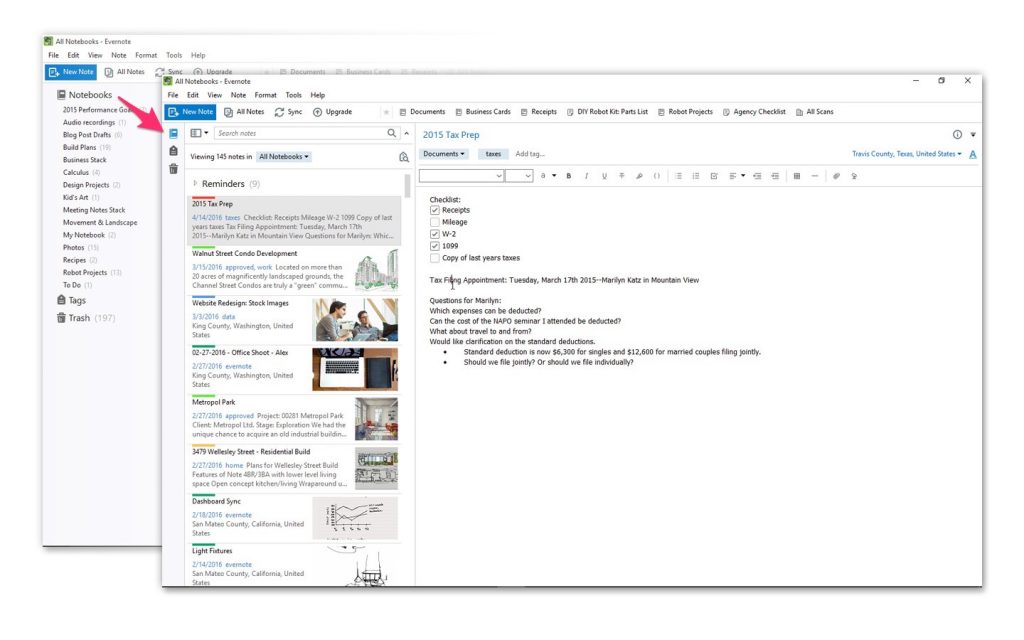
The left sidebar has been redesigned for a more streamlined workflow, so you can find and manage your content even faster. Select ‘Notebooks’ to pull up all your notes in the Note List, and drag and drop a notebook in or out of a stack to move it to a different location. ‘Trash’ now sits permanently as its own section for easier access to deleted notes. And, you can collapse the left sidebar into a thin navigation strip for when you need that extra bit of working space.
Smarter search and discovery

The search bar sits at a new, more natural place on top of the Note List, closer to your results. Evernote will make suggestions and will also scavenge through ‘Trash’ for notes that might have been accidentally deleted. No matter how many notes you have in Evernote or how complex your tagging structure is, it’s easy to find what you’re looking for.
Colorful ways to organize
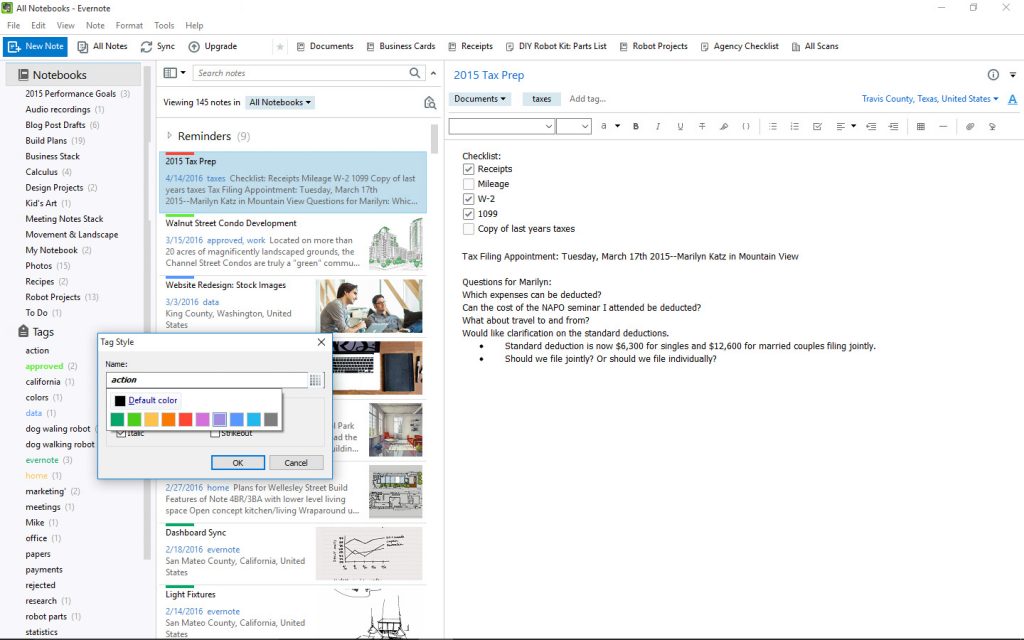
The new Evernote for Windows lets you add color to important notebooks and tags for quicker identification and access to your notes. To assign a color, right-click on a desired notebook or tag, select ‘Style’ and pick your preferred color. When you color-code a tag, all notes with that tag will show the color in the Note List.
Tabs to keep work and life separate

Previously, personal and business notes, notebooks, tags, and shortcuts existed together within their individual sections. Now, personal and business content exist in two separate spaces, as indicated by the two tabs on top of the sidebar.
The latest version is designed for all types of Evernote Windows users in mind, whether you have just a handful of notes or thousands of them. Head over here to read more about all the new UWP apps!


