

We are releasing Windows 10 Mobile Insider Preview Build 15240 to Insiders in the Fast ring. For this flight, it’ll be a bit of a staggered release and it might not show up for you until tomorrow morning. Please be patient while waiting for the build to show up.
What’s New in Build 15240 for Mobile
Emoji 5.0: Just like we did on PC, we have added support for the latest Unicode updates – including new snacks, actions, dinosaurs, and even fantasy characters like genies, fairies and zombies – to Windows 10 Mobile in this build. They’re all accessible via both the touch keyboard and the Emoji Panel. We’ve tweaked some of our original emoji designs based on your feedback and to improve consistency with how the emoji is displayed on other platforms (while maintaining our Windows style).
New emoji include:
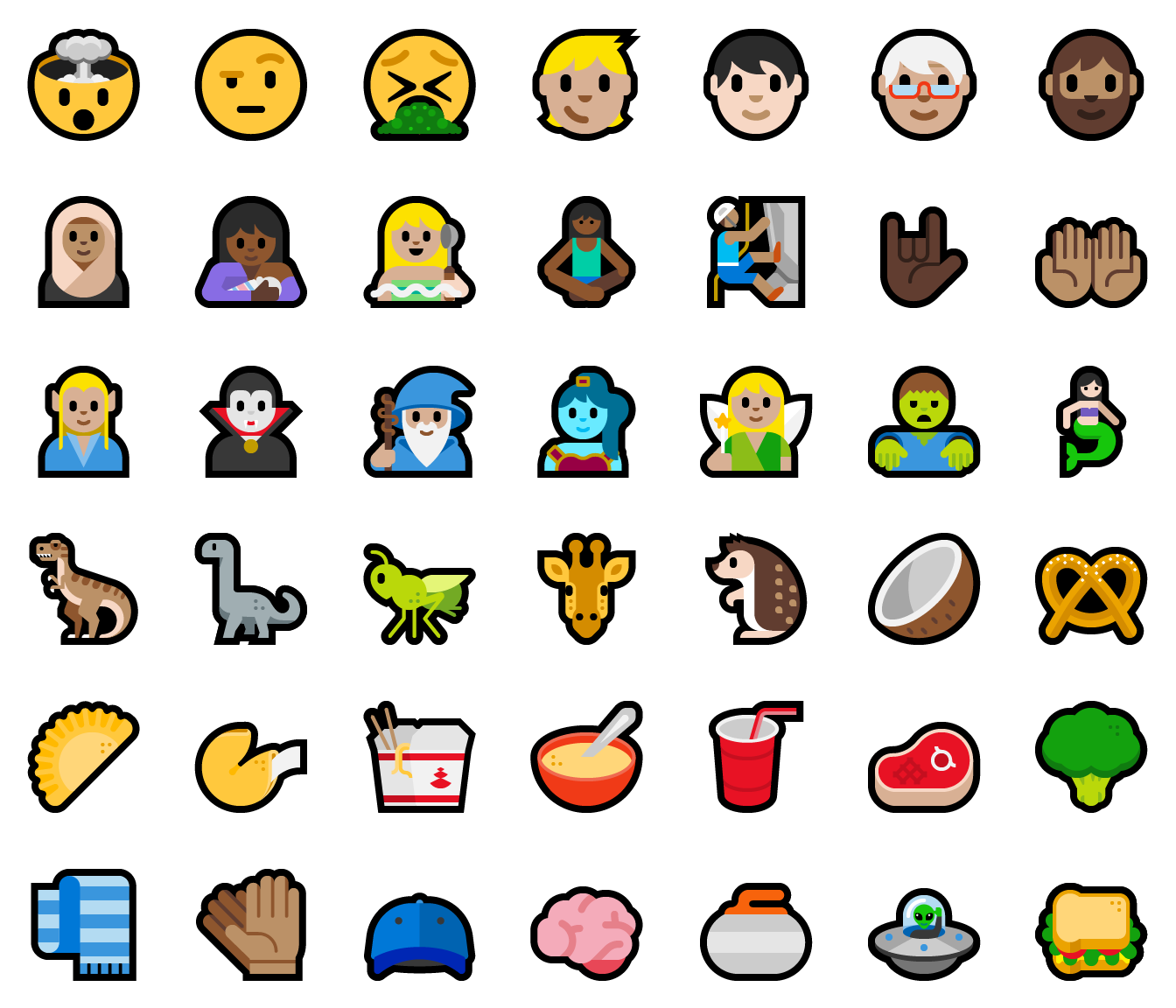
Examples of updated emoji – before:

And after:

Chinese Lunar Calendar: We have received questions about supporting the Chinese Lunar calendar on Windows 10 Mobile. The power of a Universal Windows Platform (UWP) app is that it can run on any Windows-based device. The Calendar UWP app supports the Chinese Lunar calendar on both PC and Mobile. Here’s how you can enable the calendar on Mobile:
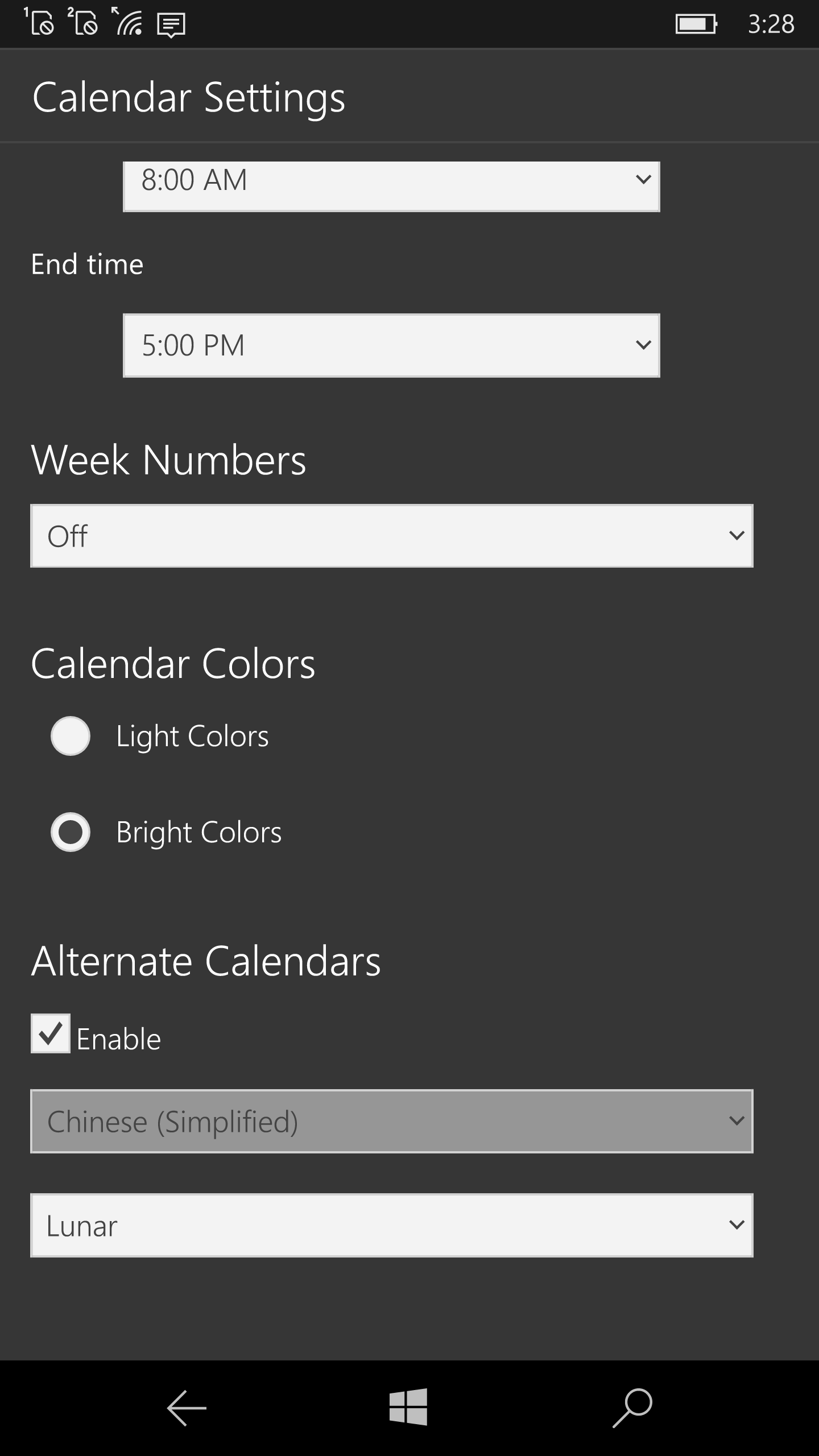
- Launch the Calendar app
- Select Settings >Calendar settings
- Enable “Alternative Calendars” and select Chinese and Lunar in the dropdowns.

Et Voila – you have the Chinese Lunar Calendar on your phone!
General changes, improvements, and fixes for Mobile
- We fixed the issue where trying to update Windows Store apps saved to your SD card resulted in an 8007000B error. Apps installed on SD cards should update without any issue.
- We fixed an issue where there was no icon shown for Windows Update for either new notifications or on the settings page under Settings > System > Notifications & actions.
Known issues for Mobile
- Occasionally, Narrator speaks phrases in English rather than the chosen non-English language.
- There is a problem with the HP Elite X3 with wired docks where the portrait orientation setting is lost when the external display is disconnected and reconnected. A workaround for this is to reboot the phone after tapping the “OK” button instead of disconnecting and reconnecting. This workaround must be performed every time you connect to an external display you want to use with Continuum in portrait orientation.
- When installing or updating a Windows Store app, you may see error 80070057. As a workaround, you can get the latest app by uninstalling the older version of the app from your device and reinstall latest version from Store.
No downtime for Hustle-As-A-Service,
Dona <3