Skip to main content Skip to main content Windows Experience Devices Windows Developer Microsoft Edge Windows Insider Microsoft 365 Microsoft 365 Azure Copilot Windows Surface Xbox Deals Small Business Support Windows Apps Outlook OneDrive Microsoft Teams OneNote Microsoft Edge Moving from Skype to Teams Computers Shop Xbox Accessories VR & mixed reality Certified Refurbished Trade-in for cash Xbox Game Pass Ultimate PC Game Pass Xbox games PC games Microsoft AI Microsoft Security Dynamics 365 Microsoft 365 for business Microsoft Power Platform Windows 365 Small Business Digital Sovereignty Azure Microsoft Developer Microsoft Learn Support for AI marketplace apps Microsoft Tech Community Microsoft Marketplace Software companies Visual Studio Microsoft Rewards Free downloads & security Education Gift cards Licensing Unlocked stories View Sitemap
June 24, 2016
Mobile

Updated Brokered Windows Runtime Components whitepaper and project templates for Windows 10


Brokered Windows Runtime Components can help enterprise developers build apps with modern, touch-enabled user experiences while leveraging their long-term investments in existing business logic code. This is made possible by allowing side-loaded Universal Windows Platform apps to interoperate with desktop processes outside of the app container. This technology was first introduced with the Windows 8.1 Update. For more info, take a look at Harry Pierson’s talk from Build 2014: Respecting Your Investments: How to Leverage Your Existing Code in a New Windows Runtime LOB App.

To make it easier to use this technology, its whitepaper—“Brokered Windows Runtime Components for side-loaded Windows Store appshas been updated for Windows 10. Additionally, new project templates for Visual Studio 2015 have been developed to simplify customizations and automate the build process.

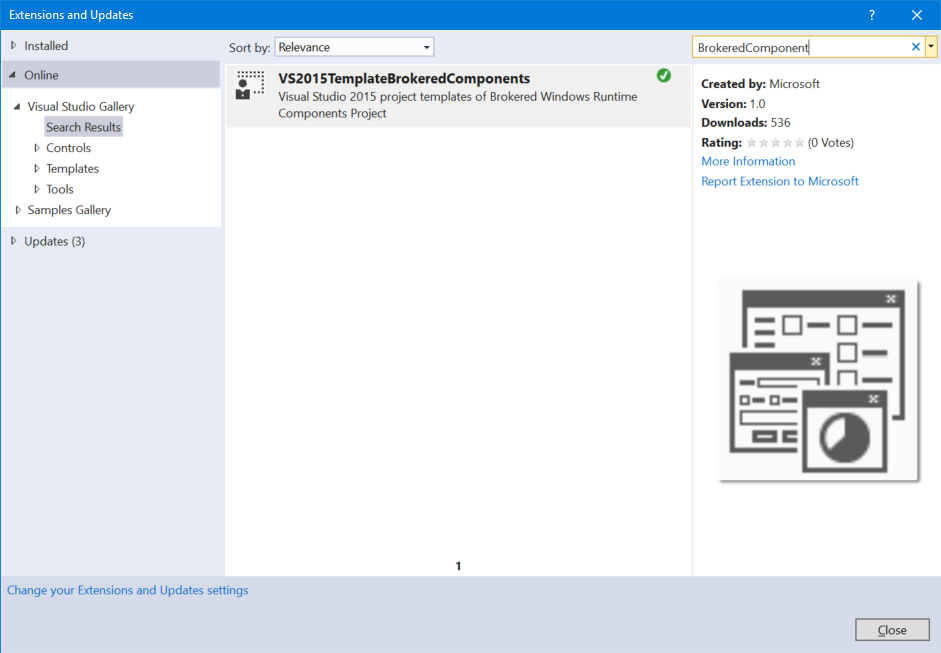
You can download the templates from Visual Studio Gallery, or install them from Visual Studio directly by selecting Tools > Extensions and Updates and searching for “BrokeredComponent.” They’re listed under Online > Visual Studio Gallery > Templates > Visual C++ > Visual Studio Extensions.
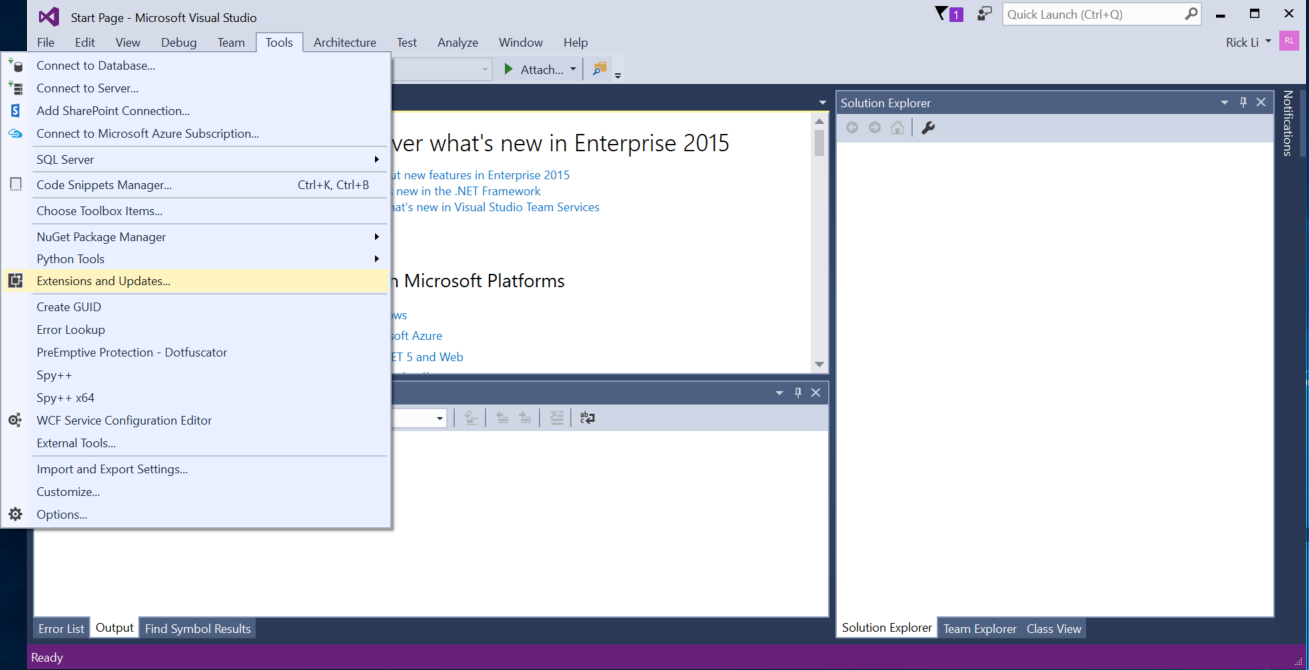
1_extensions
2_menu

Details on how to use the project templates are found in the description of the extension download page.

If you still need to develop apps and Brokered Components for apps targeting Windows 8.1 Update, please read the whitepaper for Windows 8.1 Update and use the project template for Visual Studio 2013.

Your Privacy Choices Opt-Out Icon Your Privacy Choices
Consumer Health Privacy Sitemap Contact Microsoft Privacy Manage cookies Terms of use Trademarks Safety & eco Recycling About our ads