Windows Mixed Reality Dev Kits available for pre-order
Anyone following the excitement around virtual reality and augmented reality over the past year is aware of the anticipation surrounding Microsoft’s new Windows Mixed Reality headsets. You understand that a rapidly expanding mixed reality market is just waiting for developers like you to get involved. During Alex Kipman’s Build keynote, we announced that Windows Mixed Reality dev kits from Acer and HP are now available for pre-order through the Microsoft Store for developers in the US (Acer, HP) and Canada (Acer, HP) —please sign up here so we can notify you once dev kits are available in additional countries.
The Acer Windows Mixed Reality Headset Developer Edition is priced at $299 USD and the HP Windows Mixed Reality Headset Developer Edition is priced at $329 USD. The headsets use state-of-the-art, inside-out tracking so you don’t need to set up external cameras or IR emitters to have a truly immersive experience as you move with six degrees of freedom (6DoF) in mixed reality. You’ll be ready to code new mixed reality experiences out of box with a headset and a Windows 10 Creator’s Update PC that meets our recommended hardware specifications for developers. We invite developers to join the Windows Insider program to receive the latest mixed reality experiences from Microsoft each week.
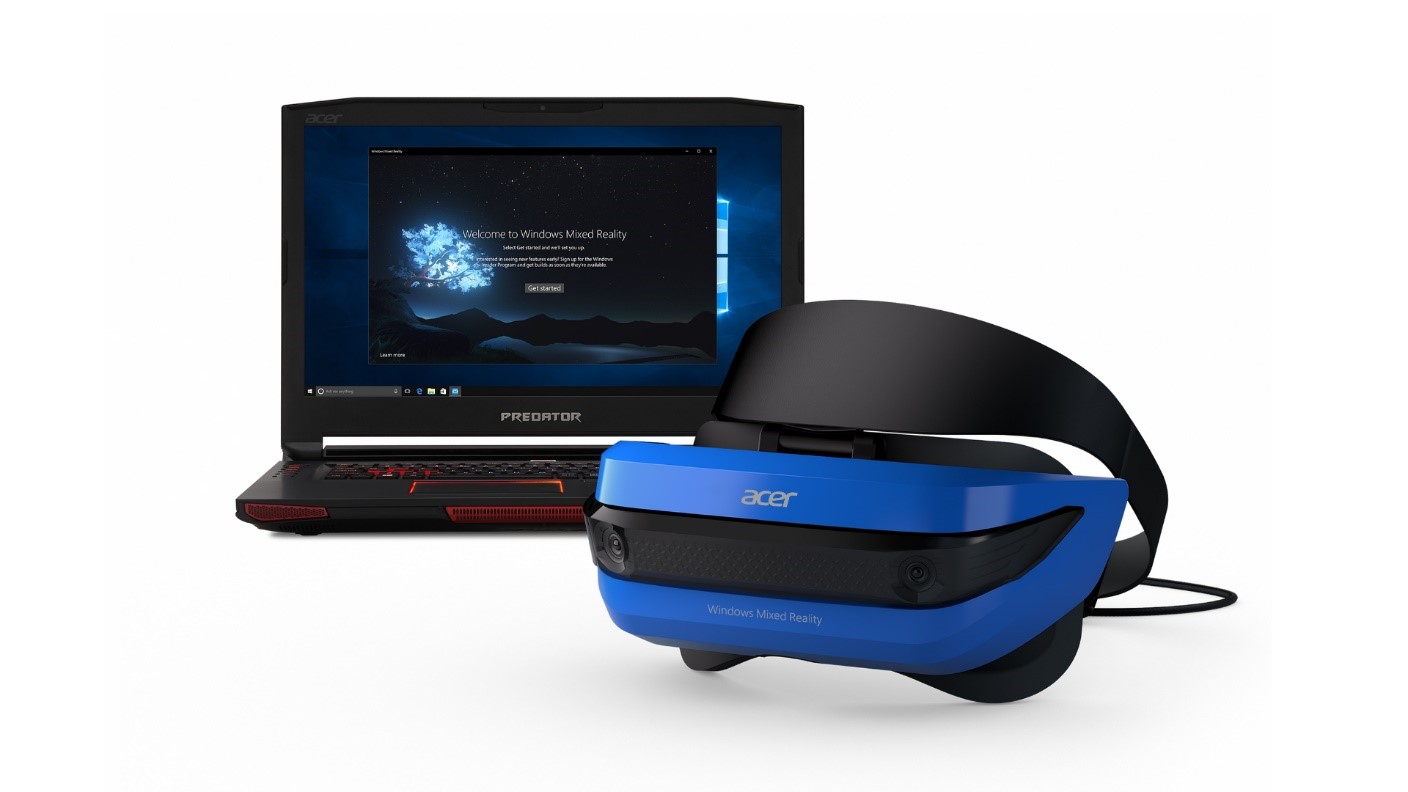
Acer and HP built new mixed reality headsets with different industrial designs to capture the spirit of more personal computing and creativity in Windows. Developers can choose the bright and lightweight headset from Acer or the modern and industrial look of the HP headset with a common set of display and audio features across both headsets:
| Acer Windows Mixed Reality Headset Developer Edition | HP Windows Mixed Reality Headset Developer Edition |
| Pre-order in the US | Pre-order in the US |
| Pre-order in Canada | Pre-order in Canada |
|
|
As a developer, you can start preparing your machine to build immersive experiences today. Visit the Windows Dev Center to view documentation, download tools and join the emerging community of Windows Mixed Reality developers. Download Unity 3D, the most widely-used developer platform for creating immersive applications. Also download the free Visual Studio 2017 Community edition to package and deploy your immersive apps to the Windows Store. Additionally, you should check to make sure your workstation meets the recommended specifications for developers:
System Recommendations for App Developers
Processor
- Desktop: Intel Desktop Core i7 (6+ Core) OR AMD Ryzen 7 1700 (8 Core, 16 threads)
GPU
- Desktop: NVIDIA GTX 980/1060, AMD Radeon RX 480 (8GB) equivalent or greater DX12 and WDDM 2.2 capable GPU
- Drivers: Windows Display Driver Model (WDDM) 2.2
- Thermal Design Power: 15W or greater
Display
- Headset connectors: 1x available graphics display port for headset (HDMI 1.4 or DisplayPort 1.2 for 60Hz headsets, HDMI 2.0 or DisplayPort 1.2 for 90Hz headsets)
- Resolution: SVGA (800×600) or greater
- Bit depth: 32 bits of color per pixel
Memory: 16 GB of RAM or greater
Storage: >10 GB additional free space
Connectivity
- 1x available USB port for headset (USB 3.0 Type-A). USB must supply a minimum of 900mA.
- Bluetooth 4.0 (for accessory connectivity)
The Windows Mixed Reality headsets are priced to lower the barriers to create immersive experiences. Mixed reality is now open to you as a developer—and if your Windows PC already meets the minimum specs, you don’t really need anything more to start building games and enterprise apps for the rapidly expanding mixed reality market. We can’t wait to see what you build!
Get all the updates for Windows Developers from Build 2017 here.
Updated May 17, 2017 11:29 am


The following system recomendation has an error:
“Processor Desktop: Intel Desktop Core i7 (6+ Core) OR AMD Ryzen 7 1700 (6 Core, 12 threads)”
Ryzen 7 1700 has 8 Cores and 16 threads.
So do we need a Ryzen 5 1600 (6 Cores, 12 threads) or a Ryzen 7 1700 (8 Cores, 16 threads)?
OK thanks for the clarification.
How do Non-US/Non-Canadian Build attendees get involved in this?
Hello,
How do I order the kit from Europe?
PS: I am already developing using google tango.
Stan.
Any update on the motion controller availability? The keynote gave the impression that the controllers would be part of the $399 consumer package, in time for the holiday season – do the dev ‘kits’ include controllers, or is there an easy/guaranteed way to secure access to them once available?
Is it available.in India?
I wanna pre-order Acer Mixed Reality, it is possible from Europe? Or is it just US only ?
When will it be available on Australia?
I’ve got a US address but I’m not sure if I ship it to the UK from the US will it still work or will I need to do something else to get this sorted?
What can we do with the headset without the controllers? Why are the controllers not bundled with the headset?
I may have miss-understood, but I thought I heard from MS that these new devices would not require the GPU power of existing VR devises. But specs listed here clearly indicate they need just as much. That cans the development of a factory automation app for the MS Surface Pro.
Don’t know if you’ve had someone answer this before. But lenovo yoga 720 with an integrated intel HD 630 runs it just fine.
FPS is about 17-30. So it’s still useable with low grade hardware.
is it compatible with xbox one like if you plug it in the back of xbox one hdmi would it have a theater mode?
OK, I just got the HP 1440^2 Spacial Computing Headset, and while I am impressed with the device, I am wishing there was more information on it and how to utilize it more. The built in home to explore is great, but I have some questions. Why cant I view Netflix, Hulu, Vudu, or Amazon videos? YouTube seems to have no issues and I can play my own movies that I have stored in my system, but not any commercial service. The Windows movie app has a 360 degree wrap-around effect, but I could not find the same for video games. Also, when I attempted to play Diablo III the video became all jumpy for the game window, and trying to play in full screen mode produces a black screen in the HP Headset. Also occasionally the headset stops working, shows disconnected and will not reconnect unless I unplug and plug it back in or sometimes I have to restart my computer. Is my unit defective and if so, how do I return it for a replacement? I cannot find any reference to the headset on HPs website at all. My computer is a self built Acer Prime 270 AR with i7 7700K 4.2Ghz, 32 GB mem, EVGA GTX 1070 8GB and the HP Headset running Windows 10 Enterprise in Developer mode.