

via thehandheldblog
#1 The winner by a small margin was the Lumia 800’s social integration. This integration is best explained when you open up your people hub on the phone. Instead of just showing you basic information (name, phone number, email address) it pulls in all of the information you have available for that person from your social networks too. This works similarly for photos as it pulls in your own and your friends photos from your networks for your browsing pleasure. But since social integration was your top choice we’re sure you know all about it!
#2 Coming close in second place was design. Upon being unveiled it’s no secret that the Lumia 800 has been said to be a very sharp looking handset – Vaibhav knows the score here and reckons it’s one of the best looking handsets on the market. Furthermore, just looking pretty doesn’t seal the deal for a great design, which Iain Wallace builds on saying ‘it’s a mobile, it’s important it feels good to hold’, which illustrates that ergonomics are an important factor too.
#3 This is where the gamers showed their metal by jumping in on the Xbox Live feature. Here you can view and edit your Xbox Live profile, check and reply to your messages, download games, check your achievements, change your avatar… loads of stuff! It’s no wonder this was a popular choice and it’s really another great example of the integration on this phone.
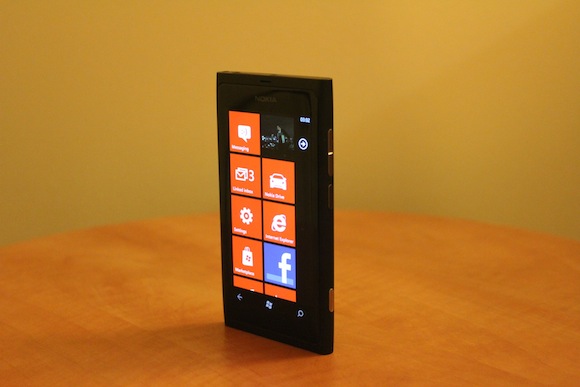
#4 Two words; home and screen. When you take your phone out of your pocket and want to make a call, watch a video or write a text, the first thing you encounter is the home screen. The new look and feel of the colourful and customisable, fluid and active tiles on the Lumia 800 has really hit home in this respect. It’s a refreshing new way of looking at your mobile.
#5 The final feature that you voted for is Nokia Music. This is where you’ll find the Mix Radio that gives you a list of radio stations that you can listen to at your leisure. If you are however in an area without good reception (speed boat) you can store up to 2 hours worth of music from four different radio stations… that’s pretty neat if you ask us. A step on from listening, you can actually click through to the mp3 store to purchase tunes and find out where things are happening in your area with the Gig Locator which is integrated into Nokia Maps. See the embedded video at the bottom for more information on Nokia Music on the Lumia 800!