


Why? Because he’s taken on a task that he hasn’t abandoned within a couple of weeks (as some of us might). His Lumiappaday series has reached #27. That’s 27 in-depth reviews, all of which involve testing, photographing and videoing. Dedication indeed.
So what’s he got to say about these apps? Well, skipping back a day, yesterday he took a look at Kinectimals (concentrating on the phone app – not the Xbox integration). It scored very, very highly – a 9.5 out of 10 – so what gained it such high praise?
Kinectimals is gorgeous. The graphics are awesome; you have some stunning visuals in your 3D kinectimal.
It’s a detailed walkthrough of the game, complete with lots of images of the stages of gameplay (well, looking after your Kinectimal, which Jay aptly named ‘Lumia’ – cute). As mentioned earlier, Jay has even managed to film each app in his series:
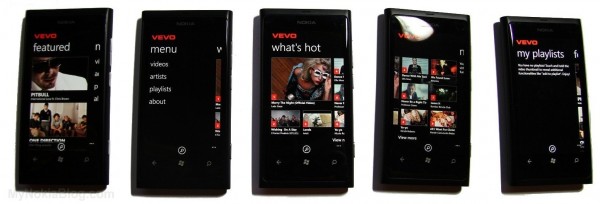
Today, Jay tackles Vevo, an app that lets you watch music videos from…Vevo. Again, all the pertinent info is there up front. This is what makes the Lumiappaday series so cool – the box at the top of each post that has pricing and availability info. So you can download and play along if you so wish. Anyway, back to business. Again the app scores an extremely healthy 9.5 – with a 9 for design and a 10 for usability. Maybe scoring for its ease of use and the fact that it’s a
Simple straight forward app
Are there any apps Jay has yet to cover that you think he should take a look at? What do you think of the series so far? Let him know in the comments, or send us your thoughts @Nokia_Connects