

Five essential reasons to download Skype
Your Nokia Lumia smartphone is already a multi-faceted communications hub. Skype simply adds to its prowess. Here’s why you need it.
Supporter of long-distance friends and family since 2003, Skype has won the hearts of hundreds of millions thanks to its simple and platform-agnostic approach to voice calling.
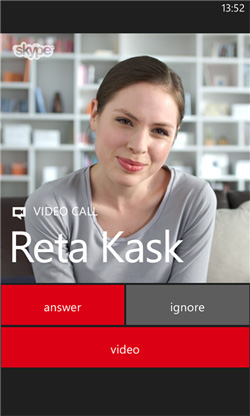
If you’ve not yet made Skype a part of your Lumia life, here are five reasons why you should.
It’s available on every platform
Skype was first built for PC only. It’s now available on most operating systems, making it a great way to keep in touch, regardless of device.
As well as running on PC, Mac, Windows 8, Windows Phone, Android, iPhone, Blackberry, Linux, TVs, Xbox One and more, it can also run directly from your Outlook.com account, thanks to the Skype plugin.
Chat for free
Being a VOIP service, this app uses a data connection to make and receive voice/video calls and instant-message other Skype users. Connect to a WiFi hotspot and you’ll be able to chat for ‘free’ (providing you’re not paying for that WiFi network). It will also work over 3G, but keep an eye on your data plan to avoid surprises.
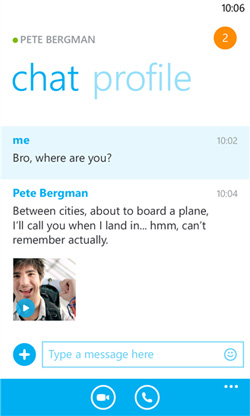
Thanks to deep Windows Phone integration, the contacts in your People Hub also include the Skype option for easier and faster Skype-ing.
Make cheap landline and mobile calls
While Skype users can chat for free between themselves, what if you want to call a landline or mobile? No problem, Skype also offers low calling rates, which usually work out much cheaper. Even internationally. To do this, buy some Skype Credit which can be purchased directly from Skype.
Always connected
For many, particularly workers who use this communication tool during the day, having to leave your desk means you’re away from Skype and any discussion – work related, or not.
With Skype on your Nokia Lumia you’re always connected. Launch it on your phone and receive discussion notifications while on the move.
Chat, on the side
If you’re the proud owner of a Nokia Lumia 2520, you’ll be familiar with the useful side-by-side app feature.

Whether you’re working on a presentation, browsing the web, or watching a movie with Netflix, just place Skype alongside and multitask. In the tablet version, you can also share files.
Are you a Skype regular? Tell us how and why you use it, in the comments below.