

Asha app spotlight: Weave News Reader
Staying abreast of the news is an obsession for many. Reduce the amount of time you spend hunting for it by using Weave News Reader.
Weave News Reader is available on all Nokia platforms, including Lumia (albeit called Tech News Now and mostly about technology), Nokia Asha and Nokia X. For the sake of this ‘app spotlight’, we’ll be focusing on the Asha version.
Once downloaded and launched from the Nokia Store there’re no sign-ups to contend with, just a simple list of checkboxes that require your attention.
Ticking any of these boxes, such as world news, best of YouTube, celebrity gossip, gaming and technology, registers your interest in these topics. You’ll then receive news based on those options.
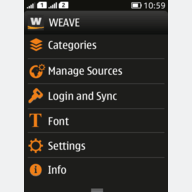
The Weave main page is very straightforward and minimalist.
Positioned at the top is the Categories list, which contains a list of items you selected at app startup.
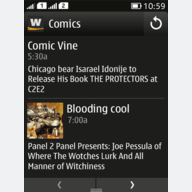
Within each item you’ll see the individual news stories that you can then tap to expand.
Doing so will display a very simple-to-read article; mainly just text. If there’s a video, there’s the option to click out of the story and watch it through the phone’s browser.
Each story includes the option to share to Facebook or Twitter, as well as a favourite button, making it really simple to read news at a later date.
On the home screen you’ll find a Manage Sources section.

Here you can fine-tune the publications you receive your news from and also find news from some of the lesser mainstream, more obscure sources.
If you find it difficult to read text on a phone, there’s a handy Font section to reduce/enlarge the words, as well as change the theme and background colour.
If you’re into news, Weave News Reader is definitely worth a try. Download it today, for free.