

Nokia X app spotlight: Adobe Reader
Adobe Reader on Nokia X is an essential app for anyone who sends, receives, downloads, or reads PDFs. That’s everybody!
Available for free from the Nokia Store, Adobe Reader is the leading PDF-viewing app, trusted by many.
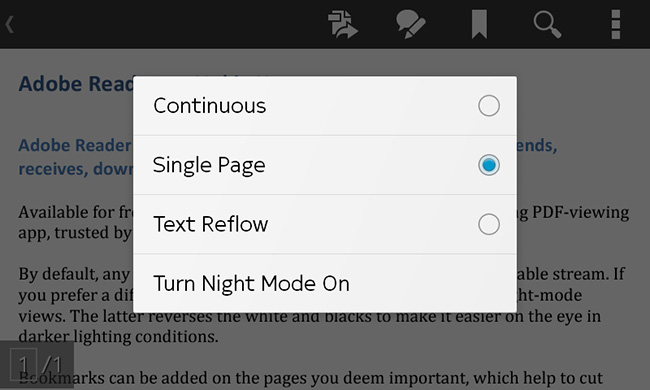
By default, any PDF you open will be shown in a continuous, scrollable stream. If you prefer a different view, there’s single page, text reflow and night-mode options. The latter reverses the white and blacks to make it easier on the eye in darker lighting conditions.
Bookmarks can be added on the pages you deem important, which help to cut down on content searching time.
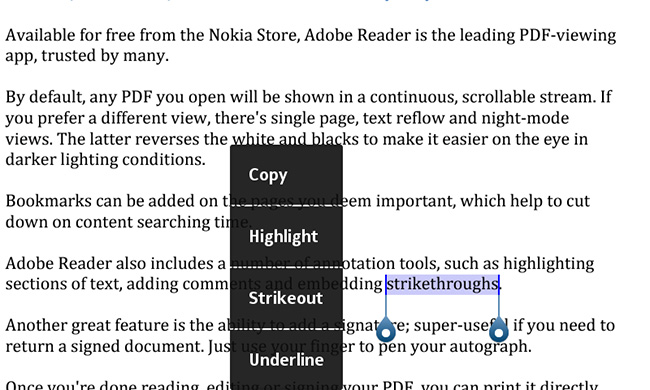
Adobe Reader also includes a number of annotation tools, such as highlighting sections of text, adding comments and embedding strikethroughs.
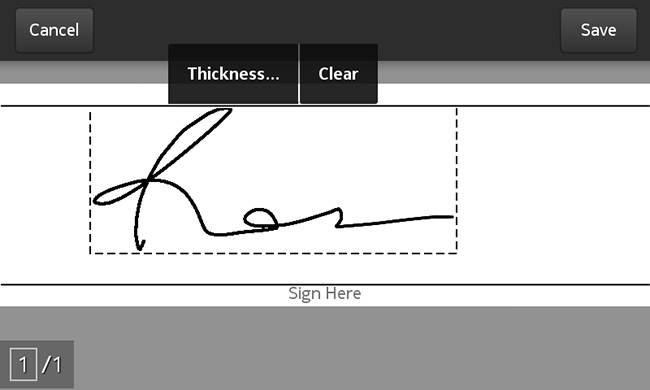
Another great feature is the ability to add a signature; super-useful if you need to return a signed document. Just use your finger to pen your autograph.
Once you’re done reading, editing or signing your PDF, you can print it directly from the app, save it to Acrobat.com if you’ve got an account, or share it via BBM, Bluetooth, Email, OneDrive, Outlook.com, or Skype.
Additional services are available for a subscription. This includes the means to convert PDF to Word or Excel and make scanned text editable with optical character recognition (OCR).
Sound good? Download it and tell us what you think.