

Tripwolf: New travel guide app for Windows Phone
With more than 150 destinations worldwide, tripwolf may eliminate the need to fumble with bulky maps and travel books ever again.
We’ve all seen tourists wrestle with unwieldy maps and consult 300-page travel guides before asking a local for directions. Wouldn’t it be a relief to have all that info on your Lumia instead?
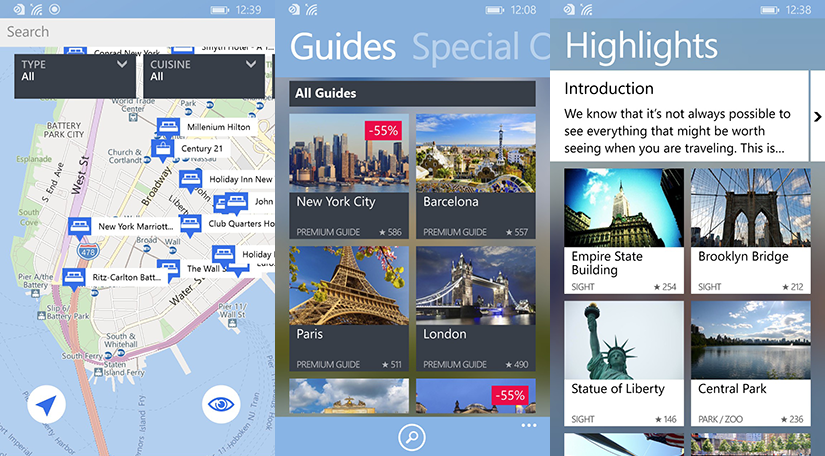
The brand-new tripwolf app for Windows Phone 8.1 replaces traditional travel guides by combining travel information from premium publishers such as Marco Polo with online content from Yelp, Foursquare, and Wikis.
The app is free, but guides for individual cities will cost a small fee. You can also purchase unlimited access to tripwolf’s more than 150 destinations, which include Paris, New York City, and my own city, San Francisco.
Getting around
Tripwolf’s intuitive tile-based interface makes it easy to plan your next adventure with a flick of your finger.
The app makes recommendations on what to see and do, can help guide you around the city, and even has a full map of your surroundings marked with must-see attractions.
GPS integration tracks where you are on the map, helping to point you to a hotel, restaurant, or major shopping outlet. All content is available offline, too, in case you can’t access the Internet while abroad.
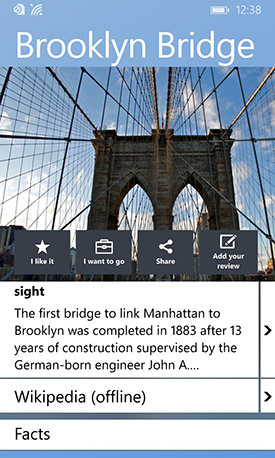
In addition to the app’s Trip Planner, which helps you organize your itinerary beforehand, my favorite parts of tripwolf are the full-color photos and detailed articles on each attraction.
Pin tripwolf to your Lumia’s Start screen for quick access—you have the option of a regular or wide Live Tile. Tripwolf is also compatible with Windows Phone 8.1 devices running with just 512MB of RAM.
So the next time you travel, let tripwolf guide you from the convenience of your Lumia phone.
Readers, tell us: Where will you travel next?