

EE brings Wi-Fi Calling to the UK and Lumia
Here’s some good news for Microsoft Lumia 640 owners in the UK: The new smartphone is the first Lumia to support Wi-Fi Calling via telecommunications provider EE.
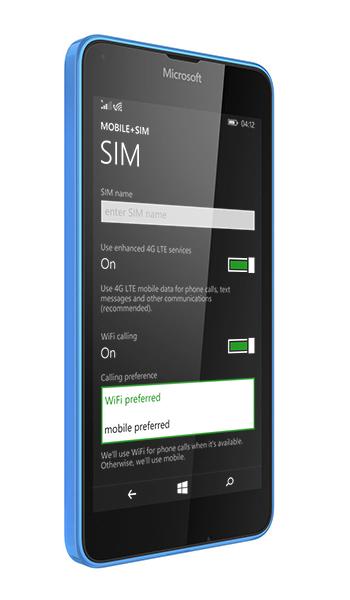
You may wonder how Wi-Fi Calling differs from phone calling via typical VoIP (Voice over Internet Protocol) applications. VoIP requires you to install an app and your messages can only be received if a person you’re calling has the same app.
In contrast, Wi-Fi Calling works right from the operating system on Lumia, so Wi-Fi calls and text messages work just like regular cellular calls and text messages.
“Wi-Fi Calling gives you reliable coverage indoors, outdoors, underground in basement flats or at a train station,” said Santtu Ahonen, a product manager at Microsoft.
“Anywhere you can connect to Wi-Fi, you can make and receive calls as well as send text messages on your Lumia without the need of additional or separate applications.”
“If you live or work somewhere that doesn’t have reliable network coverage but a reliable Wi-Fi connection, you can set your calling preference to ‘Wi-Fi preferred’ so that you’ll never miss a call,” he added.
To take advantage of Wi-Fi Calling on Microsoft Lumia 640, you’ll need to buy a pay monthly plan with Wi-Fi Calling enabled through EE’s direct channels–deals of which you can find, here.
Could Wi-Fi Calling help you stay connected? Let us know, below.