

Photo Story launches on Windows Phone
This new photo app automatically generates a stylized video from the precious moments of your life to share via email and social media.
Available for download starting today exclusively for Windows Phone, the free Photo Story app offers an innovative new way to enjoy your photos.
Photo Story creates engaging stories using your existing photos. Simply choose a day, a theme, and a soundtrack, and the app will create a rich, stylized video out of the best photos from that day.
A Microsoft Garage project, Photo Story utilizes a combination of machine learning and computer vision to select the best representative photos from a given day. The technology ensures that no duplicates or low-quality photos end up in the mix.
The Photo Story algorithm also evaluates photos for their inherent interest, meaning that empty landscapes may be excluded in favor of photos more relevant to the story.
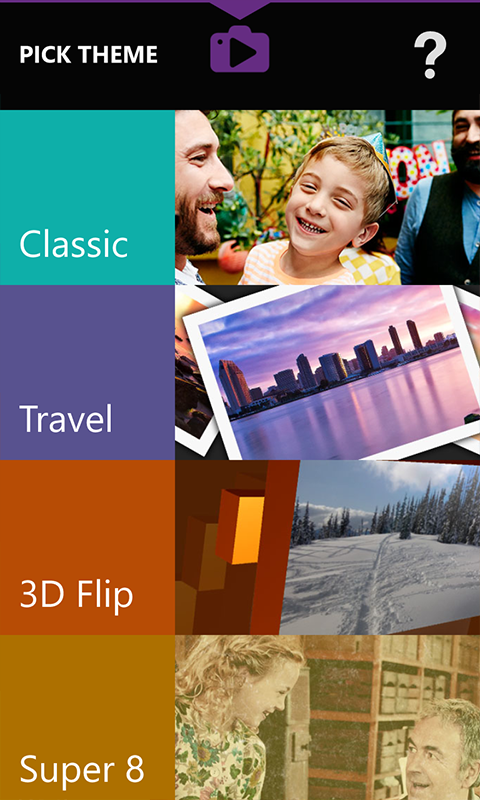
Once the app selects the featured photos, your unique story video can be stylized with effects, transitions, and background music. You can then share your photo story with friends through email and social media.
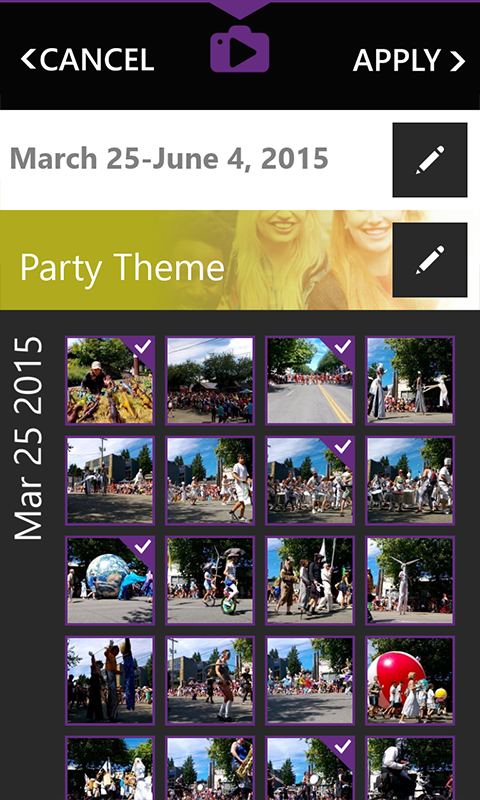
Photo Story also supports Cortana. Simply say, “Story from today” and the app will begin auto-selecting photos taken today.
For more information on the development of Photo Story, head over to the Inside Microsoft Research blog here.
Download Photo Story here or search for “Photo Story” in the app store on your Lumia. Also, find more great apps at Microsoft Garage.
Have you tried Photo Story yet? Share your unique video with us in the comments below.