

Nokia Asha 501 update: New experiences walkthrough
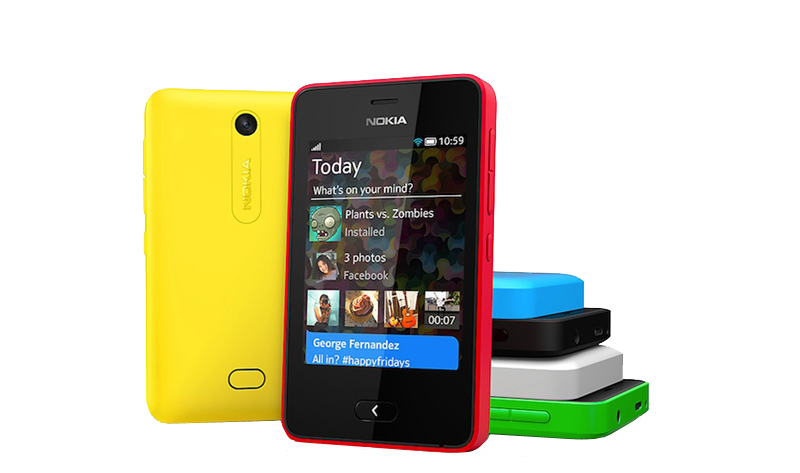
Nokia rolled out a new software update for the Nokia Asha 501 last week, with some big changes to the OS to offer a better all-round experience.
So what’s new? Turn on your Nokia Asha 501 for the first time after installing the update, check out the menu, and one of the first things you’ll notice is a new icon – WhatsApp – providing a feature that plenty of Asha 501 owners have been asking for over the past few months.
Tap the icon and WhatsApp downloads automatically. The app itself looks fantastic, and as with all the other features in the latest update, it’s particularly easy to use.
Changes to Fastlane
The changes run a lot deeper than that, though, and Fastlane is one of the biggest beneficiaries of the update. It’s now possible to remove individual apps and items from your feed, so you can keep Fastlane simple, uncluttered and filled with the features you truly love the most.
To remove an item from Fastlane, simply tap and hold, and then delete it using the cross at the side. It’ll still be in the main menu of course, but just won’t appear under that day’s activity on Fastlane.
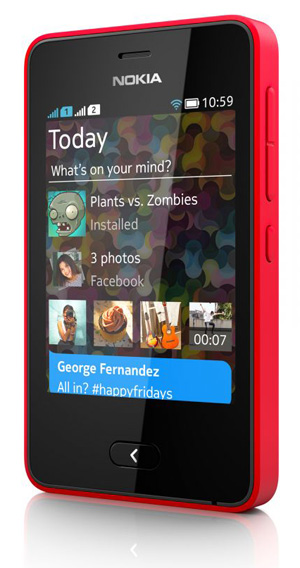
Choose items for Fastlane
You can also choose which items appear on your Fastlane list, picking from: Alarm, calendar, calls, installed apps, messages, music, new photos, notes, radio, recent apps, recent web page, Bluetooth sharing and social networks.
My own favourite feature in the update is the new camera offering, which lets you swipe the lockscreen upwards to automatically start the camera – there’s no need for a dedicated shutter button for the camera,
When you swipe up you can open the camera, video mode or gallery, meaning there’s no more wasted time when you’re looking to shoot something exciting, or wanting to share things with friends.
I also love the fact that it’s now easier to navigate through menus, sharing content, moving or deleting as you go. Tap and hold a photograph in the gallery and a large, simple menu appears. Simply select the way you want to share it – via messaging or Slam, for example – and there’s nothing more to do.
The options are more intuitive than before, and it’s a lot easier to get to grips with if the Nokia Asha 501 is your first smartphone.