

Significant performance improvements with Edge 134
We’re very proud to say that, starting with version 134, Microsoft Edge is up to 9% faster as measured by the Speedometer 3.0 benchmark.
With every release of Microsoft Edge, we care about delivering better performance, so that you can spend less time waiting and more time browsing. This is why we have features like sleeping tabs and startup boost, which are a big help for performance.
The way you experience the web also depends significantly on how responsive web pages are. In this area, industry benchmarks such as Speedometer 3.0 give us a great way to measure the performance of the browser in real-world scenarios.
Starting with Microsoft Edge 134, we have improved the overall performance of the browser by 3 to 9%, as measured by the Speedometer 3.0 benchmark.
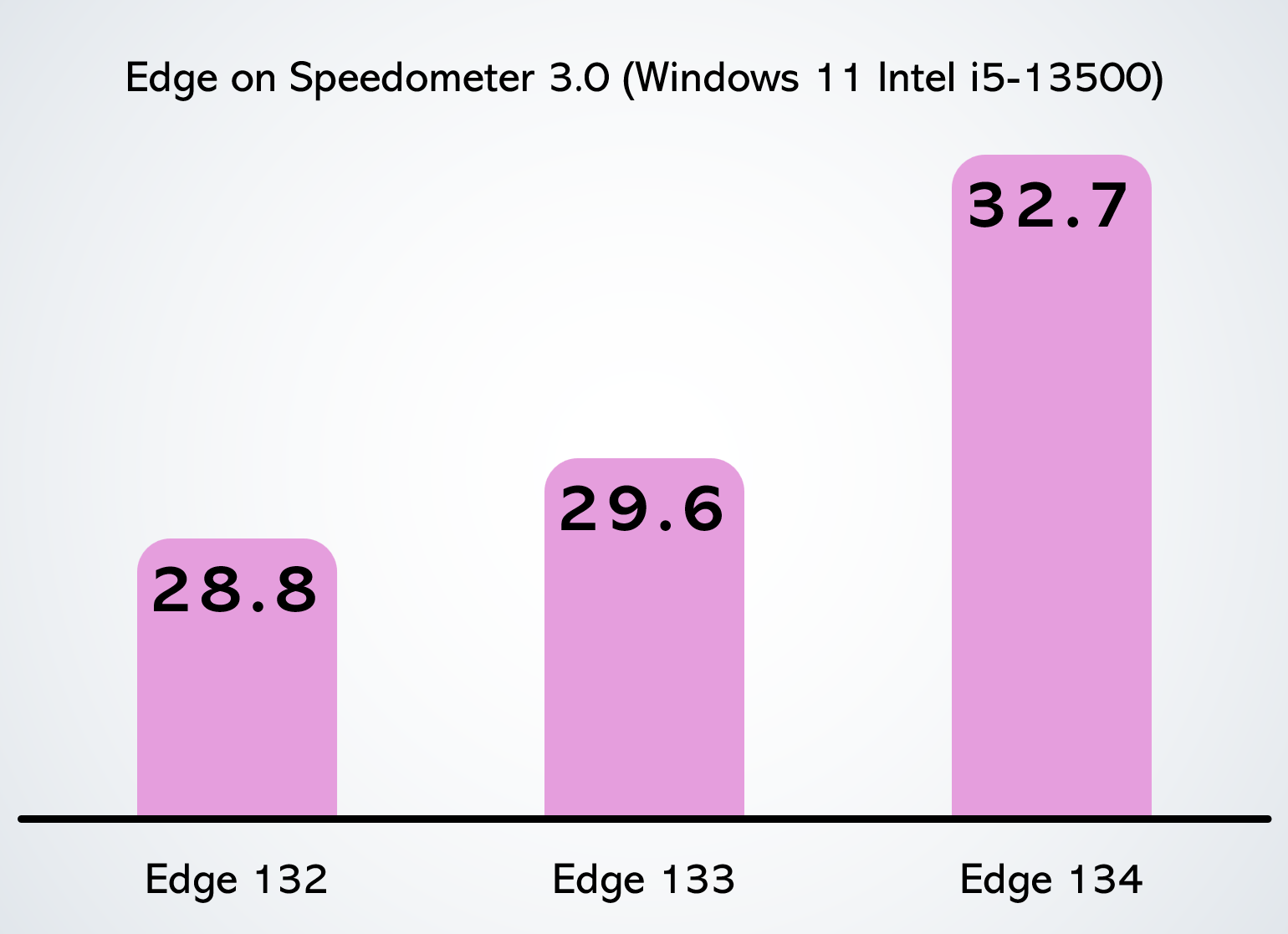
Our unique approach, and focus, on optimizing speed, and the code changes we continuously make to Edge, and to the Chromium rendering engine within it, have led to real-world performance improvements when using the browser on a variety of hardware running on Windows and macOS!
Of course, the improvements you experience will depend on your particular device, the other applications that may be running, and your own individual browsing habits, but we’re excited for you to try Edge and let us know about your experience.
But that’s not all! In addition to better performance in benchmarks, we’re also seeing improvements across several core performance metrics between Edge 133 and 134, including:
- 1.7% faster navigation times
- 2% faster startup times
- 5% to 7% improvement in web page responsiveness
These results come from our field telemetry, which represent real-world web usage on all types of hardware and websites.
We’d love for you to try Microsoft Edge and let us know what you think. Tell us about your experience by using the feedback tool in Edge: click Settings and more (…) > Help and feedback > Send feedback.