

The Web Install API is ready for testing
We’re happy to announce that the Web Install API is now ready for testing on your own site, as an origin trial in Microsoft Edge.
With the Web Install API, your website can request the browser to install other web applications on the user’s device, by calling the asynchronous navigator.install() function. This allows you to invoke the browser’s built-in web app installation experience from your own user interface and exactly when you need it.
This can help you improve the installation experience of your own app or suite of apps but can also be used for app store-like experiences.
The Web Install API origin trial is available on Windows, macOS, and Linux. You can learn more about the API by reading our explainer document, checking out demos, or watching the following video:

Test the API today by registering to the origin trial
The Web Install API origin trial is available now in Microsoft Edge starting with version 143 and running until version 148.
To participate in the origin trial, and test the API on your live website, register to the origin trial. Here’s how:
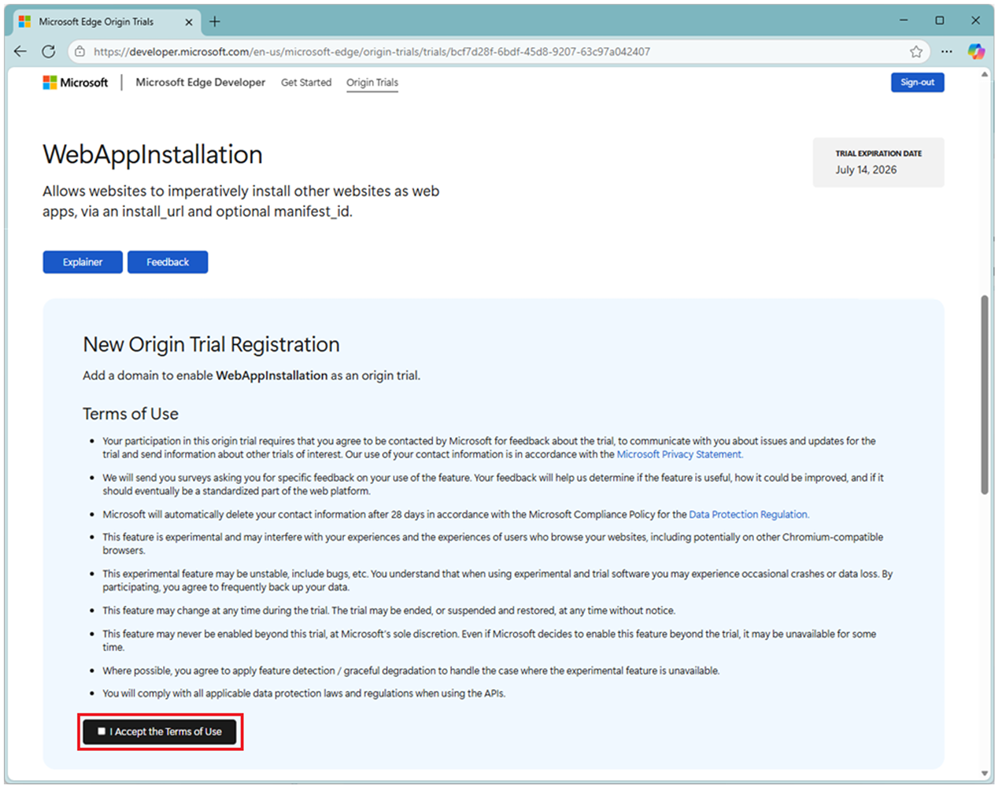
- Go to the WebAppInstallation origin trial page, sign-in with your GitHub account and accept the terms of use.
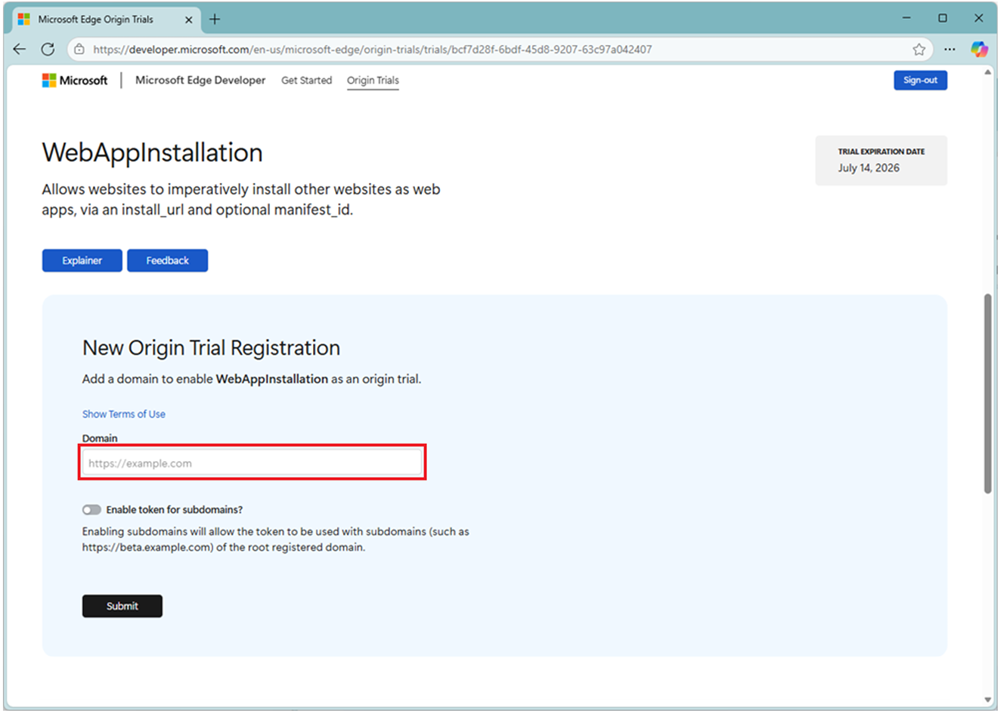
- Add your website’s domain name to enable the Web Install API origin trial for that domain.
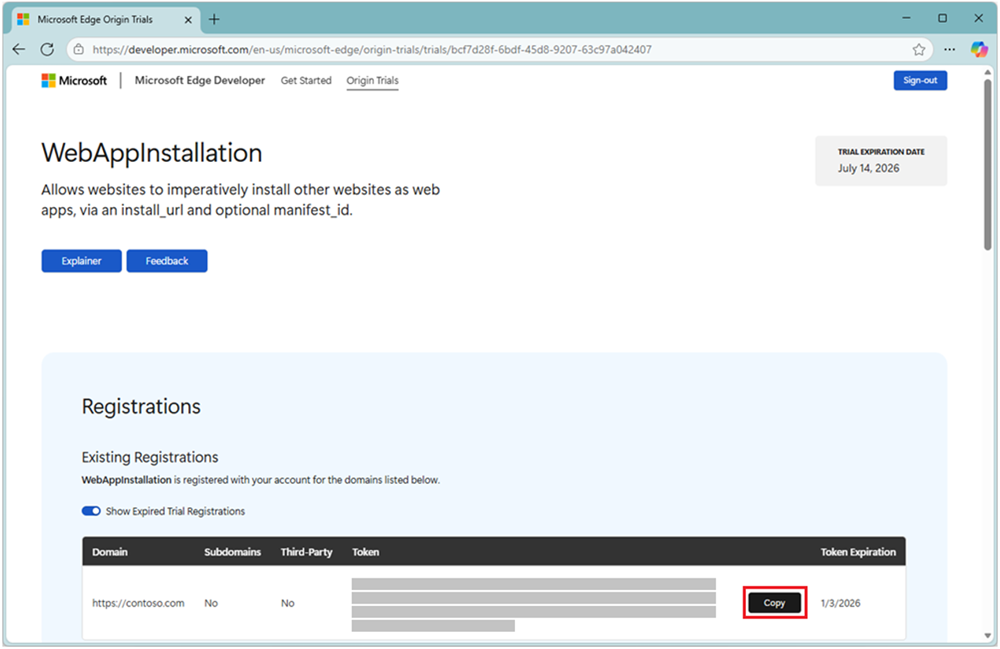
- Copy the token string:
- Add the following meta tag to your website’s HTML code:
<meta http-equiv="origin-trial" content="[paste the token here]">
You can also send the origin trial token as an HTTP server response instead:Origin-Trial: [paste the token here]
By registering to the origin trial, the users of your site will not need to enable the Web Install API locally. It will be enabled for them by Microsoft Edge automatically.
Note that the earliest version of Edge where the origin trial is available is 143, which is, at the time of writing, available as Microsoft Edge Beta. Version 143 will become the next Edge stable release in early December, and the origin trial will continue running until Edge 148.
Or test the API locally only
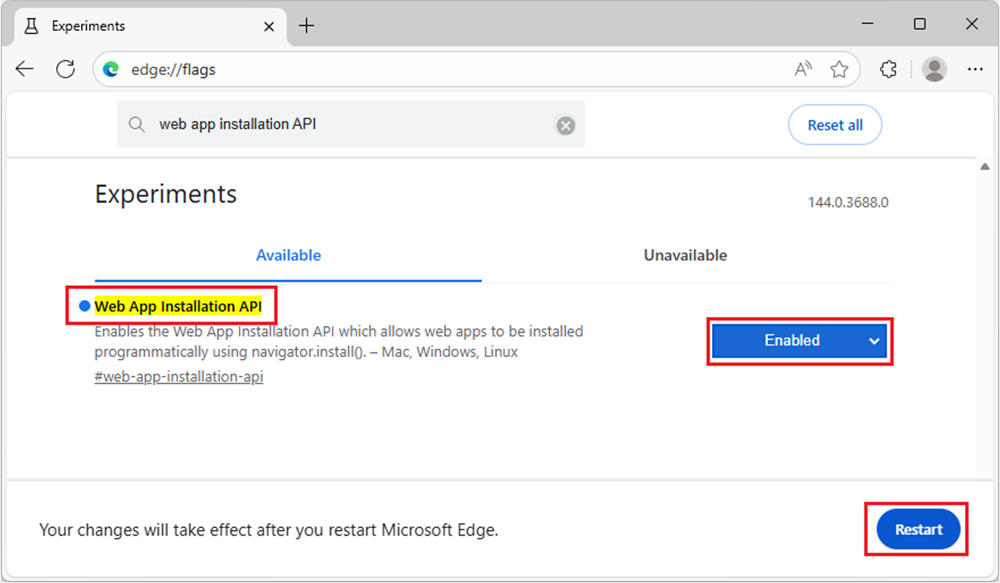
You can also enable the Web Install API on your development device only, for local testing. To do this:
- Open a new tab in Microsoft Edge and go to the
edge://flagspage. - Search for “Web App Installation API”.
- Change the flag’s default value to Enabled and then restart the browser.
Let us know what you think
This is a very exciting milestone for the Web Install API. With this origin trial, we’re hoping to gather early interest and feedback from the community on the API. The feedback you share with us will allow us to continue evolving the feature to better match your needs and use cases.
To provide feedback, please open a new issue on our explainers GitHub repository. We welcome any comment, suggestion, and bug report you encounter while using the API, and we look forward to making web app installation much easier by building the functionality right into the web platform, thanks to your help!