

New in Edge for developers – Style layout gaps, improve keyboard accessibility and migrate your PWA to a new origin
Welcome to New in Edge for developers, a new series featuring recent web platform updates in Microsoft Edge that help web developers build better sites and apps.
In this first edition, we’ll look at CSS gap decorations for styling the space between layout items, the focusgroup attribute for easier keyboard navigation, same-site PWA origin migration for moving an installed web app without disrupting users, and other improvements such as text-fit, flex-wrap: balance, and faster clipboard reads. We’ll also preview upcoming features you can test today and share feedback on early, and highlight a few updates from across the broader web ecosystem, such as Modern Web Guidance, an AI coding agent skill helping you write better code.
Style layout gaps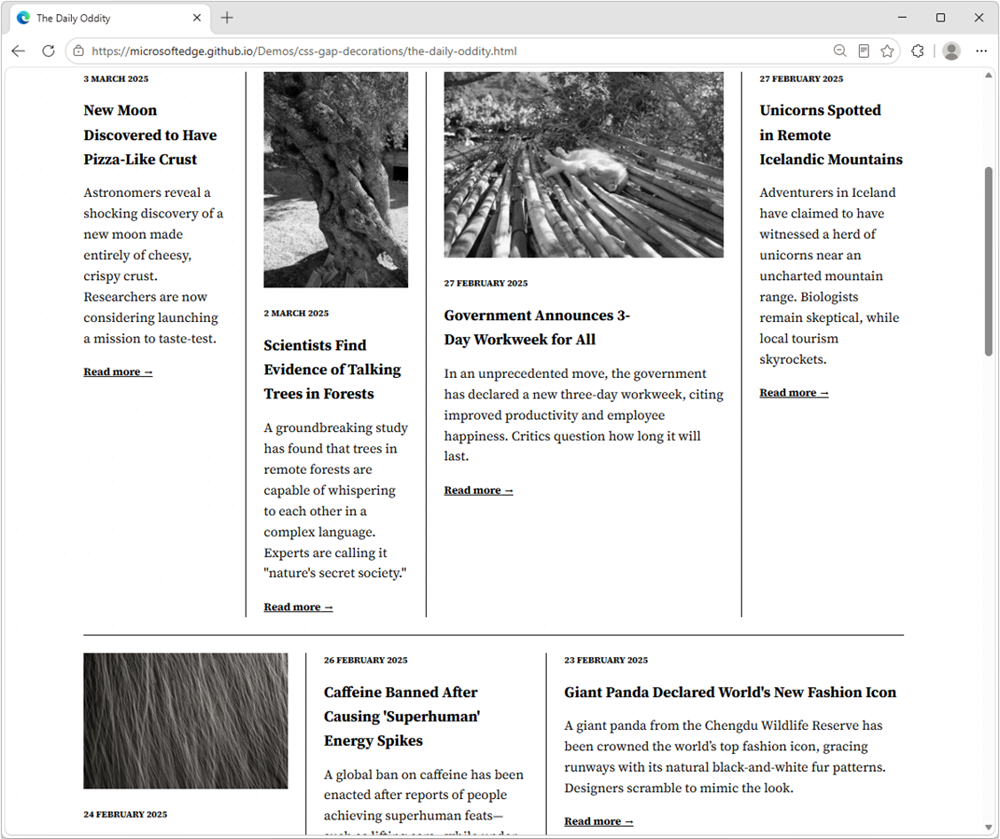
CSS gap decorations let you style the gaps between items in flex, grid, and multi-column layouts directly, without relying on border hacks, pseudo-elements, or extra DOM elements. The new row-rule and extended column-rule properties, as well as the rule shorthand, support colors, patterns, and even the repeat() syntax for rich, consistent designs with minimal CSS.
.grid {
  display: grid;
  gap: 16px;
  row-rule: 1px solid #ccc;
  column-rule: 2px solid #333;
}
Learn more about CSS gap decorations and try our interactive playground.
Improve keyboard accessibility with focusgroup
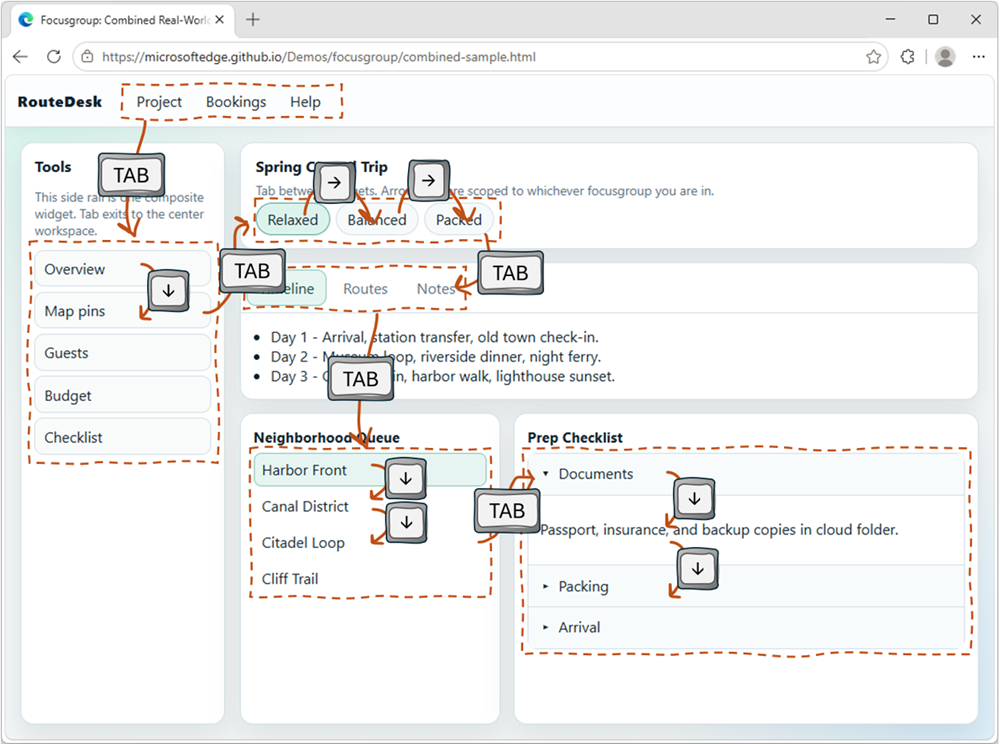
The focusgroup HTML attribute gives you arrow key navigation for composite widgets, such as toolbars, tabs, or menus, for free. With the focusgroup attribute you get automatic arrow key handling and focus memory, without any custom JavaScript roving tabindex code.
To learn more, check out Making keyboard navigation effortless.
Migrate your PWA to a new origin
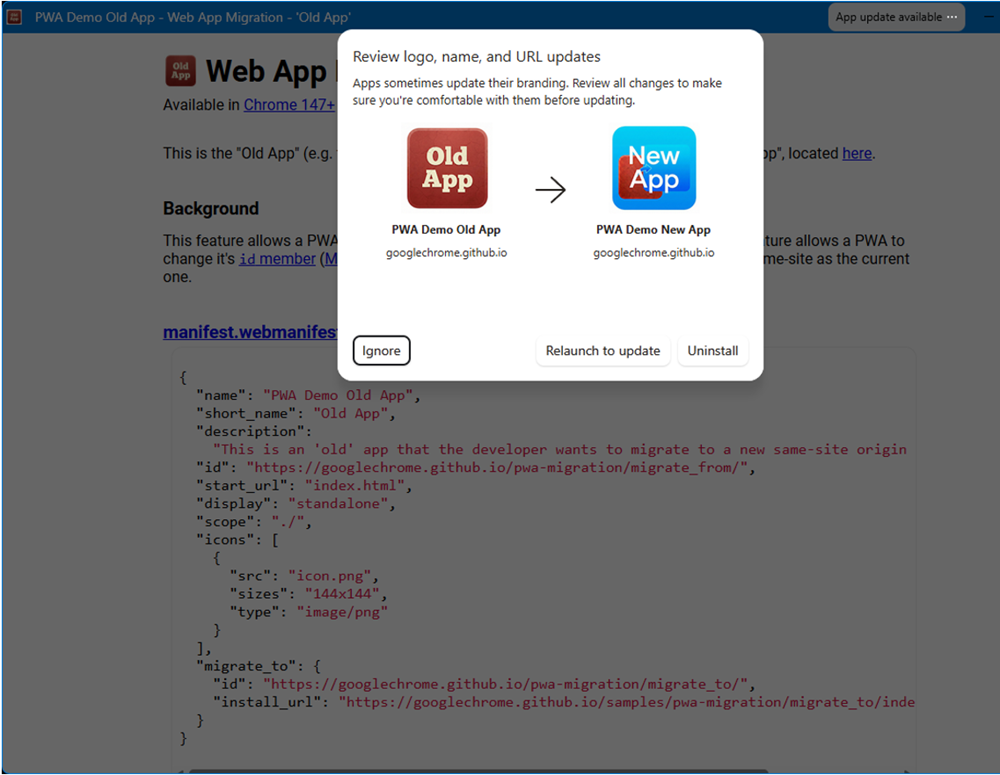
You can now seamlessly migrate your Progressive Web App (PWA) to a new, same-site origin, preserving user installations and permissions.
When a user installs a PWA, its identity is bound to its web origin (for example, example.com/app). Previously, changing the origin forced users to manually uninstall and reinstall the app. This is no longer necessary. Now, moving to a new origin such as app.example.com can happen without interruption to your users.
To learn more, see Seamless PWA origin migration: Change domains without losing users.
And many other features
We’ve added many more web platform features to Microsoft Edge over the past fews releases. Check out the links below to find out more:
- image-rendering: crisps-edges: scale an image in a way that preserves contrast and edges, without smoothing colors or introducing blur.
- OpaqueRange for form control text: measure, highlight, and anchor UI to the text inside
<input>and<textarea>without mirror-div hacks. - Performance improvements when reading clipboard data: the Async Clipboard API now defers reading clipboard data until you call the getType() method.
- text-fit: scale the font-size of a text node so it perfectly fits the width of the box.
- light-dark() function for images: easily switch images based on the user’s preferred color scheme.
- flex-wrap: balance: distribute the content of a flexbox layout on each flex line.
- scrollBy() / scrollTo() completion promises: run code when a smooth scrolling finishes, instead of relying on timers or scroll polling.
For even more updates, check out our web platform release notes.
Ready for testing
While not yet available for general use, the following features are available for early testing and feedback. You can test these new features either locally, or on your production website with your own users, by registering for an origin trial.
Your feedback is crucial to help us shape these next features and ensure they meet your needs as developers, and the needs of your users.
Network Efficiency Guardrails: monitor and improve your site’s load performance
Complex sites that embed third-party content and are maintained by many different teams tend to run the risk of regressing load performance when strong guidelines and monitor practices are not in place.
This is exactly what the Network Efficiency Guardrails feature provides. It surfaces performance violations automatically in production, so your teams can catch and fix them without manually auditing every page.
To learn more and test the Network Efficiency Guardrails feature, see Monitor and improve your web app’s load performance.
<install>: install web apps with a single HTML element
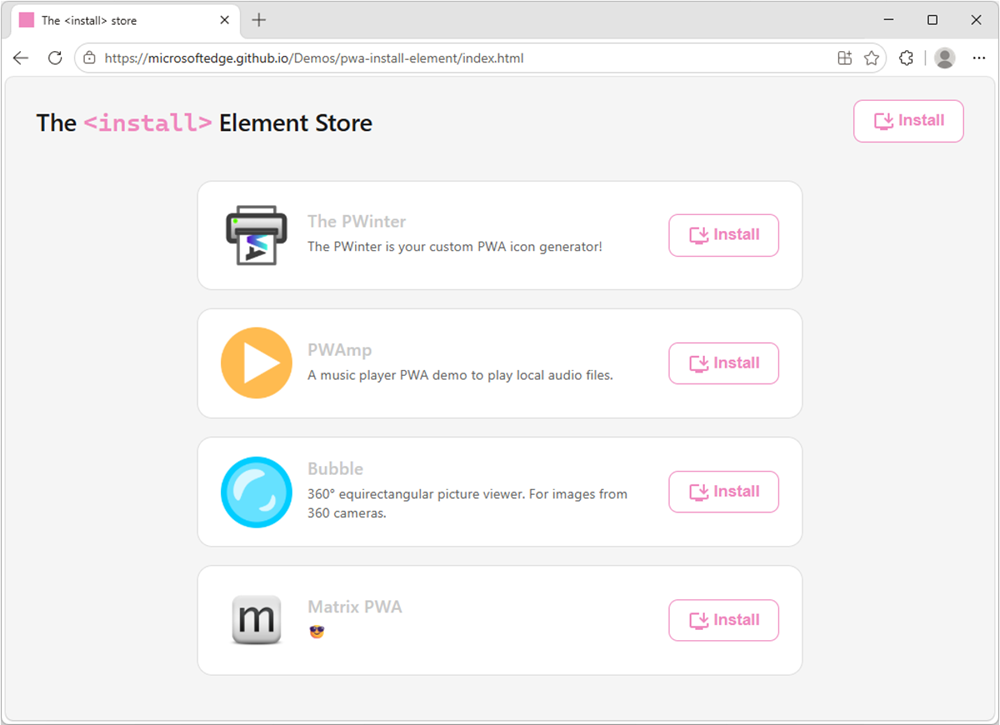
The new <install> element gives you a browser-trusted install button with no JavaScript required. The browser controls the button’s label and appearance, so a user click is a genuine signal of intent.
You can even use the installurl attribute to build an app catalog that installs cross-origin web apps.
<!-- Install the current app -->
<install></install>

<!-- Install a different app -->
<install installurl="https://awesome-app.com/"></install>
To learn more, and get started, see our blog post: Install web apps with the new HTML install element.
CSS Grid Lanes: space efficient masonry layout
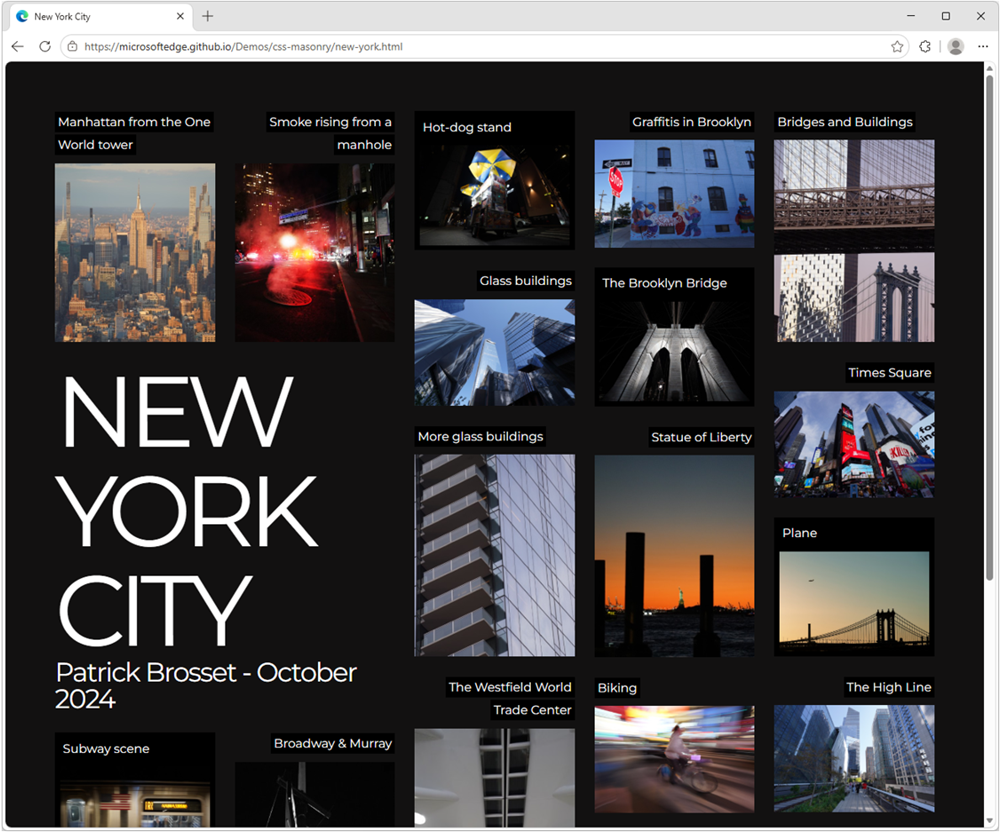
Grid Lanes is a new type of CSS layout that allows items to be automatically placed in the next available space, creating a space-efficient masonry-like layout without needing to specify row heights or use JavaScript.
Grid Lanes is ideal for galleries, portfolios, and any design where items have varying widths or heights.
.grid {
  display: grid-lanes;
  grid-template-columns: repeat(auto-fill, minmax(200px, 1fr));
}
To learn more, check out our demos.
New models and APIs for on-device AI
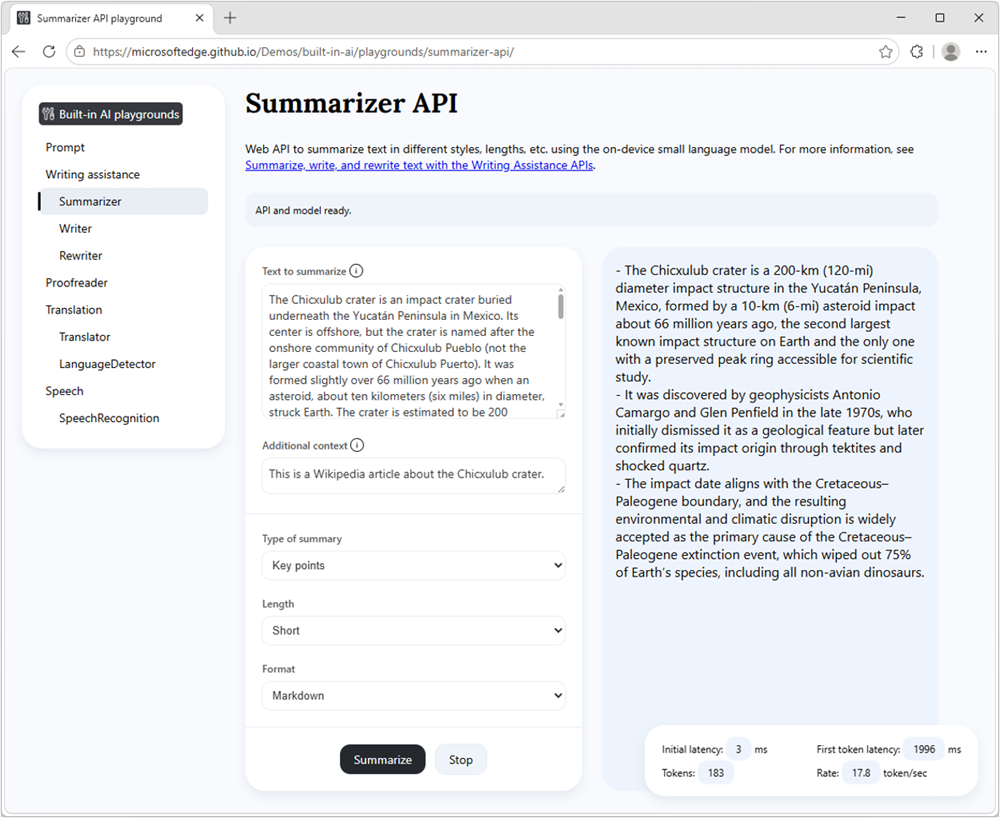
Our developer preview of the pre-release Aion-1.0-Instruct small language model is now available to use with the Prompt API and Writing Assistance APIs in Microsoft Edge.
Aion-1.0-Instruct is smaller, faster, and more efficient than Phi-4-mini. It also expands support to significantly more devices.
Check out our playground samples and share your feedback on GitHub.
That’s not all, starting with Microsoft Edge Canary or Dev 150, you can now also use the WebSpeech API to convert speech to text by using a local model, rather than a cloud-based solution.
With on-device speech recognition support in Microsoft Edge, you can reduce your web app’s running cost, be network independent, and improve privacy for your users.
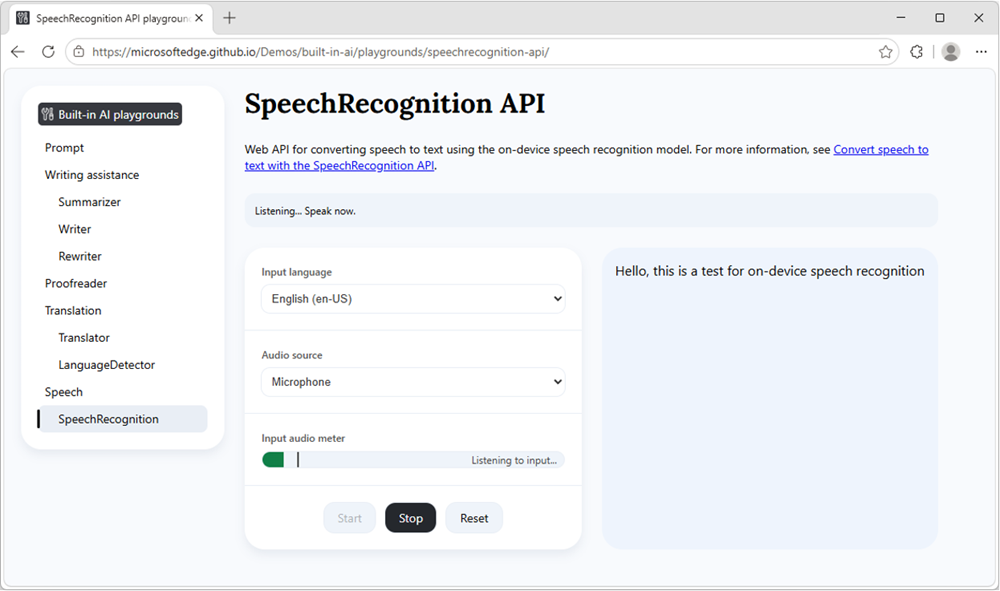
To learn more about Aion-1.0-Instruct, on-device speech recognition, and other on-device AI API updates, see Expanding on‑device AI in Microsoft Edge: New models and APIs for the web.
News from across the web platform
Beyond individual features, we also want to highlight a few updates from across the web platform and the broader web ecosystem.
Interop 2026 progress
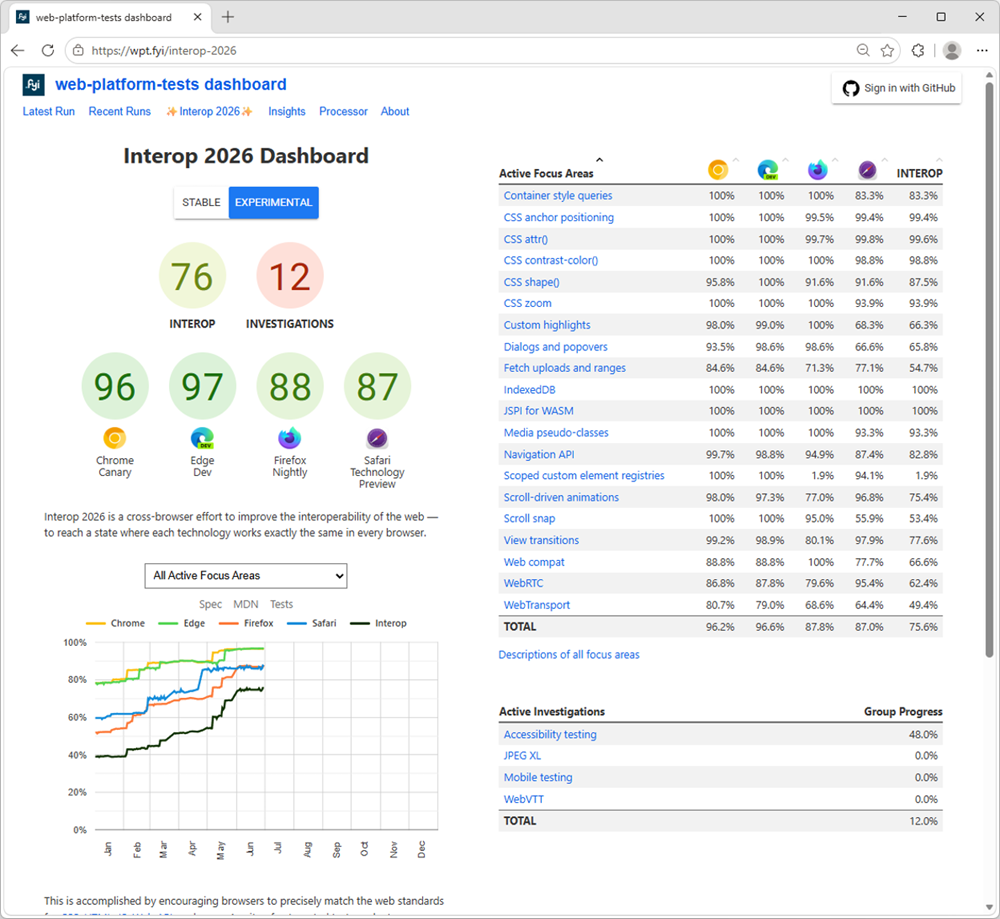
The web moves forward by responding to new end-user and developer needs, and this is therefore a big part of what we do. But we also know that you need stability and consistency to build on. That’s why we’ve been participating in the Interop project for the past five years, working with other browser vendors to identify and fix interoperability issues across browsers.
This work is crucial to ensure that the web remains a healthy ecosystem where developers can build with confidence, and users can access content and applications regardless of their choice of browser.
Interop 2026, the latest round of the project, is now well underway, and we’ve already made significant progress in fixing the issues identified during the planning phase. Between January and June 2026, Microsoft Edge’s test pass rate increased from 77% to 97%, and we’re hard at work on features such as Scoped custom element registries and WebTransport.
Check out the Interop dashboard for more details on this year’s focus areas and the progress made by all participating browsers.
Modern web guidance
We’ve partnered with the Google Chrome team to bring Modern Web Guidance to web developers. This ambitious project gives developers AI skills they can use with their AI coding agents, to build better web apps based on best practices under rigorous evals.
We want to hear from you about this project. Did you try it? Did you find the results helpful? Are there other features you’d like to see included? Please let us know by using the public repo.
Closing words
On the Microsoft Edge web platform team, we’re always listening to what users and web developers need, and pushing for a better, more capable web. Our work is never done; a healthy web is one that keeps improving to meet ever evolving needs.
We hope these recent feature additions and early experiments are useful to you and your users.
As always, let us know your feedback and other unsolved use cases. With your help, we can make your lives as developers easier, and your web products better for users.