Skip to main content Skip to main content Windows Experience Devices Windows Developer Microsoft Edge Windows Insider Microsoft 365 Microsoft 365 Azure Copilot Windows Surface Xbox Deals Small Business Support Windows Apps Outlook OneDrive Microsoft Teams OneNote Microsoft Edge Moving from Skype to Teams Computers Shop Xbox Accessories VR & mixed reality Certified Refurbished Trade-in for cash Xbox Game Pass Ultimate PC Game Pass Xbox games PC games Microsoft AI Microsoft Security Dynamics 365 Microsoft 365 for business Microsoft Power Platform Windows 365 Small Business Digital Sovereignty Azure Microsoft Developer Microsoft Learn Support for AI marketplace apps Microsoft Tech Community Microsoft Marketplace Software companies Visual Studio Microsoft Rewards Free downloads & security Education Gift cards Licensing Unlocked stories View Sitemap

Paint app for Windows 11 update for Windows Insiders brings updated dialogs and more

Written By published November 30, 2021

Hello Windows Insiders, today we are beginning to roll out an update to the Paint app for Windows 11 to Windows Insiders in the Dev Channel. This update includes a good set of changes and improvements we think the community will enjoy!

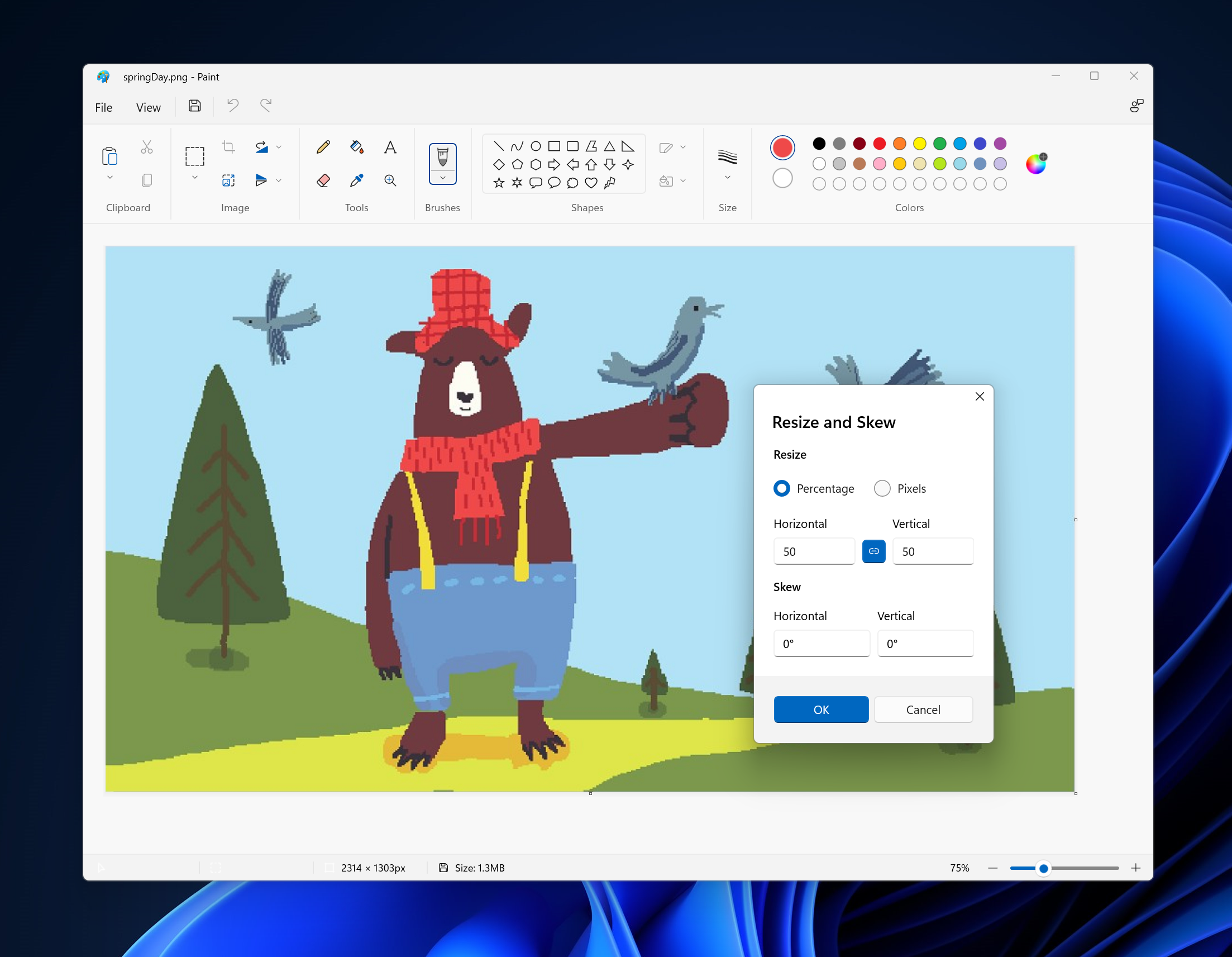
We have updated the “Edit Color”, “Resize and Skew”, and other dialogs to match the style of the new Windows 11 design and fit in with the new Paint app backdrop.
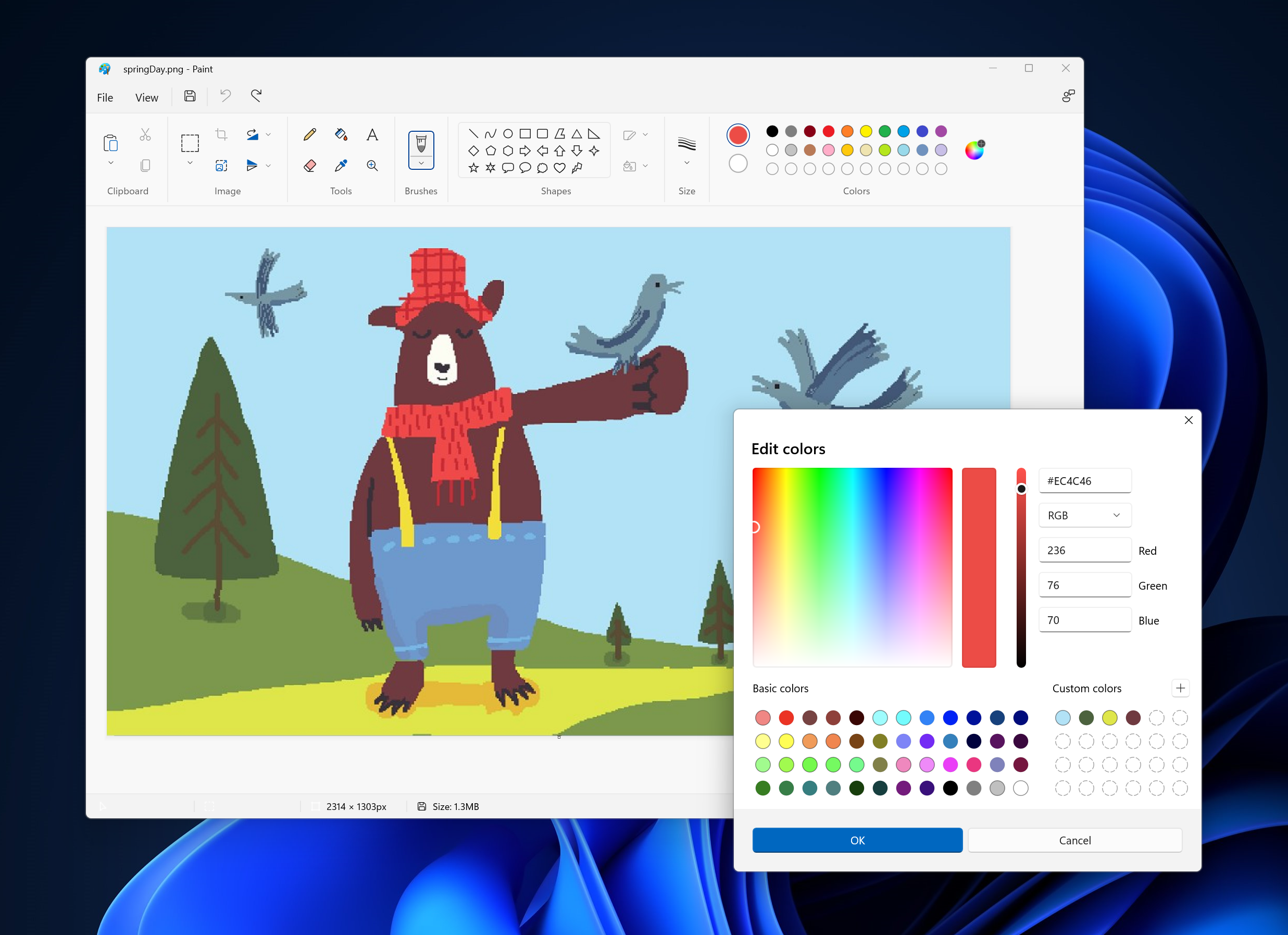
New Edit Color Dialog in Paint.
New Resize and Skew Dialog in Paint.

We’ve made additional fixes in this release as well:

  • Shift-click on a color swatch will now select that color as your secondary color.
  • Fixed an issue where text boxes would move unexpectedly when using IME.
  • Fixed an issue where some dialogs were not properly localized in Hebrew, Dutch, Norwegian, and other languages.
  • Improved support for screen readers.

As always, we love getting feedback and will be looking out for your thoughts, so share your suggestions in Feedback Hub (under Apps > Paint).

Thanks,
Dave Grochocki, Principal Program Manager Lead – Windows Inbox Apps

Your Privacy Choices Opt-Out Icon Your Privacy Choices
Consumer Health Privacy Sitemap Contact Microsoft Privacy Manage cookies Terms of use Trademarks Safety & eco Recycling About our ads