

Rolling out new features for Windows 11 (22H2) to the Release Preview Channel
Hello Windows Insiders, today we’re releasing Windows 11 Build 22621.2361 (KB5030310) to Insiders in the Release Preview Channel on Windows 11, version 22H2. We’re also beginning to roll out some of the new features announced yesterday by Yusuf, including Copilot in Windows (in preview)*, Modernized File Explorer, new text authoring experiences to voice access and new natural voices in Narrator, and Windows Backup. A more complete list of features will be shared next week on Sept. 26th.
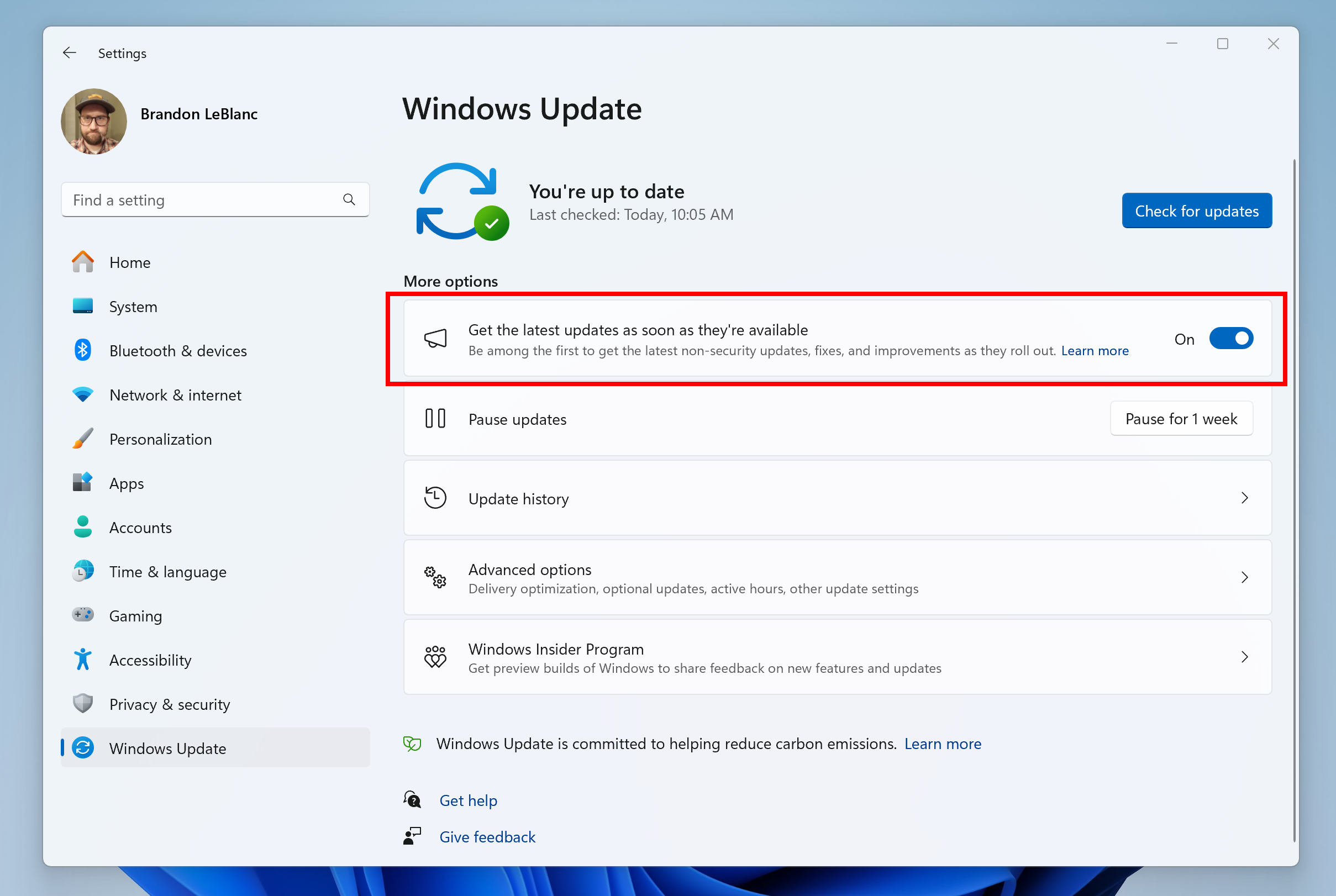
If you have the toggle to get the latest updates as they are available turned ON via Settings > Windows Update BEFORE installing Build 22621.2361, you will also get Windows Configuration Update (KB5030509) installed at the same time you install Build 22621.2361 in a single reboot. Note only the update for Build 22621.2361 will show during install on the Windows Update settings page. But after reboot, the Windows Configuration Update will be shown in your Update History. This Windows Configuration Update is how we’re enabling new features via Controlled Feature Rollout (CFR) technology.
Should you install Build 22621.2361 without turning on the toggle to get the latest updates as they are available before, you can simply turn it on, and Windows Configuration Update (KB5030509) will be downloaded on your PC where you will be asked to reboot. Should you install build 22621.2361 and keep the toggle off, the new features will be gradually rolled out to your device over time.
Thanks,
Windows Insider Program Team
*Copilot in Windows (in preview) will start to release to a select set of global markets. It is our intention to continue to broaden availability over time.