

Previewing accessing Phone Link features from the Start menu with Windows Insiders
June 2025: This experience is also available to Windows Insiders in the Canary Channel.
UPDATE 8/2: We are beginning to gradually roll out this experience to Windows Insiders in the Dev Channel. Updates made below to the requirements section.
Hello Windows Insiders,
We are gradually rolling out a new feature, which allows you to use your mobile device directly from the Start menu on your Windows 11 PCs, to Windows Insiders in the Dev and Beta Channels. With this feature, you can stay connected and effortlessly access your mobile device’s functionalities right from the Start menu.
Key features include:
- Effortless Connectivity: View your phone’s battery status and connectivity right from the Start menu on your Windows 11 PC.
- Unified Communication: Access your phone messages, calls, and photos directly from Start, ensuring you never miss an important update or moment.
- Continuity of Experience: Pick up where you left off with the latest activities from your phone, all seamlessly integrated into your Start menu experience.
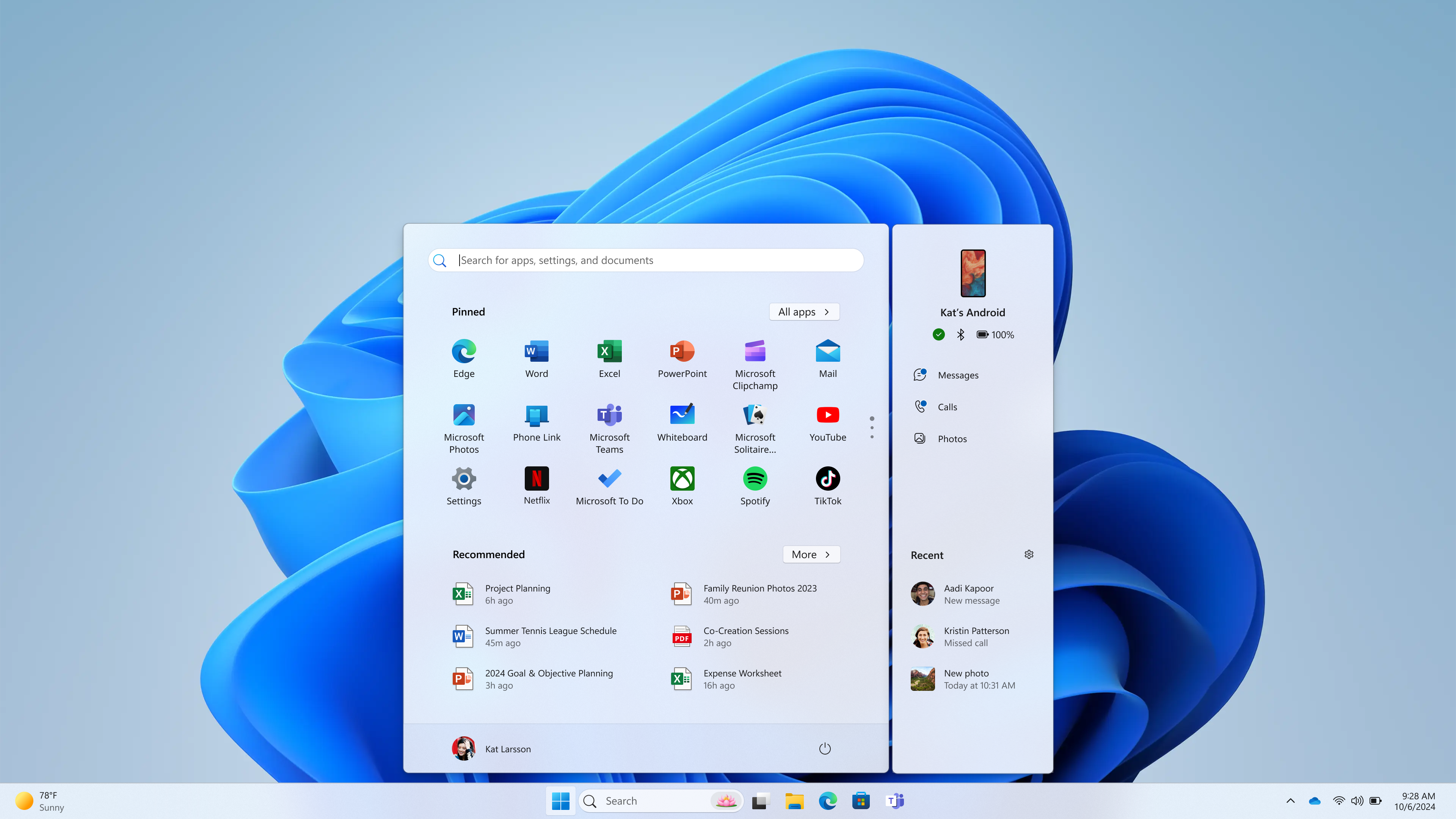
This feature is gradually rolling out to the Windows Insider community and available only for Android users on Windows 11 who are already connected via Phone Link. iOS support will be coming at a later date. This experience can be managed via Settings > Personalization > Start (support link).
Requirements:
- Windows 11 Insider Preview Build 22635.3790 and higher in the Beta Channel.
- [ADDED 8/2] Windows 11 Insider Preview Build 26120.1330 and higher in the Dev Channel.
- [UPDATED 8/2] Phone Link version 1.24061.93.0 and higher.
FEEDBACK: Please file feedback in Feedback Hub (WIN + F) under Desktop Environment > Start Menu.
Give it a try and let us know your feedback and suggestions. You can also join the conversation on our Windows Insider community forums and social media channels.
Thanks,
Windows Insider Program & Phone Link Teams