

Update for Copilot for Windows begins rolling out to Windows Insiders
Hello Windows Insiders, we are beginning to roll out an update for the Microsoft Copilot app for Windows via the Microsoft Store that introduces the following changes and improvements:
It’s native: With this update, the previous Copilot progressive web app (PWA) is replaced with a native version. After installing the Copilot app update, when you run Copilot, you will see it appear in your system tray.
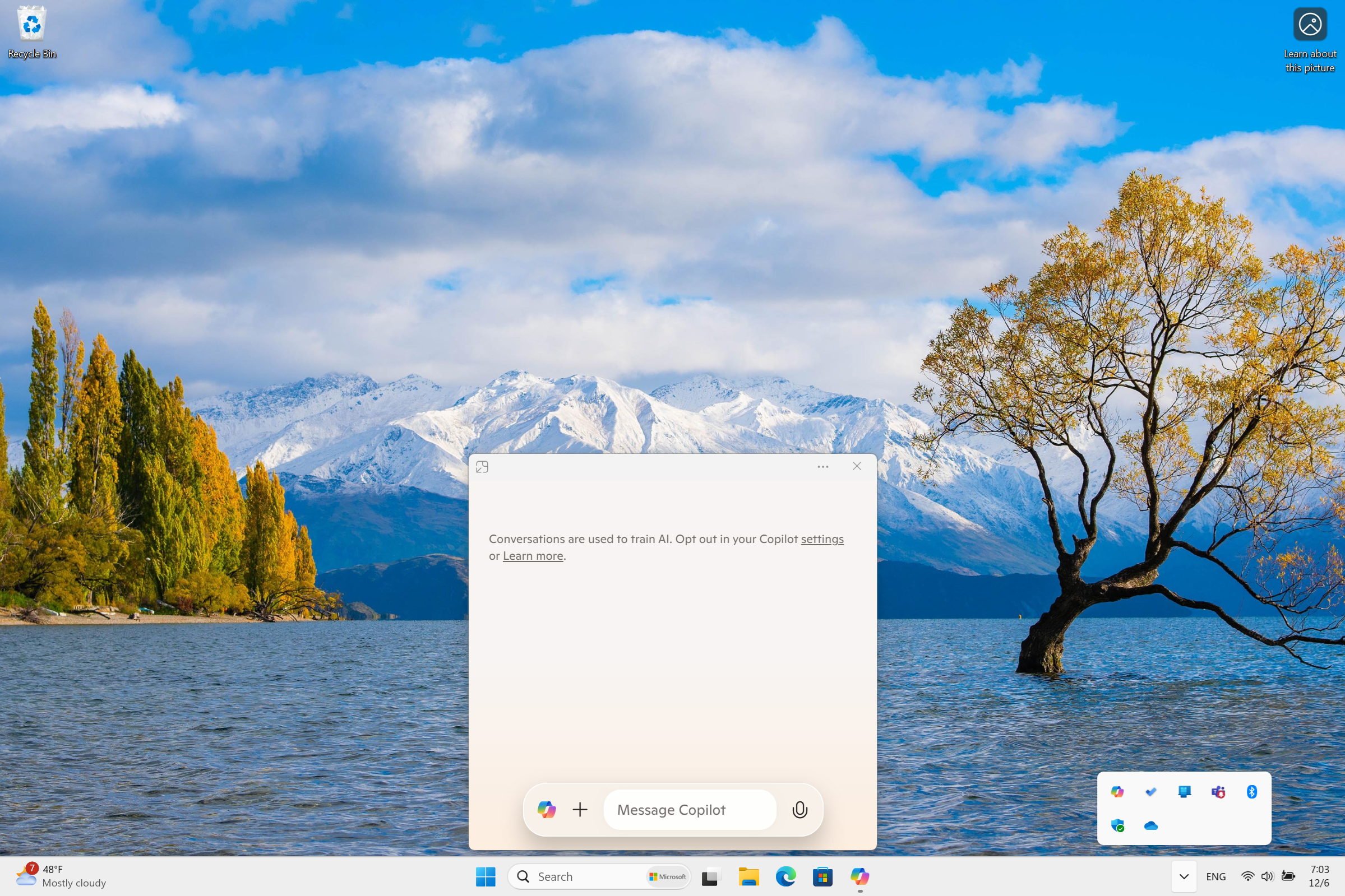
New quick view: You can access the new quick view for Copilot by using the Alt + Space keyboard shortcut on Windows 10 and 11 PCs. You will be able to move the quick view window and resize it to suit your workflow and you can use Alt + Space to open and close Copilot’s quick view whenever you need. To flip back to the main Copilot app window, just press the icon at the top left corner of the quick view window. PCs with the dedicated Copilot key will open the Copilot app in the main window. Copilot will continue to explore options related to the keyboard shortcuts for the app.
Note: The Copilot app for Windows uses the RegisterHotKey function for the Alt + Space keyboard shortcut. Many apps use this keyboard shortcut today. For any apps installed on your PC that might utilize this keyboard shortcut, Windows will register whichever app is launched first on your PC and running in the background as the app that is invoked when using Alt + Space.
This Copilot app update (version 1.24112.123.0 and higher) is beginning to roll out across all Insider Channels via the Microsoft Store. This is a gradual roll out so not all Insiders will get the update right away. We are excited to be previewing improvements with our Insiders to ensure all our customers have a great Copilot experience for Windows.
FEEDBACK: Please file feedback in Feedback Hub (WIN + F) under Apps > Copilot.
Thanks,
Windows Insider Program Team