

Copilot on Windows: Vision and file search begin rolling out to Windows Insiders
Hello Windows Insiders, we are beginning to roll out an update for the Microsoft Copilot app on Windows via the Microsoft Store which introduces the following changes and improvements:
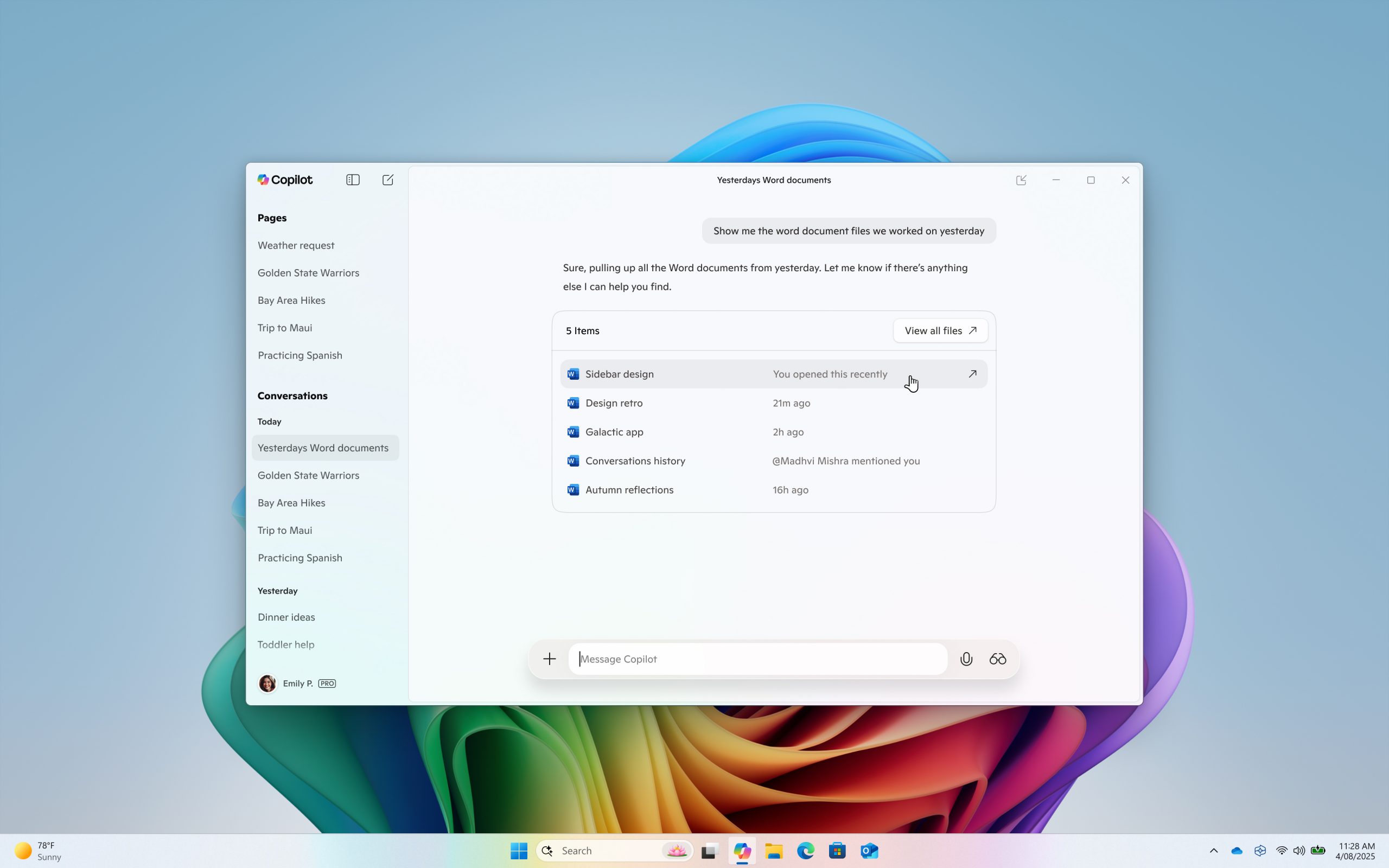
File search: You can now find, open and ask questions about the contents of a file on your device from the Copilot on Windows app. You can adjust your permissions for what Copilot can access, retrieve, or read in Copilot Settings under Permission settings. File search supports most file types and can read .docx, .xlsx, .pptx, .txt, .pdf, .json files. Ask Copilot questions like “Can you find my resume”, “Open the trip planning doc I was working on last week”, or “Look at my budget file and tell me how much I spent on dining last month”.
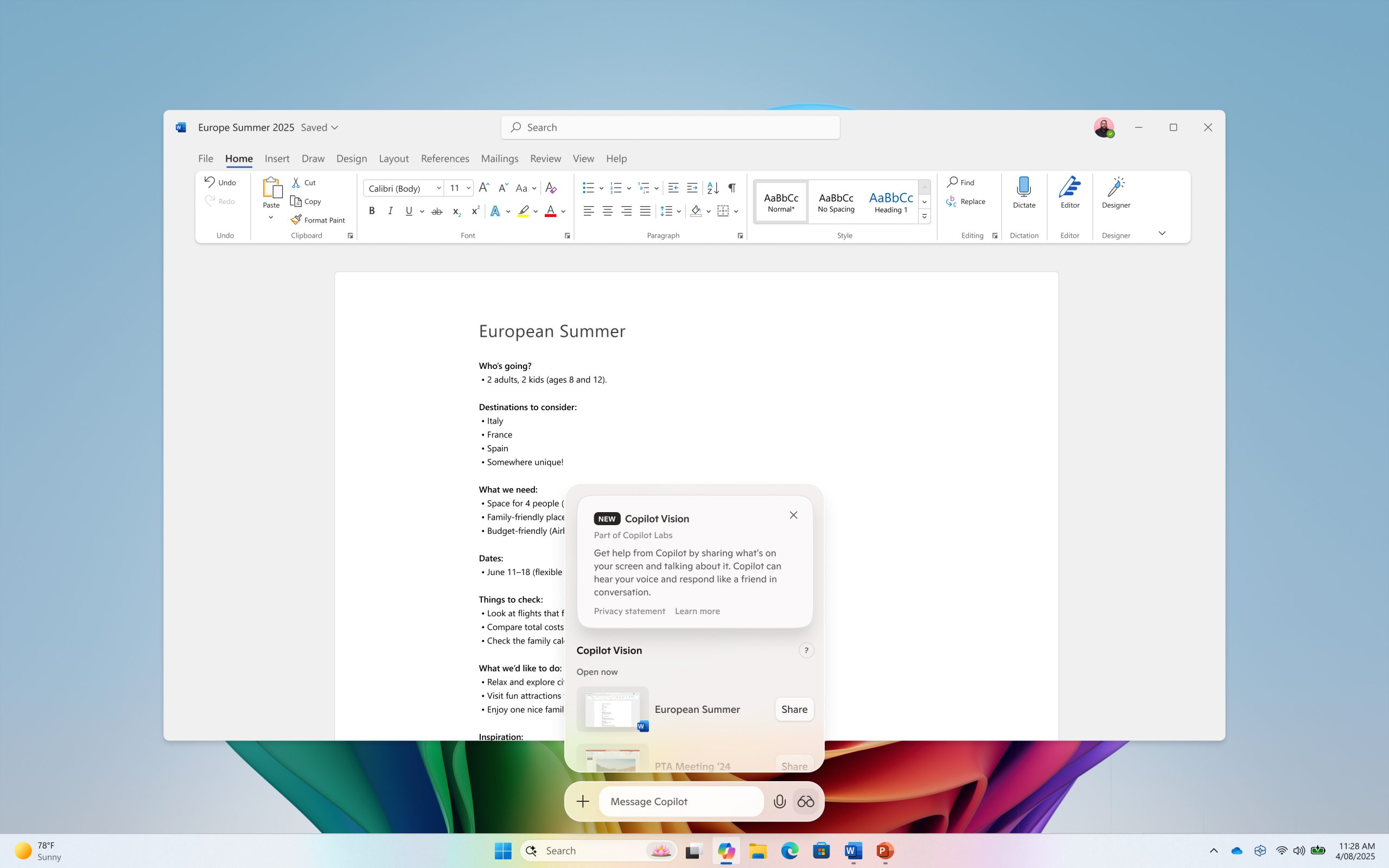
Copilot Vision on Windows: You can share any browser or app window with Copilot. Copilot can then help analyze, offer insights, or answer your questions, coaching you through it aloud. To get started click the glasses icon in your composer, select which browser window or app you want to share, and ask Copilot to help with whatever you’re working on. To stop sharing, press ‘Stop’ or ‘X’ in the composer.
This Copilot app update (version 1.25034.133.0 and higher) is beginning to roll out across all Insider Channels via the Microsoft Store. Copilot Vision on Windows will first roll out to Insiders in the U.S., and file search will roll out to Insiders worldwide. The above-mentioned features are gradually rolling out so not all Insiders will get the update right away. We are excited to be previewing improvements with our Insiders to ensure all our customers have a great Copilot experience on Windows.
FEEDBACK: Please provide feedback directly within the Copilot app by clicking on your profile icon and choosing “Give feedback”.
Thanks,
Microsoft Copilot Team