

AI-powered Relight and Search now available in Microsoft Photos
Hello Windows Insiders,
We’re excited to announce an update to the Microsoft Photos app, now rolling out on Windows 11 across all Insider channels. This release brings powerful new features on Copilot+ PCs, designed to help you enhance, rediscover, and organize your photos with ease.
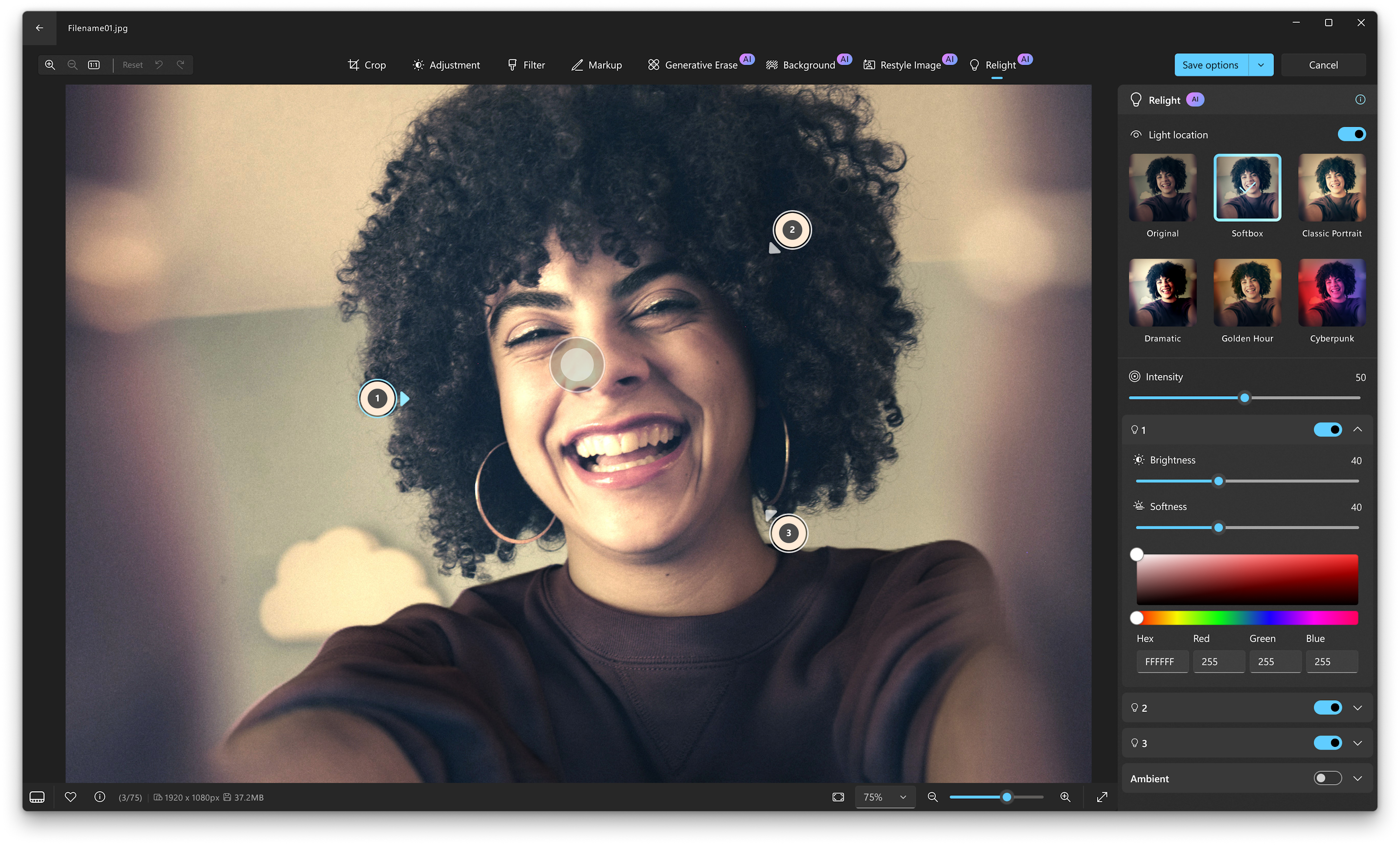
Relight
The new Relight feature lets you take control of lighting like never before. You can position up to three light sources, set the light color, and set the focus point where all lights automatically point. Brightness and intensity controls provide additional fine-tuning to achieve the desired effect. For quicker edits, built-in presets offer ready-made lighting styles that can be applied with a single click. Relight simplifies complex lighting adjustments into a visual, intuitive experience for correcting poor lighting or applying creative effects.
NOTE: Relight will be available on Snapdragon-powered Copilot+ PCs, with AMD and Intel® powered Copilot+ PCs coming in the next few months.
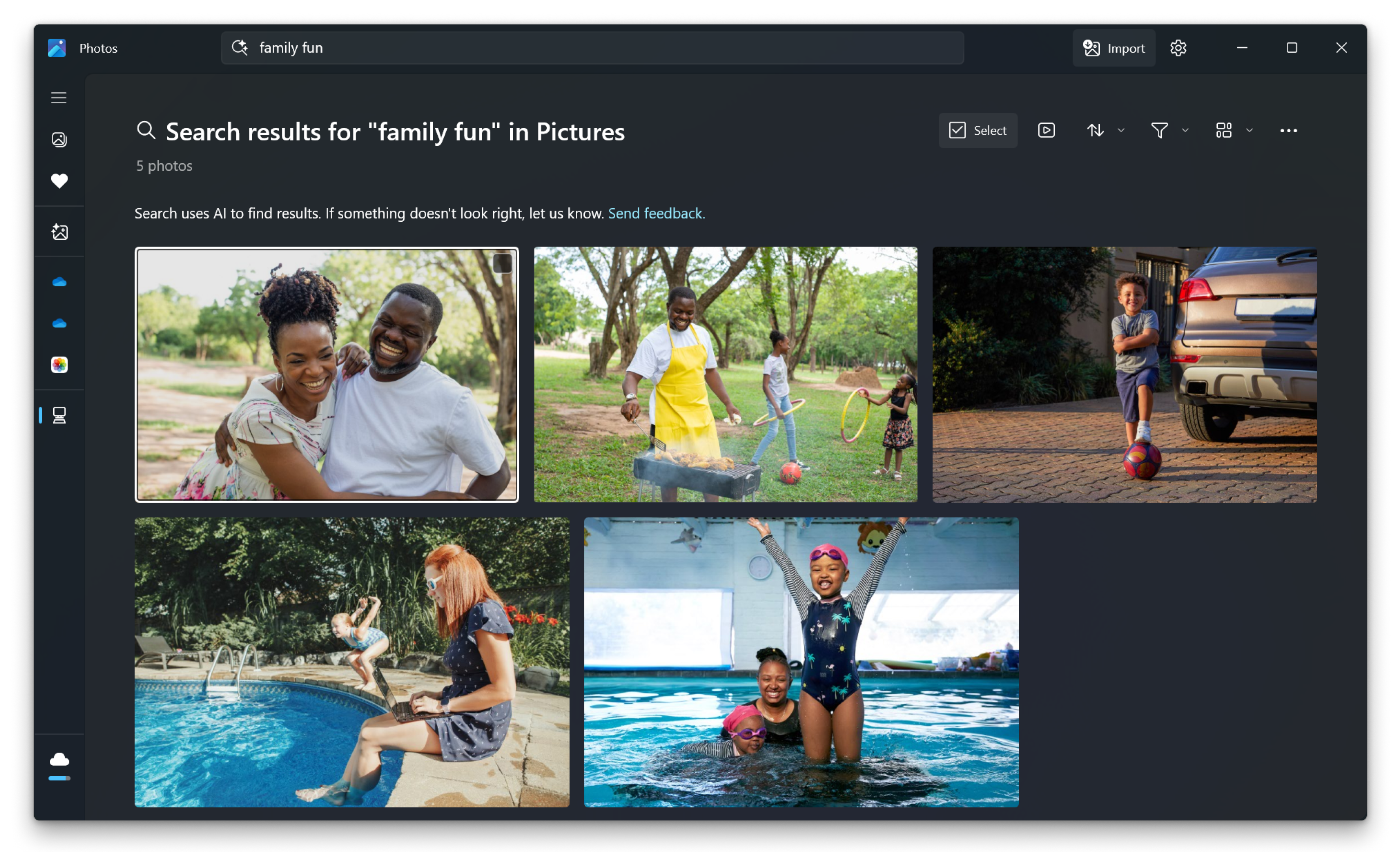
Improved photo search with natural language
Finding the right photo is getting easier as we’re enabling the improved, semantically-based Windows search in the Photos app. You can now quickly find the photos you’re looking for, using your own words, simply by entering descriptions like “sunset at the beach” or “family outdoor fun” —and Photos will surface the most relevant results. You no longer need to remember the exact file names or try to find what you’re looking for based on other properties like date, time, or file type. The improved search works on photos in your Pictures Library that are saved locally and have been indexed. Learn more about how semantic indexing works on Copilot+ PCs including supported file types and languages.
Entra ID Support for Restyle Image and Image Creator
Commercial users signed in with Microsoft Entra ID can now access Restyle Image and Image Creator, previously only available to users signed in with their Microsoft accounts.
To get these new features and fixes, update your Photos app to version 2025.11060.5006.0 and higher. As always, please share your feedback via Feedback Hub (WIN + F) under Apps > Photos.
Thanks,
Yvonne Hsieh, Principal PM Manager