

GIF export in Snipping Tool begins rolling out to Windows Insiders
UPDATE 6/26: The following update for Snipping Tool is now rolling out to Windows Insiders in the Beta and Release Preview Channels.
Hello Windows Insiders, today we are beginning to roll out an update to Snipping Tool to Windows Insiders in the Canary and Dev Channels on Windows 11.
Snipping Tool (version 11.2505.21.0)
GIF export
In this update, we are adding GIF export for screen recordings – designed to boost your productivity and turn quick captures into shareable moments.
To get started, open Snipping Tool’s screen recorder via Win + Shift + R or launch the app and toggle to screen recording mode. Record a screen recording video. Once the recording preview opens in the Snipping Tool app, click on the “Export GIF” button in the top toolbar.
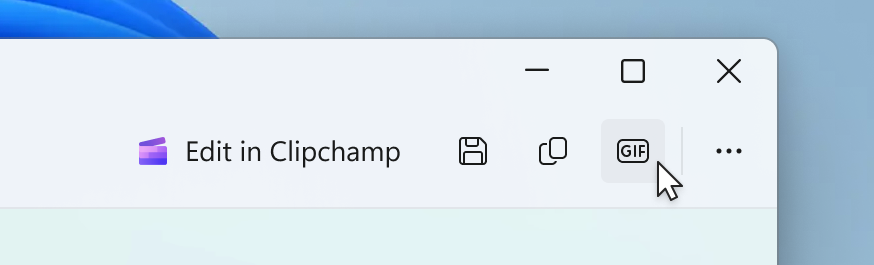
You will be prompted to select a preferred GIF quality between low and high quality. Then, you can save your GIF to your files or skip this step and copy it directly to your clipboard!
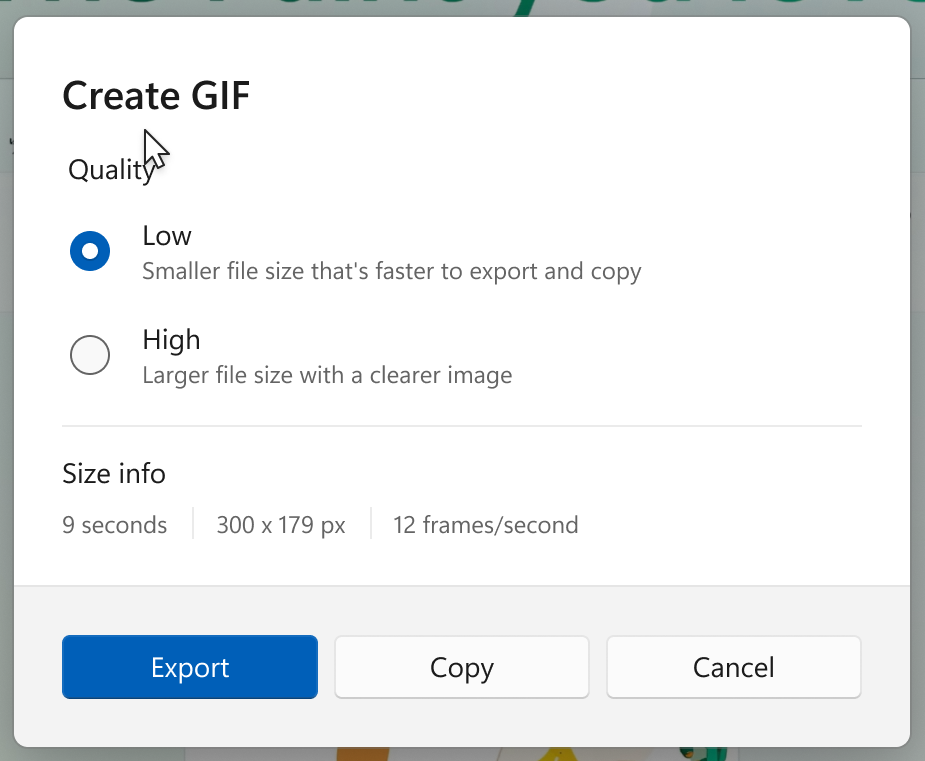
Please note: GIF export is limited to videos that are 30 seconds or less. If your video is longer than 30 seconds, Snipping Tool will offer to export the first 30 seconds of your video instead.
FEEDBACK: Please file feedback in Feedback Hub (WIN + F) under Apps > Snipping Tool.
As always, we love getting feedback from the community and we will be looking out for your thoughts and suggestions on these updates!
Thanks,
Dave Grochocki, Principal Group Product Manager – Windows Inbox Apps