

AI-powered Auto-Categorization now available in Microsoft Photos
Hello Windows Insiders,
We’re excited to announce an update to the Microsoft Photos app, now rolling out on Windows 11 across all Insider channels. This release brings a powerful new feature on Copilot+ PCs that leverages AI to organize photos into categories for easier recall.
Auto-Categorization
Auto-Categorization automatically detects and organizes your photo collection into meaningful categories like screenshots, receipts, identity documents, and notes using AI. It’s designed to save time, reduce clutter, and make your photo library easier to navigate.
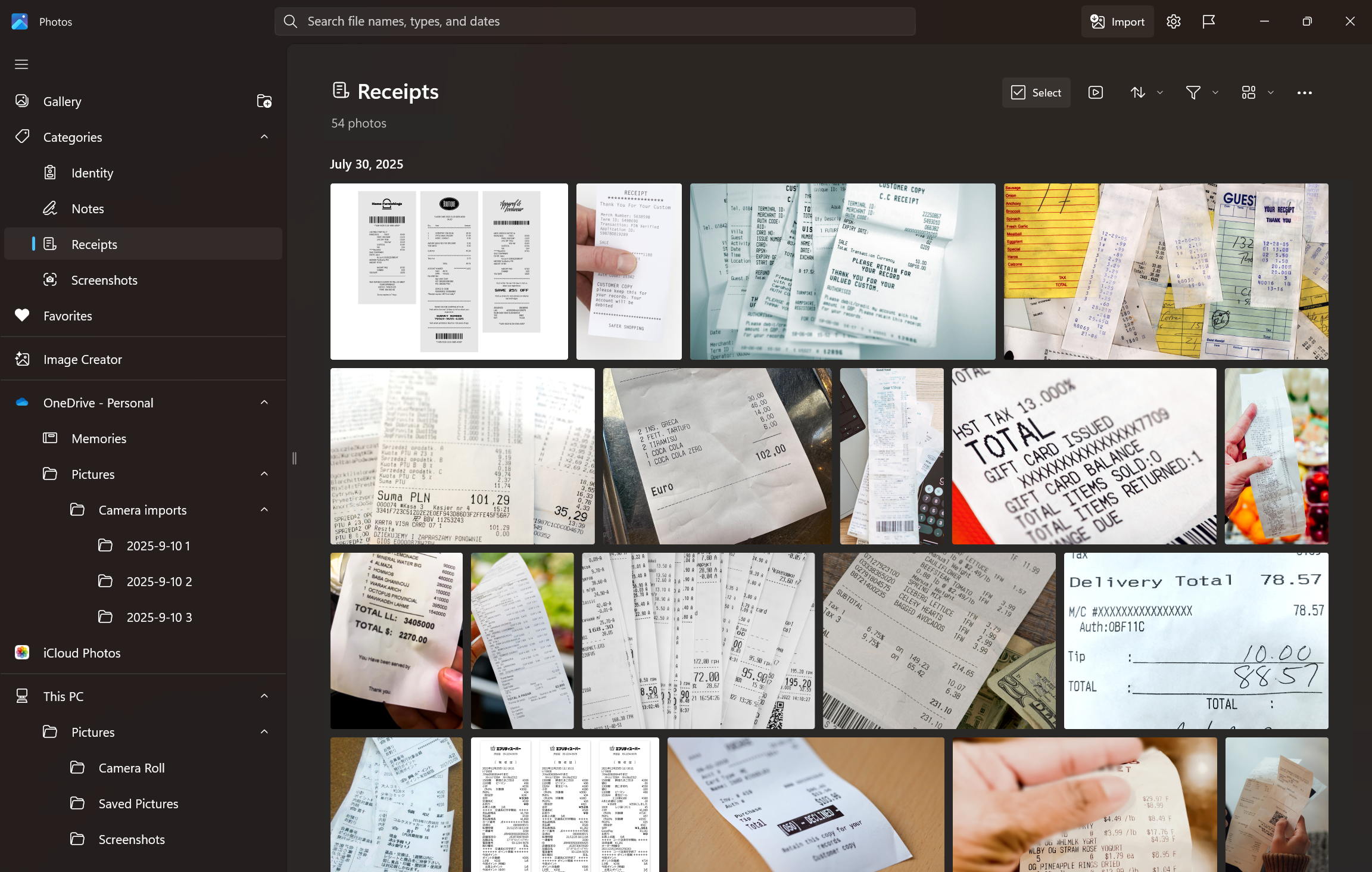
How Auto-Categorization works:
- Smart sorting into categories: Photos are automatically grouped into predefined folders based on visual content, such as handwritten notes, printed documents, or receipts.
- Language-agnostic recognition: The AI model can identify document types regardless of the language in the image. For example, a Hungarian passport will still be categorized as “Passport,” even if the text isn’t in English.
- Explore your organized photo library with Auto-Categorization in Photos.
- Use the Left Nav or Search bar to find categorized images instantly.
- Change categories manually or provide feedback to improve accuracy.
NOTE: Auto-Categorization is available on Copilot+ PCs and categories are limited to four categories (screenshots, receipts, identity documents, and notes).
Other fixes and improvements
- Super Resolution is now available across Snapdragon, AMD and Intel® powered Copilot+ PCs and will prompt you to download the model package.
Please make sure to update your app to version 2025.11090.25001.0 or higher via the Microsoft Store. This update is currently rolling out, so it (and above-mentioned features and improvements) may not be available right away. As always, we love getting your feedback so please share your thoughts in Feedback Hub (Win + F) under Apps > Photos.
Thanks,
Ronnie Myers, Senior Product Manager