Skip to main content Skip to main content Windows Experience Devices Windows Developer Microsoft Edge Windows Insider Microsoft 365 Microsoft 365 Azure Copilot Windows Surface XBOX Deals Small Business Support Windows Apps Outlook OneDrive Microsoft Teams OneNote Microsoft Edge Moving from Skype to Teams Computers Shop XBOX Accessories VR & mixed reality Certified Refurbished Trade-in for cash XBOX Game Pass Ultimate PC Game Pass XBOX games PC games Microsoft AI Microsoft Security Dynamics 365 Microsoft 365 for business Microsoft Power Platform Windows 365 Small Business Digital Sovereignty Azure Microsoft Developer Microsoft Learn Support for AI marketplace apps Microsoft Tech Community Microsoft Marketplace Software companies Visual Studio Microsoft Rewards Free downloads & security Education Gift cards Licensing Unlocked stories View Sitemap

Restyle in Paint begins rolling out to Windows Insiders

Written By published October 22, 2025

Hello Windows Insiders, today we are beginning to roll out updates to Paint to Windows Insiders in the Canary, Dev & Beta Channels on Windows 11.

Paint (version 11.2509.441.0)
In this update we are introducing Restyle, an AI-powered feature that lets you transform the art style of images on the canvas. To get started, open Paint and select the Restyle option from the Copilot menu. Choose from a preset list of styles and select the Generate button. Once the restyled images are generated, you can click on the Add to canvas button, copy, or save it for later use.
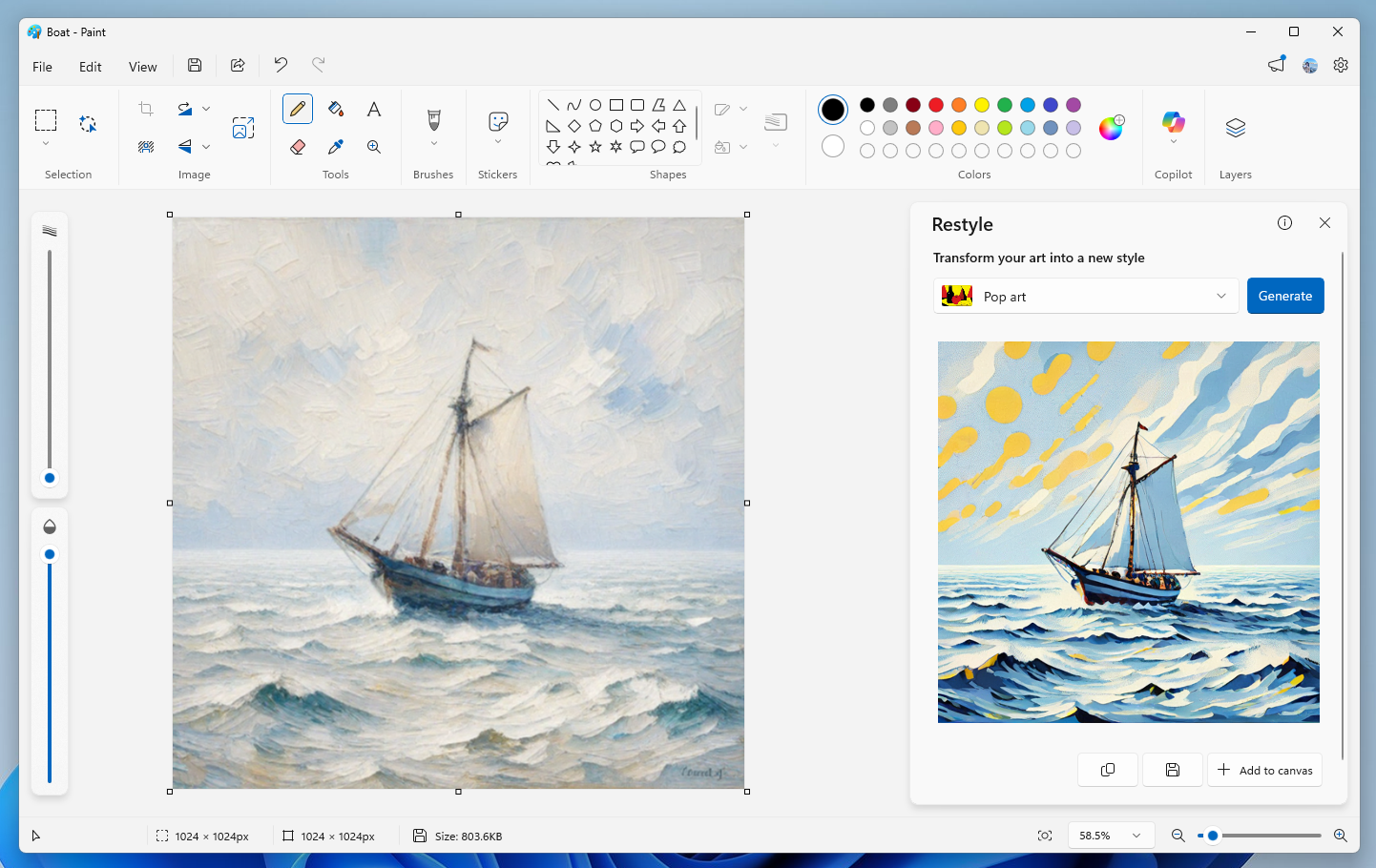
Paint showing a sailboat styled into Pop art.

Restyle will be available on Snapdragon-powered Copilot+ PCs. To use Restyle, you will need to sign in with your Microsoft account.

FEEDBACK: Please file feedback in Feedback Hub (WIN + F) under Apps > Paint.

As always, we love getting feedback from the community and we will be looking out for your thoughts and suggestions on these updates!

Thanks,

Dave Grochocki, Principal Group Product Manager – Windows Inbox Apps

Your Privacy Choices Opt-Out Icon Your Privacy Choices
Consumer Health Privacy Sitemap Contact Microsoft Privacy Manage cookies Terms of use Trademarks Safety & eco Recycling About our ads