

Announcing new builds for 17 August 2026
Hello Windows Insiders,
Today, we’re releasing new Windows 11 Insider Preview builds to the Beta and Experimental Channels. This post also includes reminders about renewed flight certificates and the current Feature Flags settings issue in the Experimental channel.
Renewed Windows Insider flight certificates
As a reminder, all new builds include renewed Windows Insider flight certificates, replacing certificates that expired on August 11, 2026. Flight certificates are renewed periodically to help ensure Insider devices remain on supported builds and continue receiving future Windows Insider Preview updates. Devices that are not updated to a newer build with a current certificate may encounter compatibility issues with software such as anti-cheat applications.
For more information, please visit the certificate renewal FAQ.
Experimental Feature Flags
We’re investigating an issue that causes the Feature Flags settings page to appear empty for Windows Insiders in the Experimental channel. We expect to resolve it in the next Experimental build and will share updates on the blog.
New builds this week
We’re releasing new Windows 11 Insider Preview builds today. Select your channel below to view its release notes:
- Beta: Build 26220.9202
- Experimental: Build 26340.9212
For those on other specific build versions, here are today’s new builds and release notes:
- Beta (26H1): Build 28020.2731
- Experimental (26H1): Build 28120.2738
- Experimental (Future Platforms): Build 29648.1000
Notable new features:
[File Explorer]
Release channel: Experimental
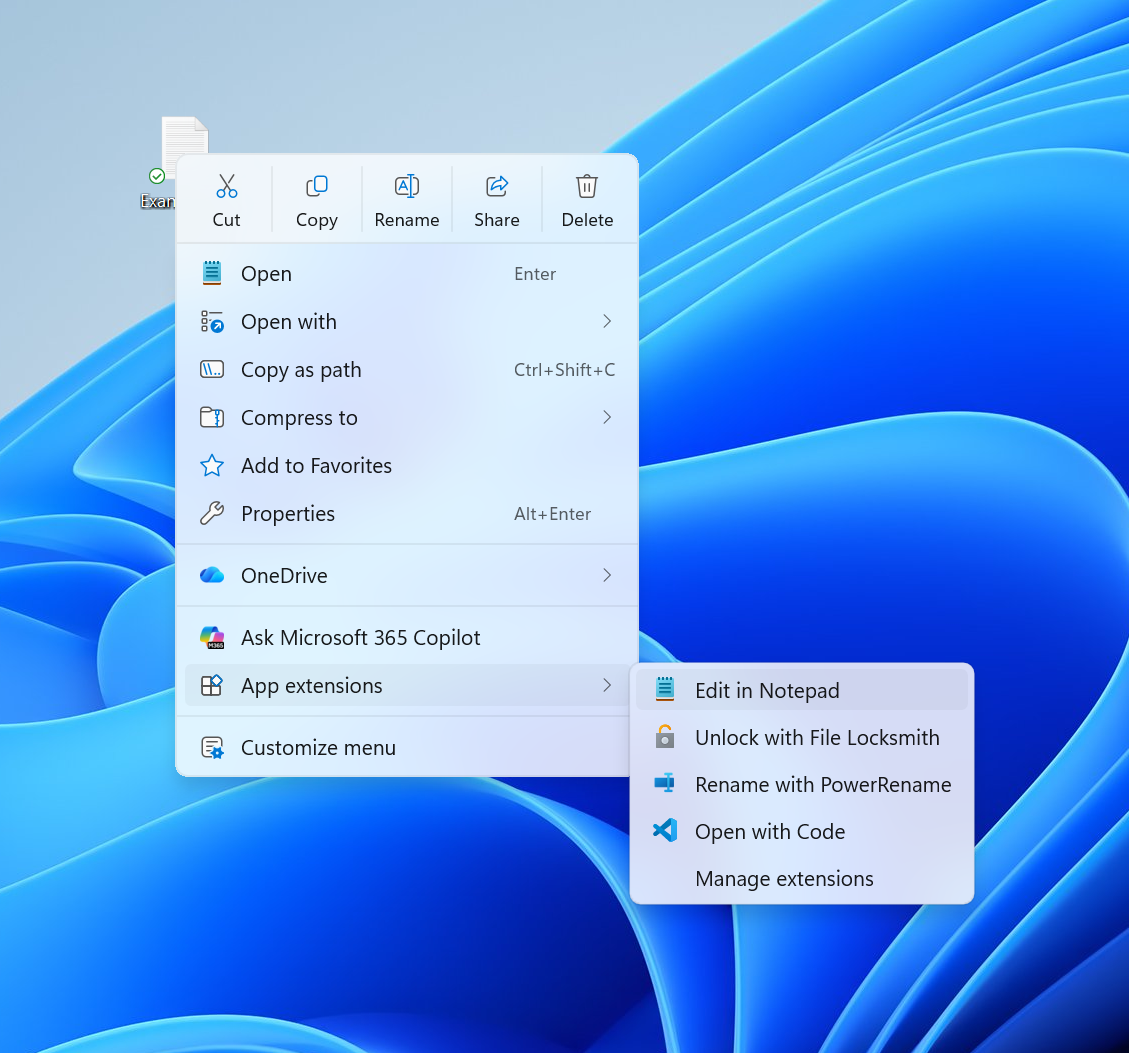
Introducing the new, redesigned Context Menu in File Explorer
- We’re beginning to roll out an updated context menu experience in File Explorer, designed to feel faster, cleaner, and easier to tailor to the way you work. The new design reduces top-level clutter, keeps commonly used actions easy to access, and adds a new Settings experience that gives you more control over what appears in the menu. As we continue refining this experience with Insider feedback, our goal is to make right-click feel more responsive, predictable, and personal.
[Emoji]
Release channel: Experimental
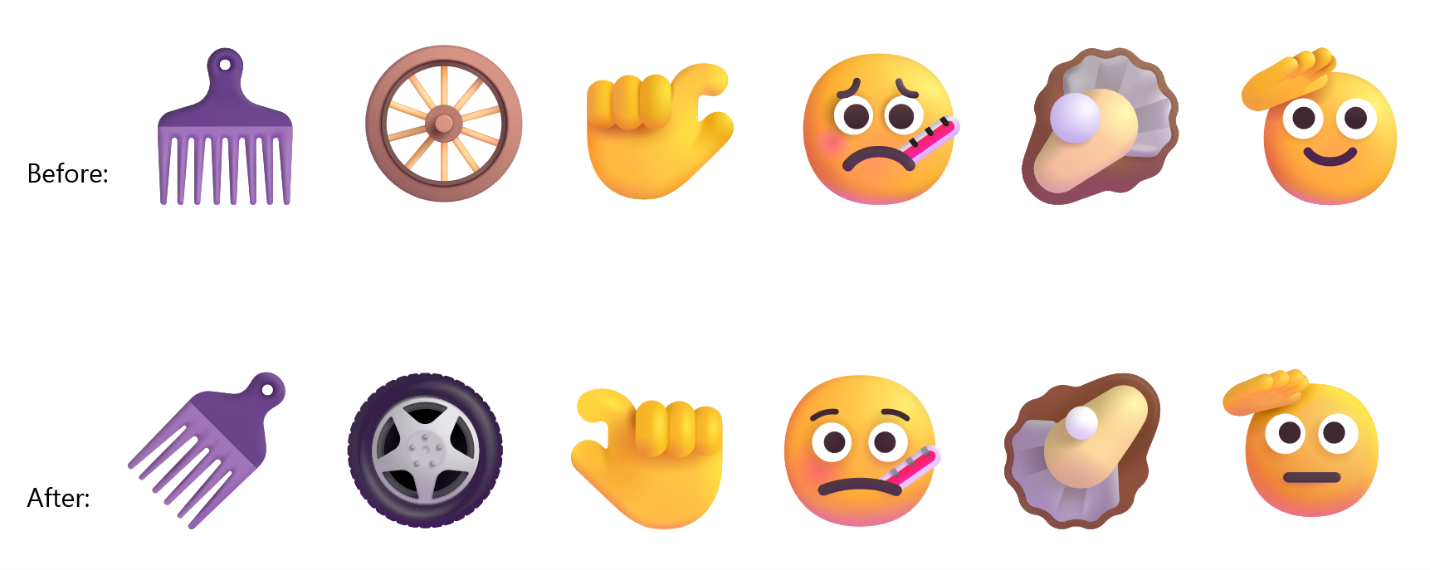
- We’re adding support for Emoji 17.0. This includes new emoji such as distorted face, fight cloud, and hairy creature. To try out the new emoji, you can press the Windows key plus Period (.) to open the emoji panel and insert them from there.

- As part of this effort, we’ve also made some slight adjustments the design of some of our current emoji to improve consistency across platforms. This includes the saluting face, face with peeking eye, goose, lotus, and kissing cat emoji.
Thanks,
Stephen and the Windows Insider Program team