Skip to main content Skip to main content Windows Experience Devices Windows Developer Microsoft Edge Windows Insider Microsoft 365 Microsoft 365 Azure Copilot Windows Surface XBOX Deals Small Business Support Windows Apps Outlook OneDrive Microsoft Teams OneNote Microsoft Edge Moving from Skype to Teams Computers Shop XBOX Accessories VR & mixed reality Certified Refurbished Trade-in for cash XBOX Game Pass Ultimate PC Game Pass XBOX games PC games Microsoft AI Microsoft Security Dynamics 365 Microsoft 365 for business Microsoft Power Platform Windows 365 Small Business Digital Sovereignty Azure Microsoft Developer Microsoft Learn Support for AI marketplace apps Microsoft Tech Community Microsoft Marketplace Software companies Visual Studio Microsoft Rewards Free downloads & security Education Gift cards Licensing Unlocked stories View Sitemap

Announcing new builds for 25 September 2026

Written By published September 25, 2026

Hello Windows Insiders,

Today, we’re releasing new Windows 11 Insider Preview builds to the Beta and Experimental channels.

New builds this week

Select your channel below to view its release notes:

For those on other specific Windows build versions, here are today’s new builds and release notes:

  • Beta (26H1): Build 28020.3112
  • Experimental (26H1): Build 28120.3122
  • Experimental (Future Platforms): We do not have a release for Experimental (Future Platforms) today.

Notable new features:

[Start menu – Phone companion]

Release channel: Experimental

  • See more of your latest activities at a glance: Phone companion for the Start menu now shows more of your recent activity, with a scrollable side pane so you can view even more without leaving the Start menu.
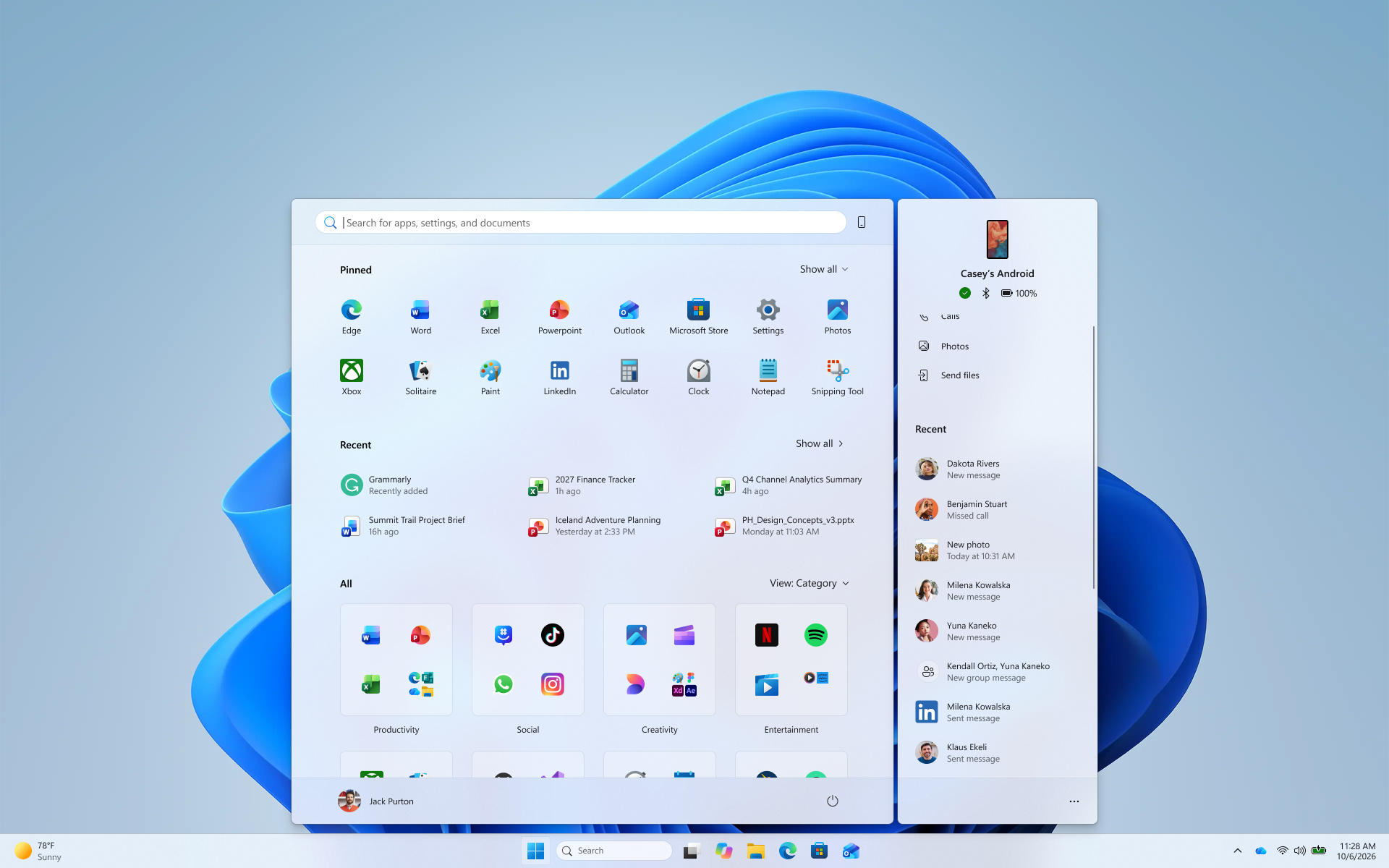
The phone companion in Start with a scrollable pane for viewing more recent mobile activity.

[Settings]

Release channel: Experimental

  • Windows Insiders will now see Energy Recommendations directly in Quick Settings, making it easier to discover and take actions that can help reduce energy consumption and improve device sustainability.
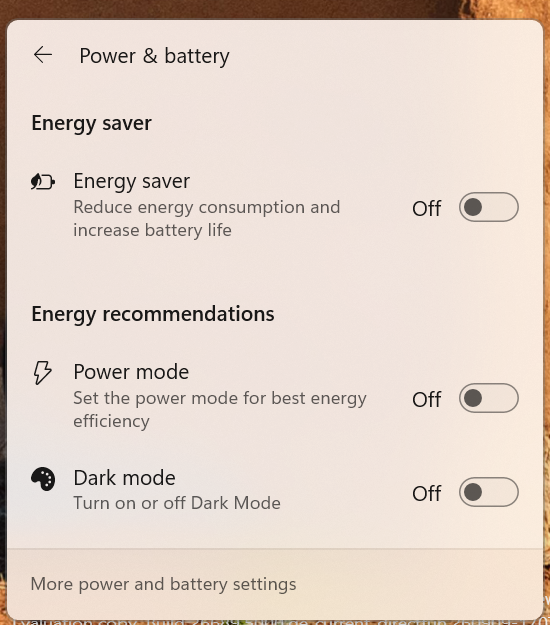
The Power & battery settings page showing Energy Recommendations, including suggested actions.

Thanks,

Stephen and the Windows Insider Program team

Your Privacy Choices Opt-Out Icon Your Privacy Choices
Consumer Health Privacy Sitemap Contact Microsoft Privacy Manage cookies Terms of use Trademarks Safety & eco Recycling About our ads