

Announcing new builds for 6 November 2026
Hello Windows Insiders,
Today, we’re releasing new Windows 11 Insider Preview builds to the Beta and Experimental channels.
New builds this week
Select your channel below to view its release notes:
- Beta: Build 26320.9876 (Update 9 November 2026: This build was bumped up to version 26320.9877, there is no additional payload to note for Insiders)
- Experimental: Build 26340.9882
For those on other specific Windows build versions, here are today’s new builds and release notes:
- Beta (26H1): Build 28020.3445
- Experimental (26H1): Build 28120.3454
- Experimental (Future Platforms): Build 29704.1000
Experimental (Future Platforms) synthetic payload releases
Insiders in the Experimental (Future Platforms) channel will begin to notice in the coming weeks that we will be releasing a new build version on a weekly basis, in-between our usual weekly Insider preview builds. These in between releases are just synthetic latest cumulative updates (LCU’s), and do not contain any new features or payload. They are helping us test backend flighting and updating services. As such, we will not publish weekly release notes or blogs for these updates, but will keep track of versions in Flight Hub.
Notable new features:
[Windows Hello]
Release channel: Experimental
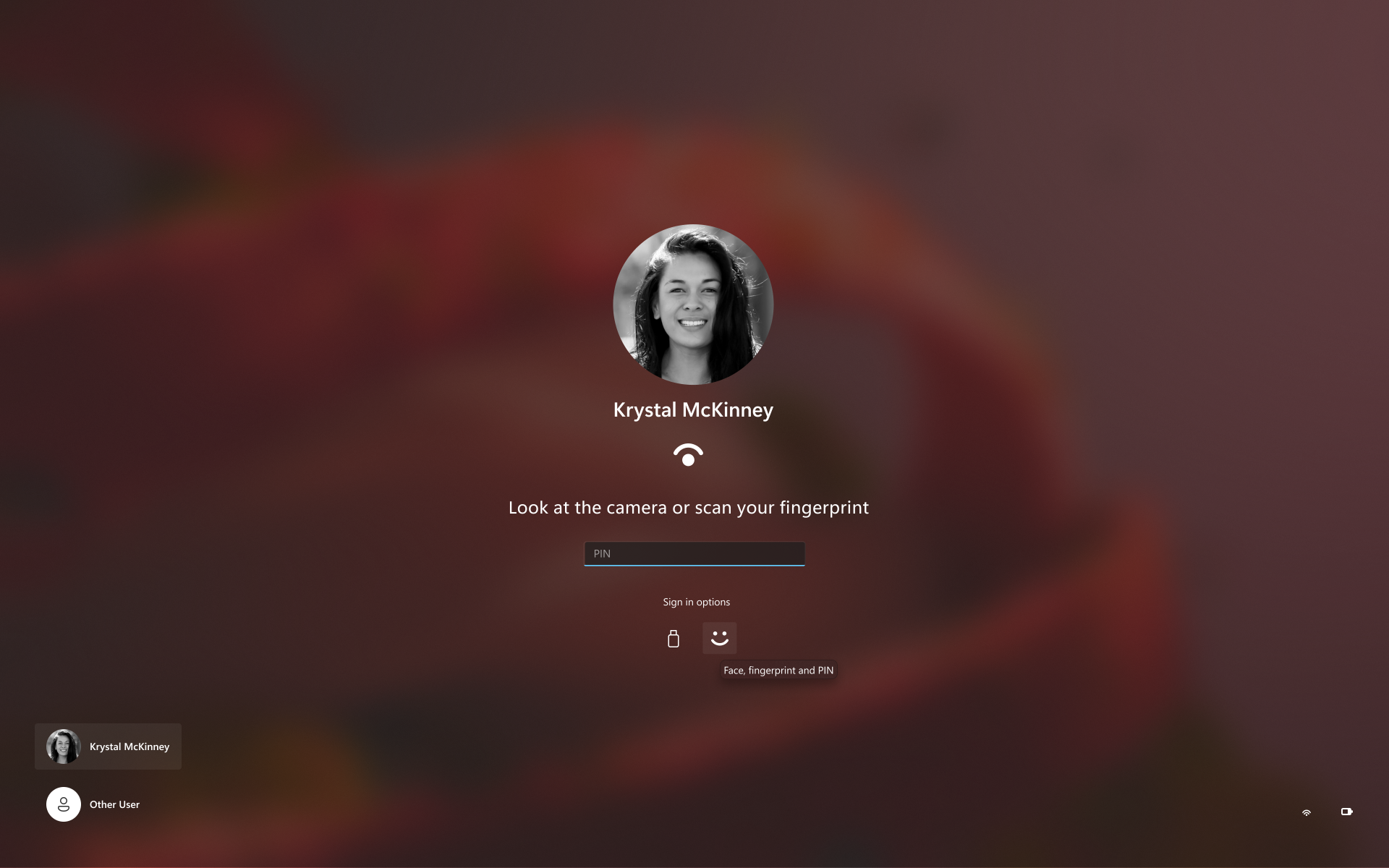
Windows Hello sign-in improvement
- Sign-in and unlock now behave more consistently and give clearer guidance. You no longer have to wait for face or fingerprint recognition to finish before entering your PIN. Use whichever method works first. At certain times, such as after a restart, you’ll need your PIN first. After that, biometrics work as usual.
Thanks,
Stephen and the Windows Insider Program team