

Announcing Windows 10 Insider Preview Build 19043.844 (21H1)
UPDATE 3/2: 21H1 is now being offered as a recommended update to all Windows Insiders in the Beta Channel. Insiders who previously didn’t choose to install 21H1 will now automatically receive 21H1 in the Beta Channel.
Hello Windows Insiders, today we are announcing Windows 10 version 21H1 as the next feature update for Windows 10. As part of today’s announcement, we’re also releasing 21H1 Build 19043.844 (KB4601382) to the Beta Channel.
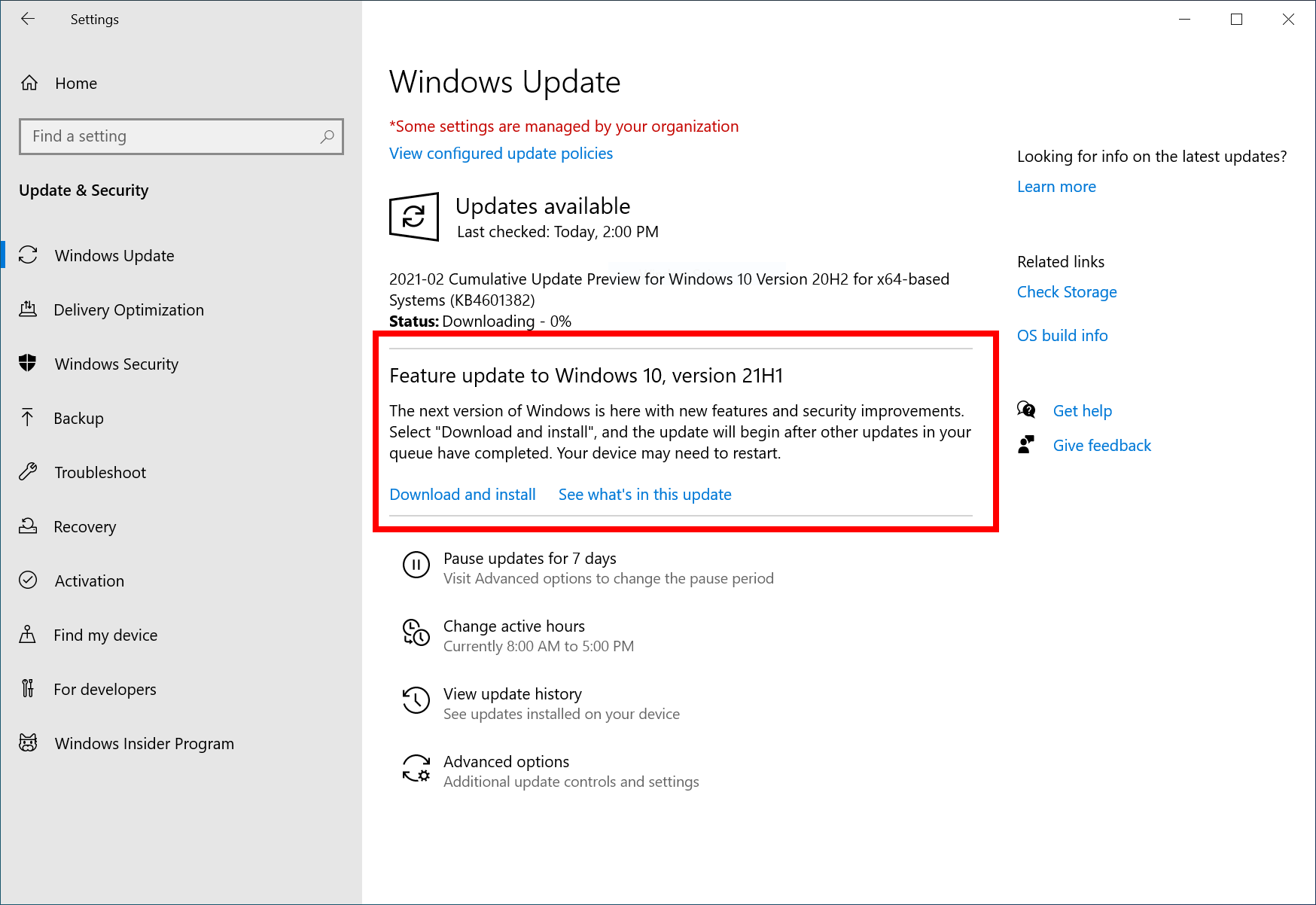
We are releasing this build to the Beta Channel via our “seeker” experience in Windows Update. This means Insiders in the Beta Channel will need to go to Settings > Update & Security > Windows Update and choose to download and install 21H1.
21H1 Build 19043.844 includes all the fixes noted here as well as the following new features as highlighted in John Cable’s blog post:
- Windows Hello multicamera support to set the default as the external camera when both external and internal Windows Hello cameras are present.
- Windows Defender Application Guard performance improvements including optimizing document opening scenario times.
- We fixed an issue that causes a one minute or more delay when you open a Microsoft Defender Application Guard (WDAG) Office document. This occurs when you try to open a file using a Universal Naming Convention (UNC) path or Server Message Block (SMB) share link.
- We improved Robocopy’s performance when copying files that total over 400 MB in size.
- We fixed an issue that causes a WDAG container to use almost 1 GB of memory (working set) when the container is idle.
- Windows Management Instrumentation (WMI) Group Policy Service (GPSVC) updating performance improvement to support remote work scenarios.
- We fixed an issue that causes changes that the Active Directory (AD) administrator makes to user or computer group membership to propagate slowly. Although the access token eventually updates, these changes do not appear when the administrator uses gpresult /r or gpresult /h to create a report.
Once an Insider updates their PC to 21H1, they will continue to automatically receive new 21H1 updates through Windows Update using our servicing technology (like the monthly update process). Insiders who don’t choose to install 21H1 right away will continue to receive 20H2 updates until we move all of the Beta Channel forward to 21H1 in the coming weeks.
To check and see if you’re running 21H1, just type “winver” into the Windows search box on the taskbar. It should show as “version 21H1”.
For all the details on the 21H1 release – check out John Cable’s blog post.
Thanks,
BLB
Editor’s note – Feb. 17, 2021 – The bullet point on Windows Hello multicamera support was updated for clarity.