

In our previous post we went over good examples of panoramic control or hubs from apps that you can find into the Marketplace. Today I’ll want to show different approaches you can take to leverage the possibilities of that control and his extended canvas.
The panoramic control was conceived to allow users explore content highlighting what is more relevant for them, and using these highlights as an entry point to further action. This model serves very well apps that are content oriented as facilitates digging into information easily but that doesn’t meant it cannot be used for other purposes or even to be a destination by itself.
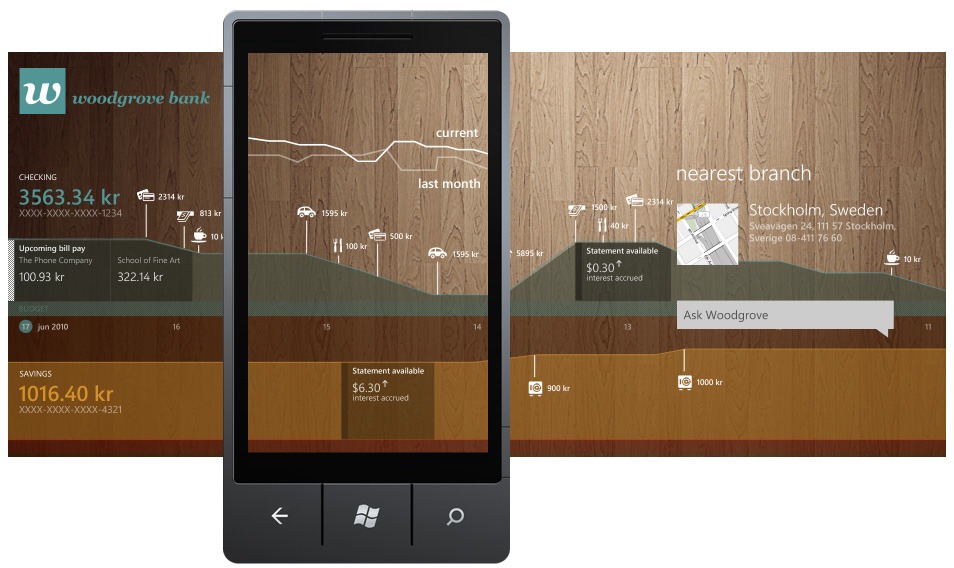
The imaginary app “Woodgrove Bank” aside of showing you typical bank related information uses the panoramic control as a timeline to check your daily expenses with your ups and downs in a graph that leverages the extended horizontal canvas. The use of a textured background taken from the Woodgrove bank branding assets serves as a visual liaison as we pan along the interface. The result could be a very functional app, fun to use and a great way to reinforce the bank’s values as well of brand recognition.
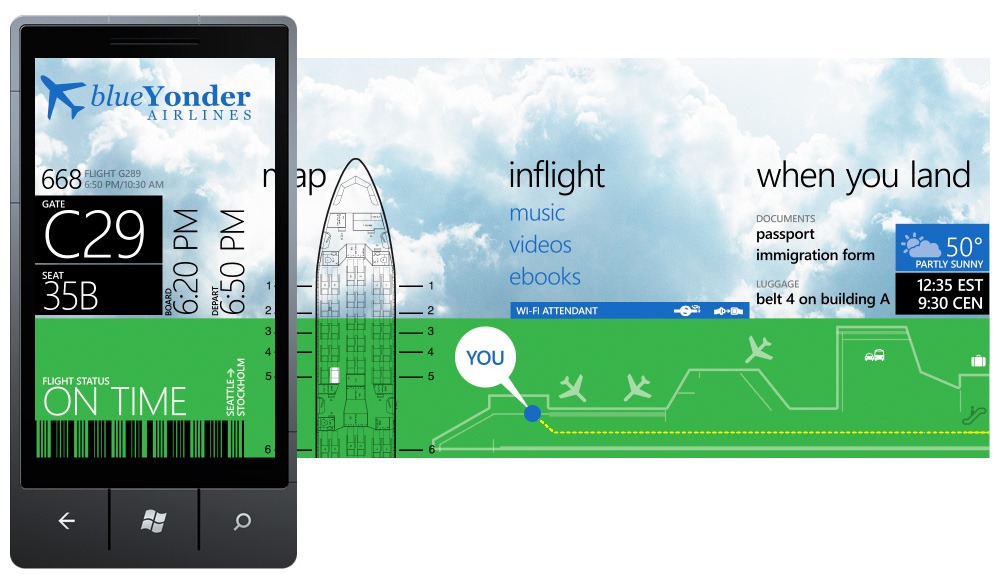
In the “Blue Yonder Airlines” imaginary app the extended canvas is used as a guide to find yourself around at the airport of your destination. The section for the seat map uses the vertical scroll to find and check your seat.
Note that both images are only concepts exploring the possibilities of the panorama control to get the app creators creative juices flowing and to push the envelope creating great experiences for the Windows Phone platform. Although in most of the cases the use of hubs should be a balanced act of content and visual engagement within a grid, in other cases those hubs could be a great resource to think creatively and bring to the Windows Phone platform apps that delight and surprise our users.
– Alfred Astort
Follow the Windows Phone Design Team on Twitter: @WPdesignteam