

The latest version of the software, Buildbox 2.1.0, now includes official Universal Windows Platform (UWP) support for Windows 10. Users may now quickly export to Windows 10 Mobile devices, the Windows 10 Store, and the Xbox One, giving users access to an impressive 17 platforms in total, including iOS, Android, Steam, Amazon, Mac App Store, Windows, Xbox, and more.
How Does It Work?
The software allows users to quickly build out levels for rapid game development and prototyping. To add a new character, enemy, object, platform, decoration, power-up, effect, or background into their games, users need only drag and drop the image into the level editor. Users can also quickly edit their properties if needed and test out the game throughout the entire process.
Additionally, the new particle effect creator gives developers the ability to create and edit their own visual effects, such as fire, smoke, and explosions. To further customize a game’s environment, users can mix and match components, add portals, and use a keyframe animator to animate menus and create in-game cut scenes—all within the editor.
Creating a Game with Buildbox 2.1.0
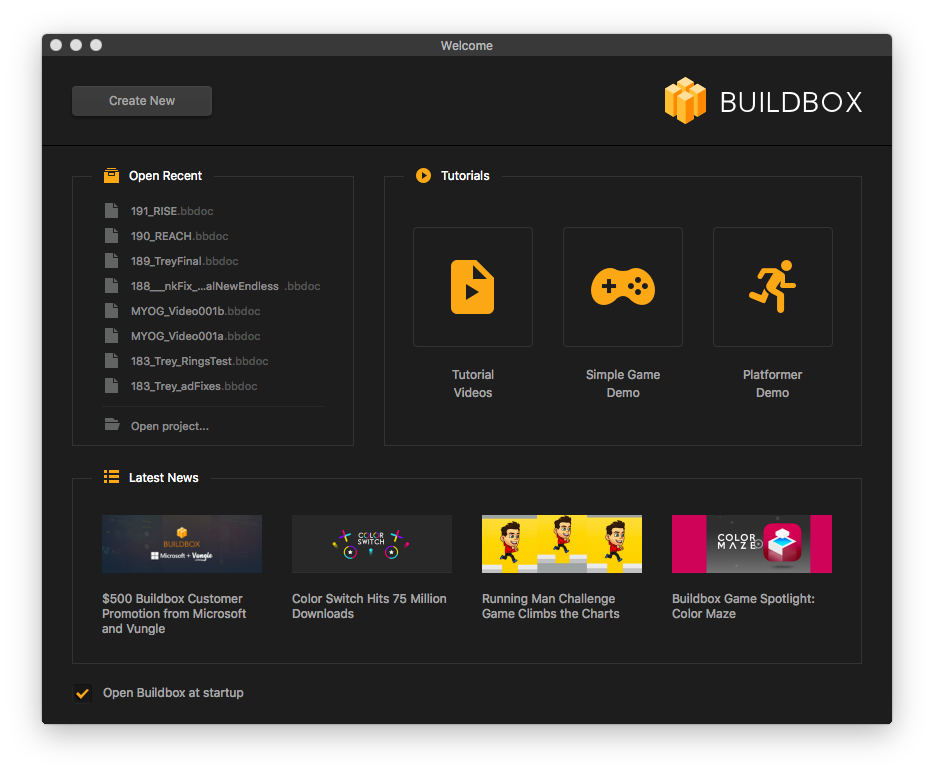
To create a basic game, click the “Create New” button on the welcome screen.
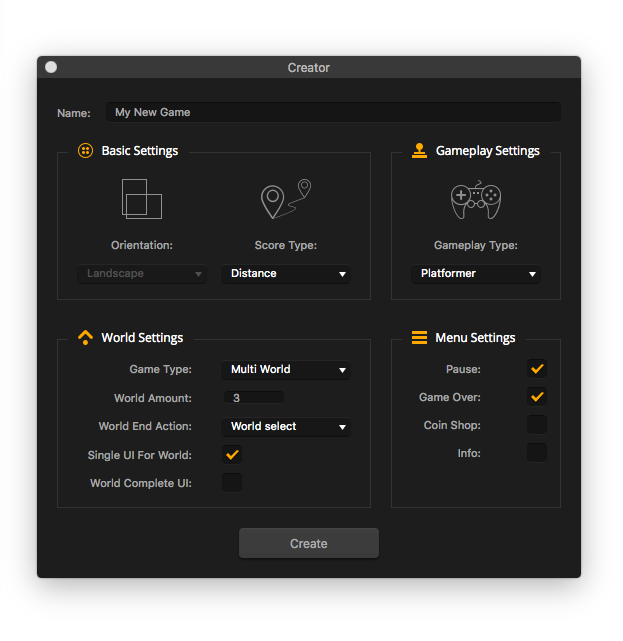
This is called Creator. Choose your basic options and Buildbox will create the skeleton of your game.
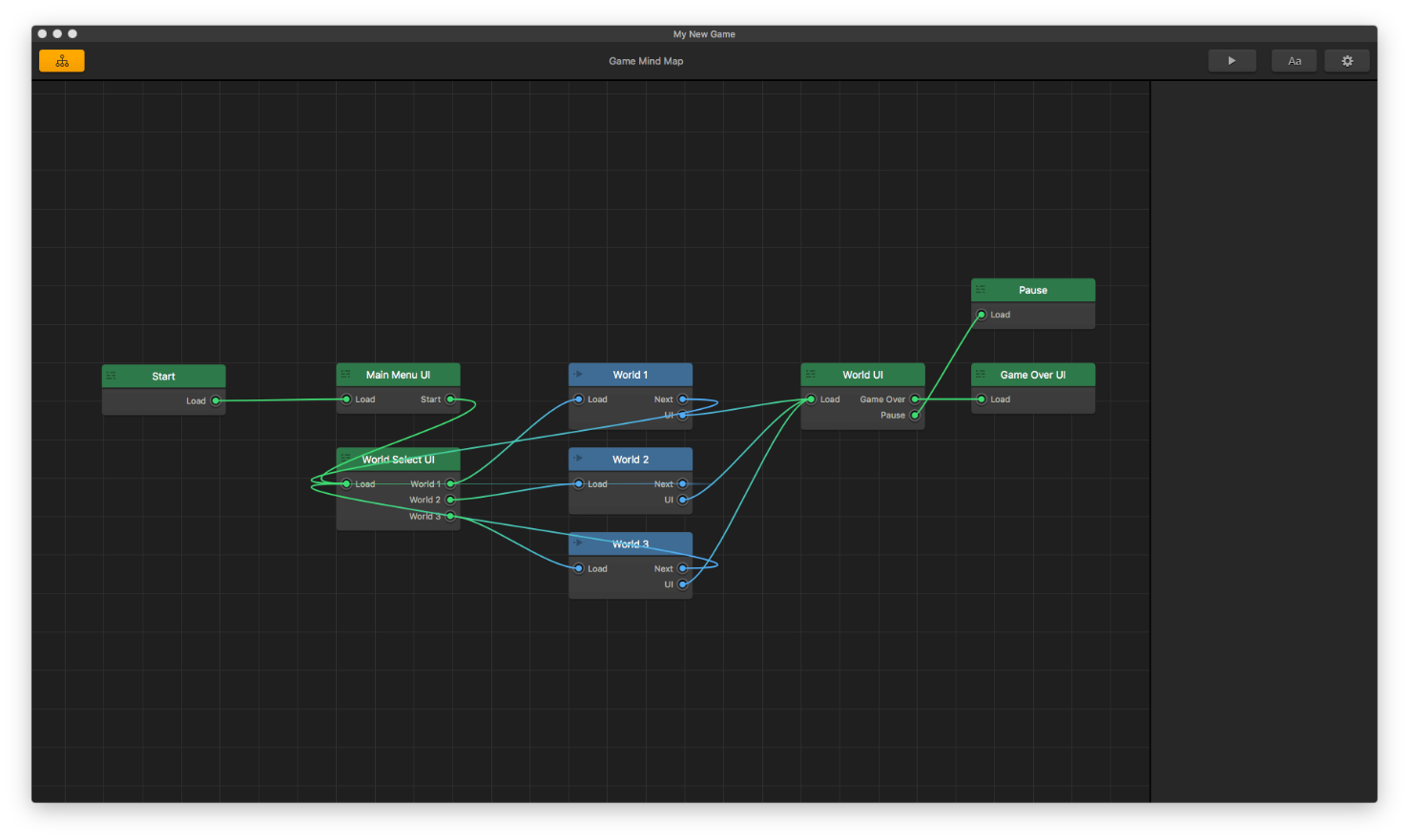
This is the Menu Editor. You can double-click any of these nodes to edit that section of your game.
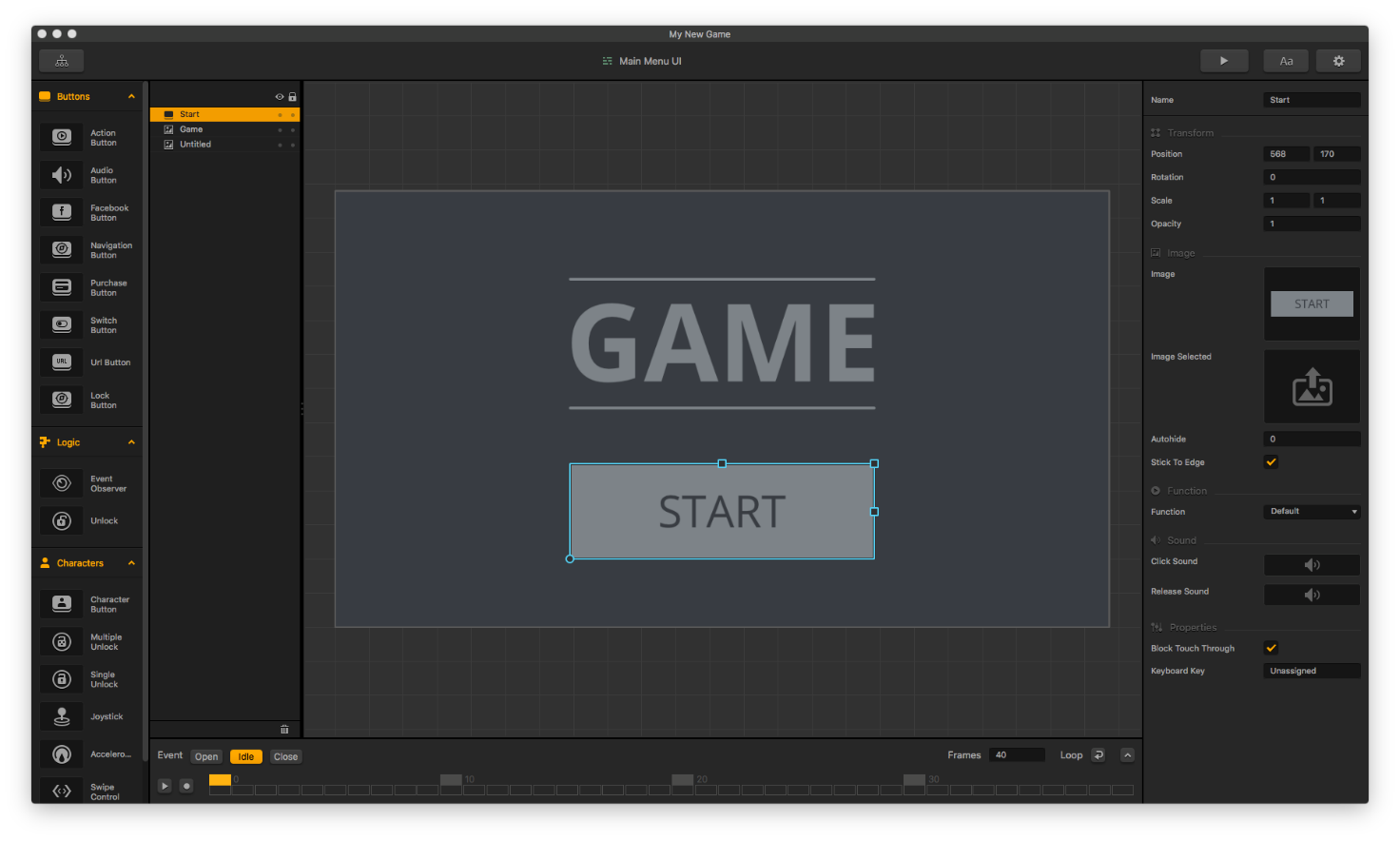
Edit the main menu and import your own graphics. Here you can also create new user interface functions, menu animations, and more.
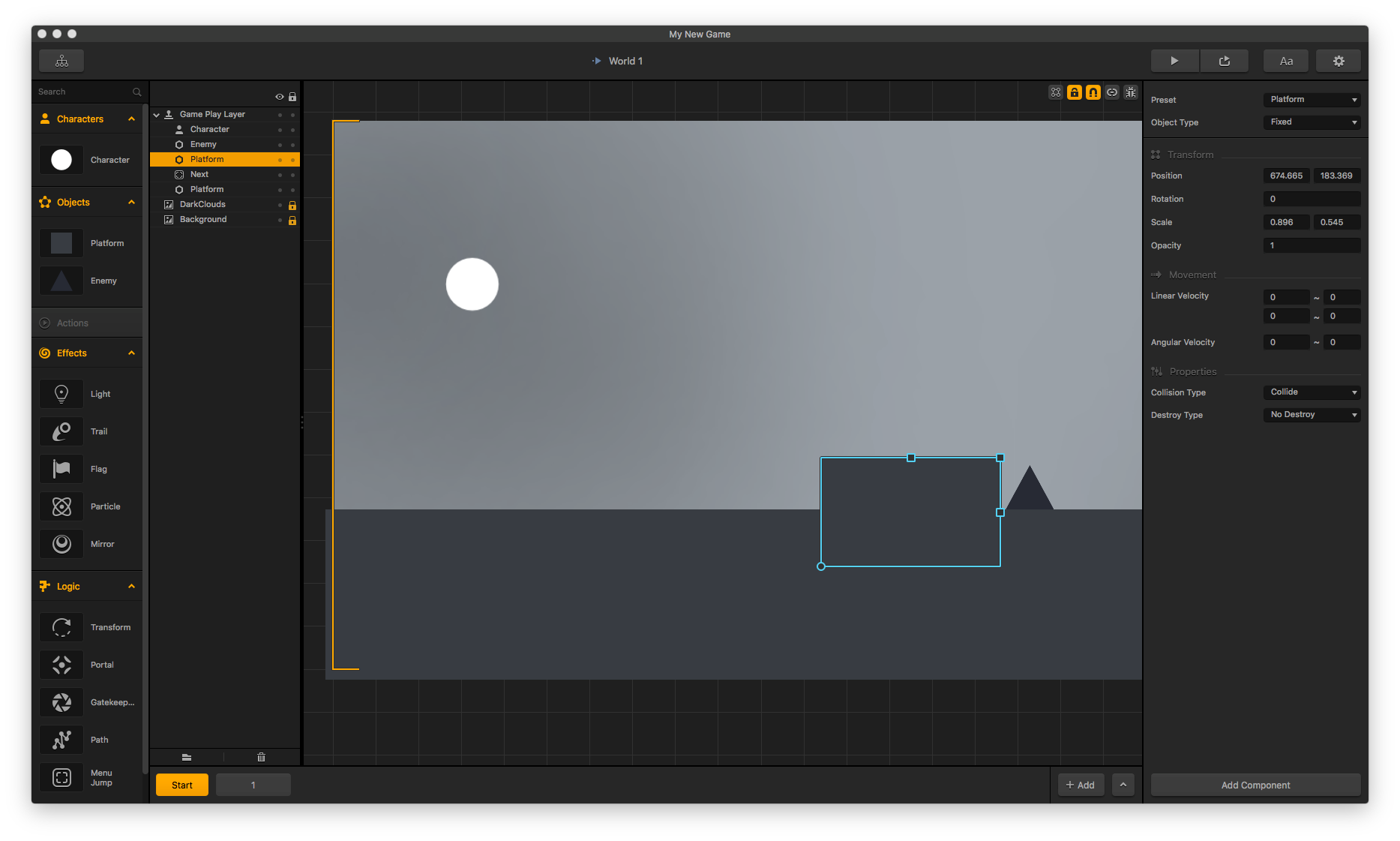
Double-click the blue nodes on the menu editor to edit worlds. You can also change gameplay settings, adjust character settings, and build your levels.
$500 Promotion from Microsoft, Vungle, and Buildbox
Microsoft, Vungle, and Buildbox have joined forces to help Buildbox developers move over to the Windows 10 Store. Developers who release a game and meet the minimum criteria will receive a $500 bonus for their Windows 10 Desktop games. Learn more about the Windows 10 promotion and Buildbox itself at Buildbox.com.