Skip to main content Skip to main content Windows Experience Devices Windows Developer Microsoft Edge Windows Insider Microsoft 365 Microsoft 365 Azure Copilot Windows Surface XBOX Deals Small Business Support Windows Apps Outlook OneDrive Microsoft Teams OneNote Microsoft Edge Moving from Skype to Teams Computers Shop XBOX Accessories VR & mixed reality Certified Refurbished Trade-in for cash XBOX Game Pass Ultimate PC Game Pass XBOX games PC games Microsoft AI Microsoft Security Dynamics 365 Microsoft 365 for business Microsoft Power Platform Windows 365 Small Business Digital Sovereignty Azure Microsoft Developer Microsoft Learn Support for AI marketplace apps Microsoft Tech Community Microsoft Marketplace Software companies Visual Studio Microsoft Rewards Free downloads & security Education Gift cards Licensing Unlocked stories View Sitemap
October 14, 2010
PC

CyberLink YouMemo with Windows Touch


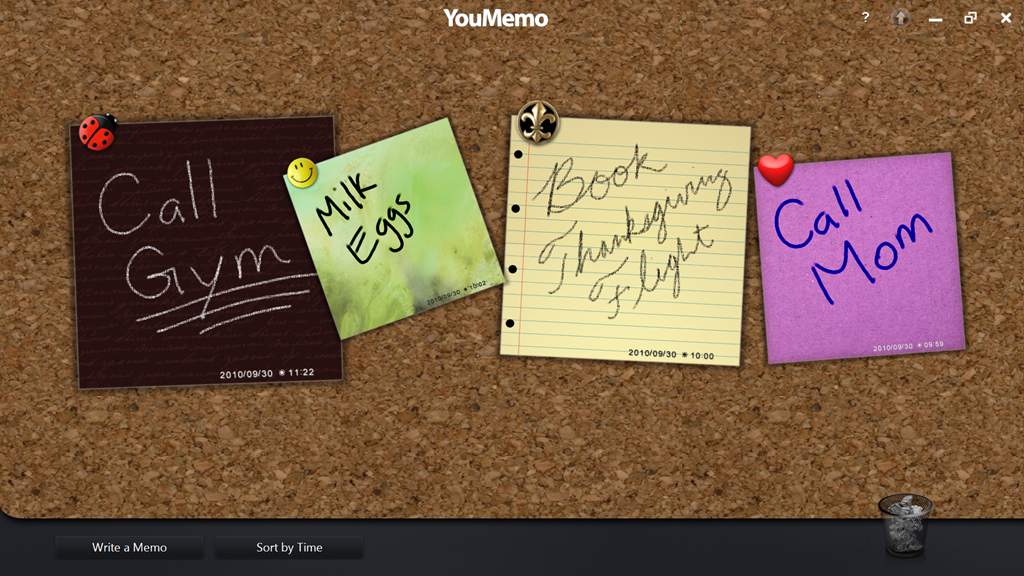
Do you have a family bulletin board? Leave notes on the refrigerator with to-do’s and reminders? CyberLink YouMemo lets you move all that on to your PC with a digitized pin board optimized for Windows Touch.
youmemo1

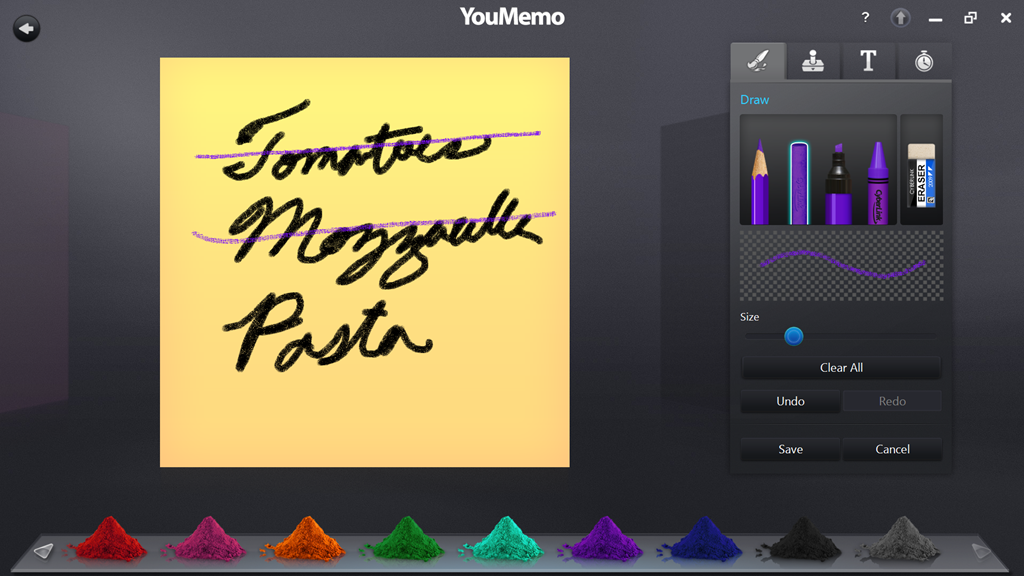
YouMemo supports multi-touch allowing you to easily resize, rotate, or simply organize notes on your bulletin board. To create a note, simply tap on “Write a Memo” then flick to your preferred notepaper. YouMemo offers 27 different colored textures, 4 writing tools, and 11 different pen colors to choose from. There is also a library of 13 stamps for additional customization.
youmemo3

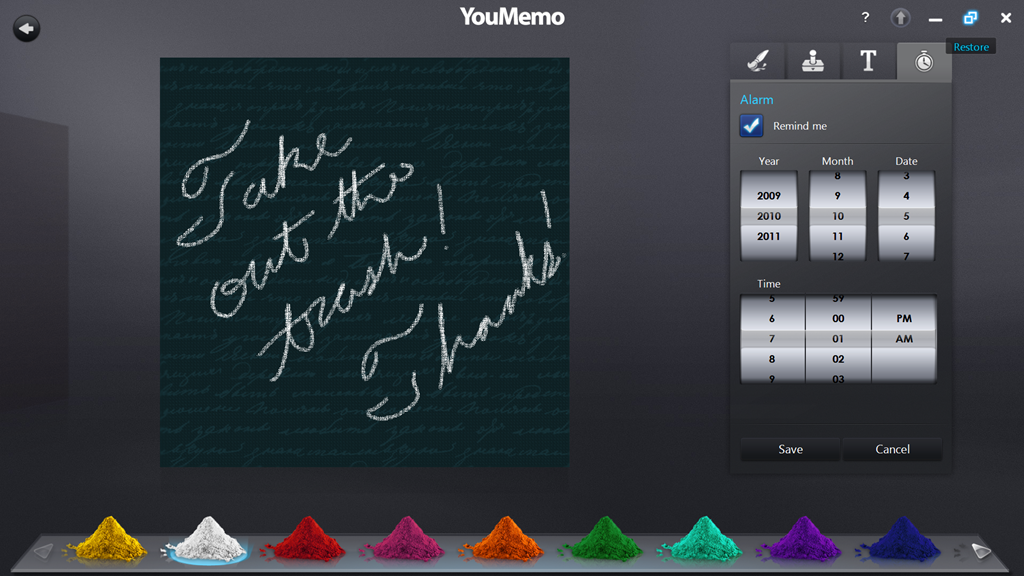
For important notes, like taking out the trash, you can set a reminder.
youmemo2

CyberLink YouMemo is a great touch experience. Note that if you want to use your keyboard, you need to click on the text tab before it will let you type. This application is a great compromise for the family member who likes to jot down notes and to-do’s and the person who doesn’t want the clutter or wasting paper. This app is another great reason for the kitchen PC on my holiday wish list.

Your Privacy Choices Opt-Out Icon Your Privacy Choices
Consumer Health Privacy Sitemap Contact Microsoft Privacy Manage cookies Terms of use Trademarks Safety & eco Recycling About our ads