Skip to main content Skip to main content Windows Experience Devices Windows Developer Microsoft Edge Windows Insider Microsoft 365 Microsoft 365 Azure Copilot Windows Surface XBOX Deals Small Business Support Windows Apps Outlook OneDrive Microsoft Teams OneNote Microsoft Edge Moving from Skype to Teams Computers Shop XBOX Accessories VR & mixed reality Certified Refurbished Trade-in for cash XBOX Game Pass Ultimate PC Game Pass XBOX games PC games Microsoft AI Microsoft Security Dynamics 365 Microsoft 365 for business Microsoft Power Platform Windows 365 Small Business Digital Sovereignty Azure Microsoft Developer Microsoft Learn Support for AI marketplace apps Microsoft Tech Community Microsoft Marketplace Software companies Visual Studio Microsoft Rewards Free downloads & security Education Gift cards Licensing Unlocked stories View Sitemap
January 9, 2013
PC

LL COOL J shows off Boomdizzle’s Liquid MyConnect Studio app for Windows 8


Yesterday at CES, LL COOL J did the first-ever live demo of Boomdizzle’s upcoming new Liquid MyConnect Studio app exclusively for Windows 8.
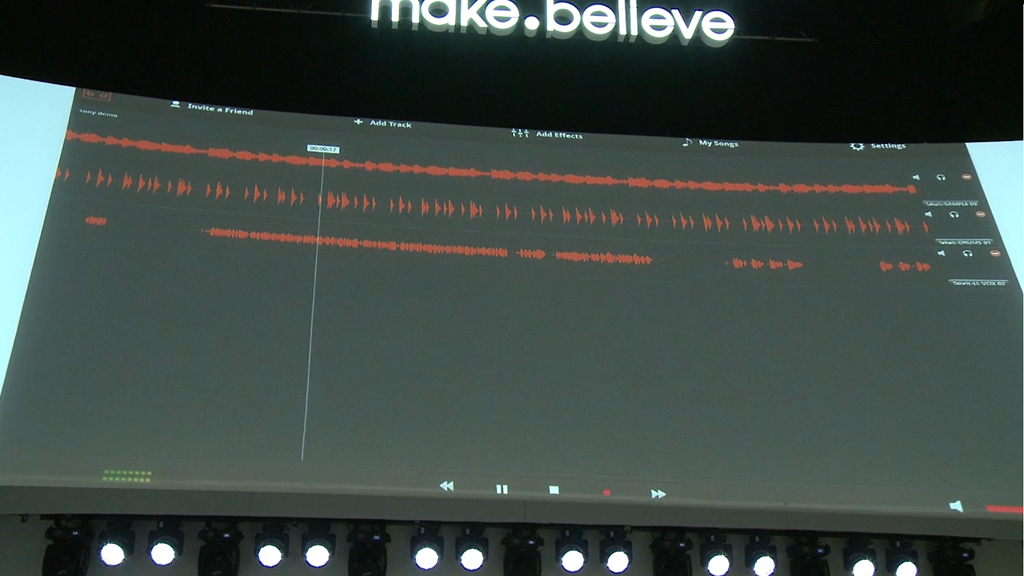
Screenshot (36)

For the demo, LL COOL J recorded a song live in real-time with an engineer who was in New York City on Sony’s VAIO Tap 20! Boomdizzle was founded by LL COOL J to bring artists and musicians together from all over the world through its revolutionary MyConnect Studio software that allows multiple musicians to collaboratively record, edit, and produce music in real-time. As seen in the demo, Boomdizzle’s Liquid MyConnect Studio app will reduce geographical and economic barriers for musicians.

ESPN’s Jenn Brown took a closer look at the VAIO 20 Tap and stopped by to visit with LL COOL J at CES to hear more about the Liquid MyConnect Studio app for Windows 8 – watch the video below!

Musicians looking to collaborate on songs with friends across the world can expect the new Liquid MyConnect Studio app for Windows 8 to hit the Windows Store later this year. We’ll have more on Boomdizzle’s Liquid MyConnect Studio app once it’s available in the Windows Store.

Your Privacy Choices Opt-Out Icon Your Privacy Choices
Consumer Health Privacy Sitemap Contact Microsoft Privacy Manage cookies Terms of use Trademarks Safety & eco Recycling About our ads