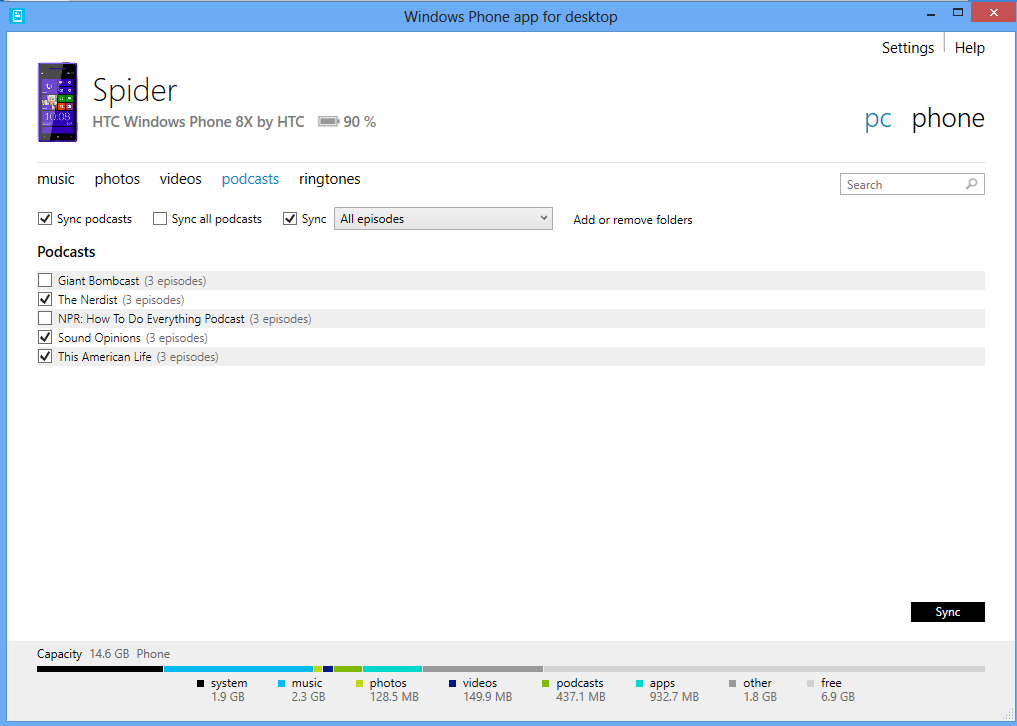
Starting today, you can download an improved version of the Windows Phone App for Desktop, a free program that syncs music, photos, and other media between your phone and Windows PC. Part of the suite of sync apps for Windows Phone 8, the Desktop App can be particularly useful for managing music in iTunes.
Preview versions of the app have been available since October, but today’s release includes some handy new features:
- Expanded podcast support. Support for iTunes podcasts has been a useful feature in the preview versions of the app, but many people get their podcasts from other sources. Now, as long as your podcasts are saved in a folder, you can automatically sync them to your phone.
- Simplified updates. Previous versions of the app required you to install updates from windowsphone.com. Now the app tells you when improvements are available, so you install them with a click.
- Flexible library selection. To provide more flexibility, the app can now sync files from any library or folder on your computer, even if they’re on an external hard drive.
- Many bug fixes. We’ve rolled up your feedback on the preview versions and made fixes to improve performance.
As I hinted, there are several options for moving files to your phone. If you’re new to Windows Phone 8 and need some help figuring out the best sync strategy, our online wizard can help point you in the right direction.