

As the end of support for Windows XP on April 8th nears we’re continuing to focus on ensuring customers are aware of the deadline and helping them to migrate to a modern operating system such as Windows 8.1. Today we have some news on both those fronts.
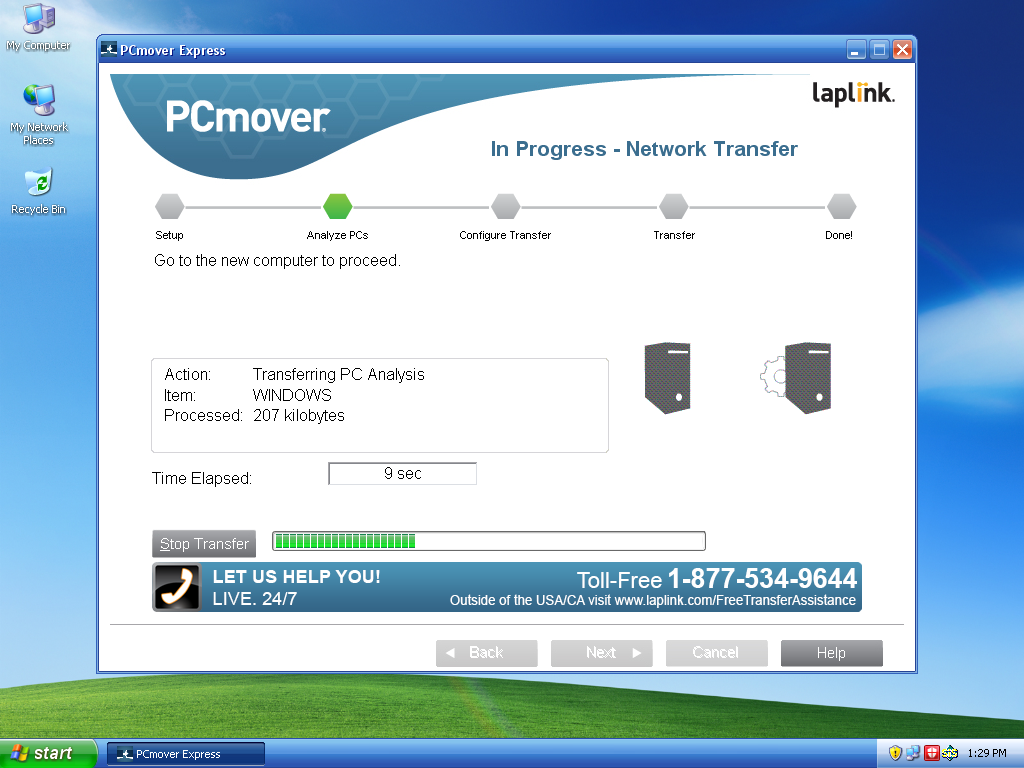
To help customers on Windows XP prepare to move to a new PC, we are announcing a free transfer tool that will be available beginning this month. We have partnered with Laplink to provide Windows XP users with a free data migration tool called PCmover Express for Windows XP which copies your files and settings from your Windows XP PC to a new device running Windows 7, Windows 8 or Windows 8.1. This tool will copy your files, music, videos, email and user profiles and settings from your old PC to your new device, transferring across your home or work network, and even enables Windows XP users to customize exactly what they want to bring over to their new device.
PCmover Express will be available for download in English starting later this week via WindowsXP.com as well as French, German, Italian, Japanese and Spanish coming later in March and it will be available in Korean, Chinese, Russian and Brazilian Portuguese after that. But if someone doesn’t want to wait for the tool to be released in their local language, they can access Laplink’s tool in other languages as well via Microsoft’s Download Center.
For Windows XP users wanting to transfer applications from their old computer, Laplink is also making available its software that migrates apps called PCmover Professional at a special price – see here for details.
UPDATE 3/11: For commercial (or enterprise) customers, we suggest using the User State Migration Tool. More information about USMT can be found by clicking here.
On March 8th, 2014, Windows XP customers using the Home or Professional editions who have elected to receive updates via Windows Update will receive an official notification on their desktop screen via Windows Update informing them that support for Windows XP will end on April 8th, 2014.
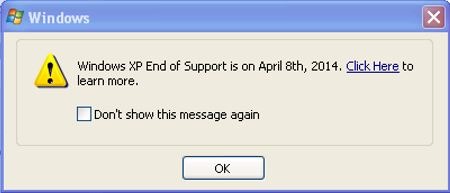
The notification will include a link to our Windows XP End of Support website where Windows XP users can find all the information they need on the end of support for Windows XP and what it means and how they can stay protected against security risks and viruses after April 8th. The notification will reoccur on the 8th of every month unless disabled by the user.
For customers unsure of what version of Windows they are using, they can go to AmIRunningXP.com, a website designed to automatically tell if a PC is running on Windows XP or a newer version of Windows like Windows 7, Windows 8, or Windows 8.1. If it detects Windows XP, the website provides guidance on how to upgrade ahead of the April 8th end of support deadline.
UPDATE 3/4: WSUS/SCCM/Windows Intune managed PCs will not see notifications informing them that support for Windows XP will end on April 8th, 2014. Only Windows XP PCs (Windows XP Home and Professional editions) who receive updates via Windows Update will see these notifications.