Skip to main content Skip to main content Windows Experience Devices Windows Developer Microsoft Edge Windows Insider Microsoft 365 Microsoft 365 Azure Copilot Windows Surface XBOX Deals Small Business Support Windows Apps Outlook OneDrive Microsoft Teams OneNote Microsoft Edge Moving from Skype to Teams Computers Shop XBOX Accessories VR & mixed reality Certified Refurbished Trade-in for cash XBOX Game Pass Ultimate PC Game Pass XBOX games PC games Microsoft AI Microsoft Security Dynamics 365 Microsoft 365 for business Microsoft Power Platform Windows 365 Small Business Digital Sovereignty Azure Microsoft Developer Microsoft Learn Support for AI marketplace apps Microsoft Tech Community Microsoft Marketplace Software companies Visual Studio Microsoft Rewards Free downloads & security Education Gift cards Licensing Unlocked stories View Sitemap
February 16, 2015
PC

AutoDesk Pixlr comes to your PC, laptop and tablet


AutoDesk Pixlr is now available to download for free to your Windows PC, laptop or tablet. Pixlr is an easy-to-use app that equips you with the tools to turn your photos into beautiful works of art. From cropping, rotating and adjusting to customized collages and options that let you change contrast, lighting, focus and blur, inside the app you have a wide range of photo effects and editing options.

AutoDesk Pixlr comes to your PC, laptop and tablet

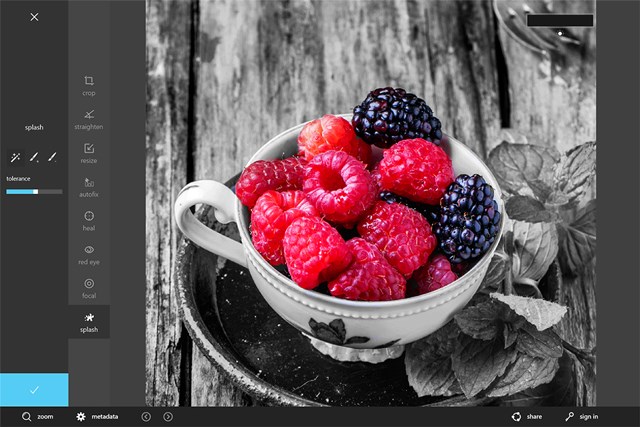
Color Splash – Make your photos pop with Color Splash
AutoDesk Pixlr comes to your PC, laptop and tablet

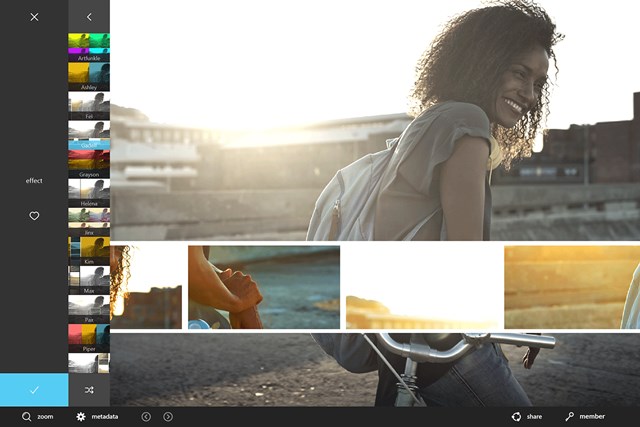
Effect – Apply an effect for just the right mood

Pixlr makes it easy to share your photos, simply tap the share option at the bottom right corner of the app and you can email out your pictures to friends and family, even share pictures to your social networks. Whether you’re applying a quick fix to your photos with autofix, erasing imperfections with heal and red-eye tools or adding a more personal touch with effects, Pixlr has everything you need to start transforming your photos into beautiful moments you’ll have forever.

Download AutoDesk Pixlr from the Windows Store now.

Your Privacy Choices Opt-Out Icon Your Privacy Choices
Consumer Health Privacy Sitemap Contact Microsoft Privacy Manage cookies Terms of use Trademarks Safety & eco Recycling About our ads