
Skip to main content Skip to main content Windows Experience Devices Windows Developer Microsoft Edge Windows Insider Microsoft 365 Microsoft 365 Azure Copilot Windows Surface Xbox Deals Small Business Support Windows Apps Outlook OneDrive Microsoft Teams OneNote Microsoft Edge Moving from Skype to Teams Computers Shop Xbox Accessories VR & mixed reality Certified Refurbished Trade-in for cash Xbox Game Pass Ultimate PC Game Pass Xbox games PC games Microsoft AI Microsoft Security Dynamics 365 Microsoft 365 for business Microsoft Power Platform Windows 365 Small Business Digital Sovereignty Azure Microsoft Developer Microsoft Learn Support for AI marketplace apps Microsoft Tech Community Microsoft Marketplace Marketplace Rewards Visual Studio Microsoft Rewards Free downloads & security Education Gift cards Licensing Unlocked stories View Sitemap
February 26, 2015
Mobile

LINE Messenger app for Windows Phone gets two new exciting features


Today the LINE Messenger app for Windows Phone received an exciting new update bringing Windows Phone users two of LINE’s most wanted features – Timeline and Group Home. LINE Messenger is a free app in the Windows Phone Store that allows users to conveniently exchange messages, photos, videos, voice messages, even their location with friends and family.

001

The Timeline feature allows users to post their special photos and activities with their friend list, friends on this list can then comment on the photos and activities, generating fun conversation around what’s shared. It’s a great way to keep close friends and loved ones updated on key moments in your life.
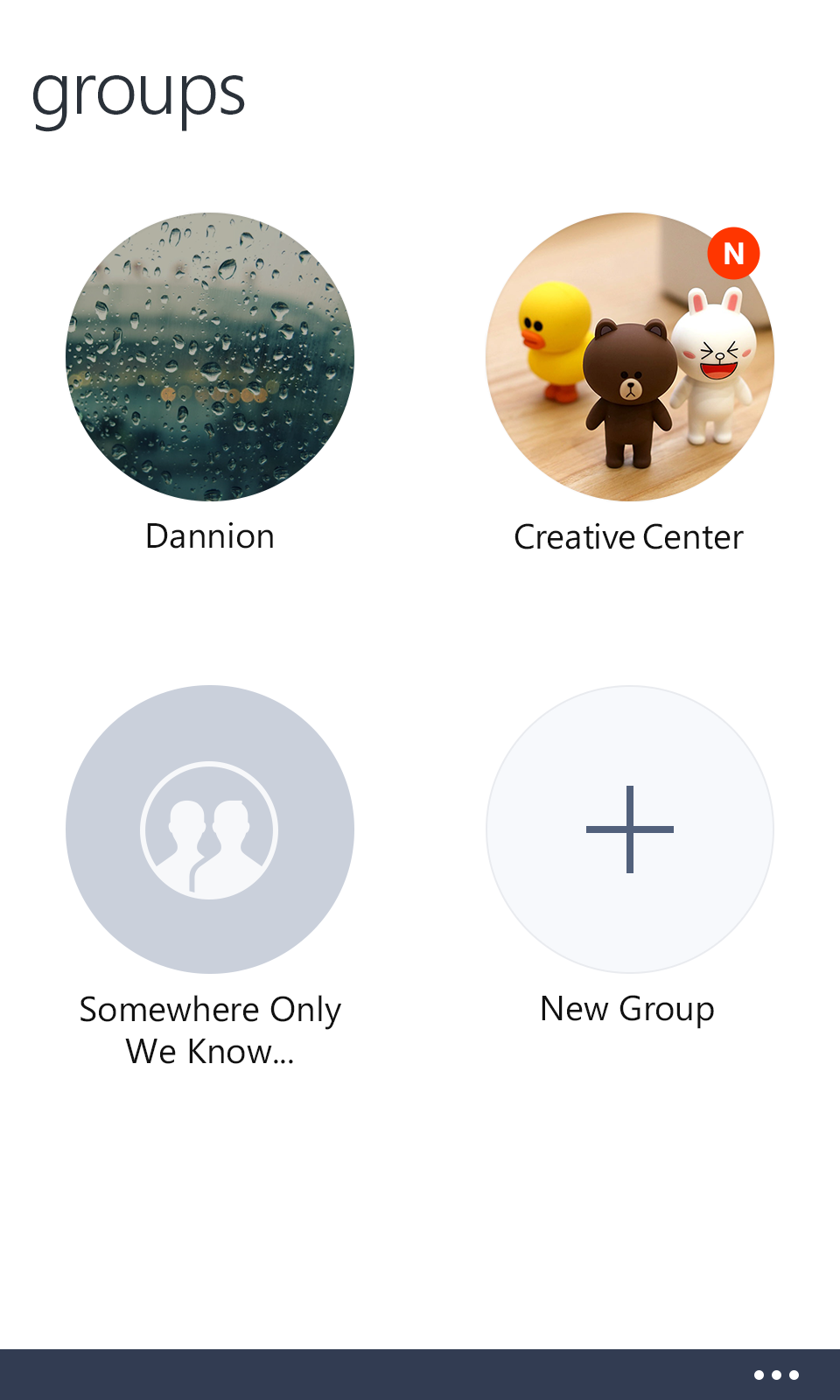
LINE Messenger for Windows Phone

Group Home consists of two key features – Album and Note. Album and Note are based on secured groups. Users can create groups that include specific friends they want to add, within the group pictures and notes can be shared. Users have the ability to save important messages in these group communication threads within the messenger app.

Be sure to explore these two new exciting features in the update! If you don’t already have LINE Messenger installed on your Windows Phone, you can do that in the Windows Phone Store.

Your Privacy Choices Opt-Out Icon Your Privacy Choices
Consumer Health Privacy Sitemap Contact Microsoft Privacy Manage cookies Terms of use Trademarks Safety & eco Recycling About our ads