Skip to main content Skip to main content Windows Experience Devices Windows Developer Microsoft Edge Windows Insider Microsoft 365 Microsoft 365 Azure Copilot Windows Surface XBOX Deals Small Business Support Windows Apps Outlook OneDrive Microsoft Teams OneNote Microsoft Edge Moving from Skype to Teams Computers Shop XBOX Accessories VR & mixed reality Certified Refurbished Trade-in for cash XBOX Game Pass Ultimate PC Game Pass XBOX games PC games Microsoft AI Microsoft Security Dynamics 365 Microsoft 365 for business Microsoft Power Platform Windows 365 Small Business Digital Sovereignty Azure Microsoft Developer Microsoft Learn Support for AI marketplace apps Microsoft Tech Community Microsoft Marketplace Software companies Visual Studio Microsoft Rewards Free downloads & security Education Gift cards Licensing Unlocked stories View Sitemap

Cortana Gets Even Smarter with Power BI Integration
Written By published December 1, 2015


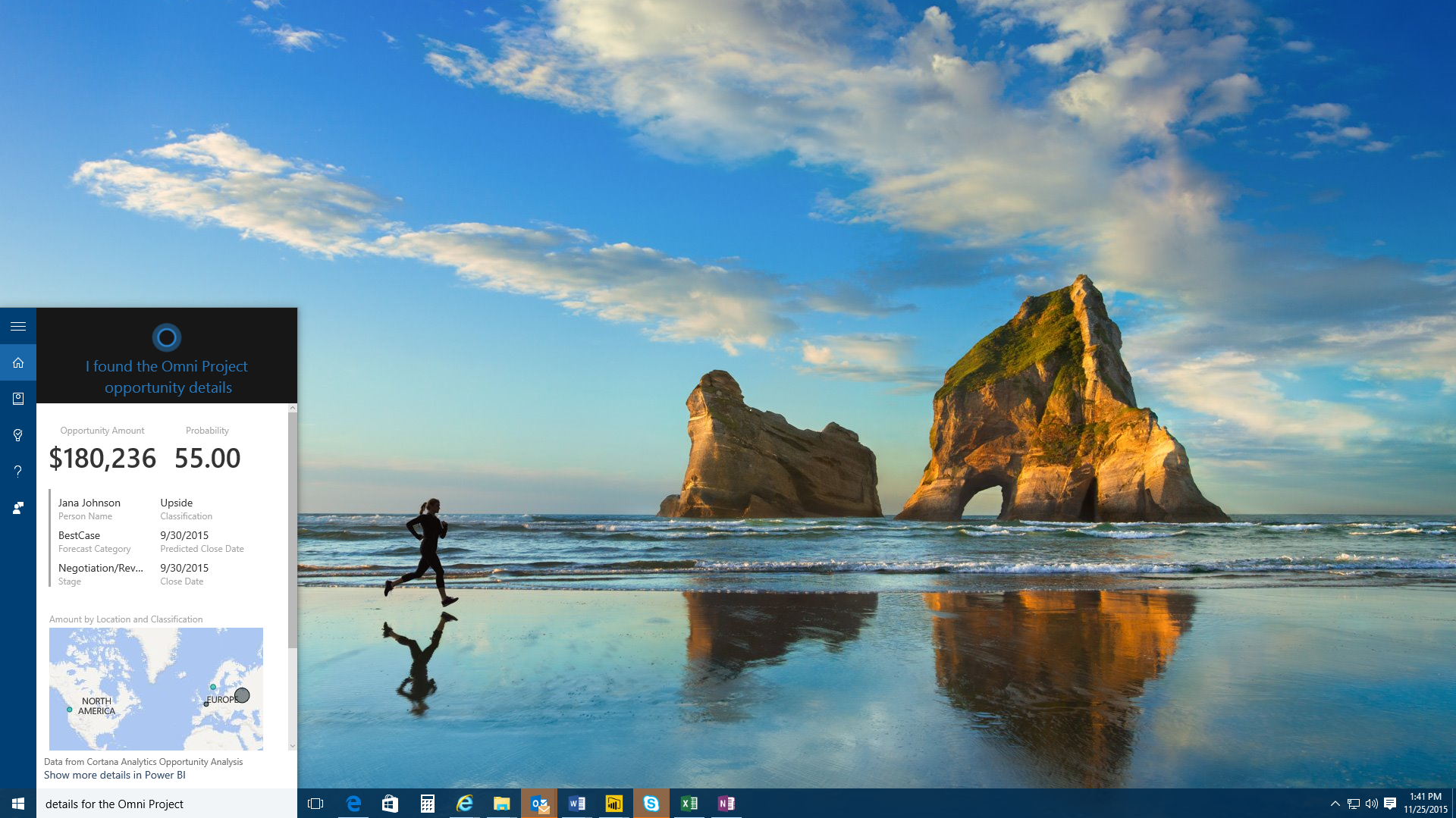
As your truly personal digital assistant, we’re enabling Cortana to call upon other services to help you get things done. You’ve seen us work with third parties like LinkedIn and Microsoft services like Office 365 to bring you an even richer Cortana experience. Today, we’re excited to announce that Cortana gets even better with a connection to Microsoft’s Power BI. Now available in Preview today, Cortana’s integration with Power BI enables anyone to get answers directly from their key business data in a more helpful, proactive, and natural way.

By integrating with Power BI, Cortana can give you answers directly from key business data.
By integrating with Power BI, Cortana can give you answers directly from key business data. 

By utilizing Power BI’s data visualization capabilities, Cortana can provide you with answers ranging from simple numerical values (“revenue for the last quarter”), charts (“number of opportunities by team”), maps (“average customer spending in California by city”), or even complete reports from Power BI.

Learn more about Cortana’s integration with Power BI here and make sure to have the latest update of Windows 10 to get started.

Your Privacy Choices Opt-Out Icon Your Privacy Choices
Consumer Health Privacy Sitemap Contact Microsoft Privacy Manage cookies Terms of use Trademarks Safety & eco Recycling About our ads