

Today we are releasing Build 11102 to Windows Insiders in the Fast ring. If you’re a PC gamer or use accessibility software, I highly recommend taking note of the known issues for this build (below) as there are issues that will impact your PC gaming experience.
Here’s what’s new:
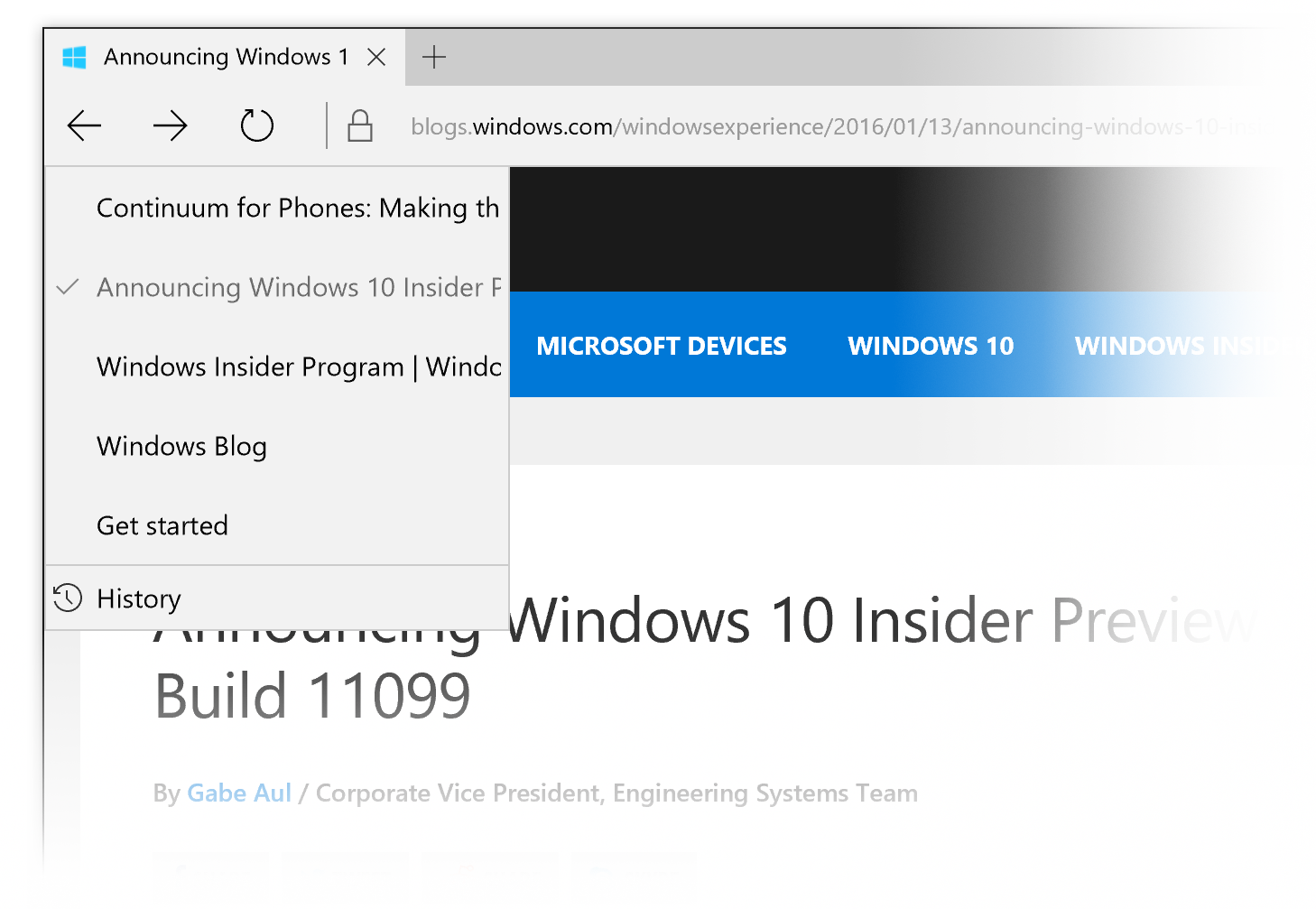
New history menu in Microsoft Edge: A highly requested feature by Insiders, you can now right-click on the back and forward buttons in Microsoft Edge for quick access to your recently visited websites in the current tab. Give it a try and let us know what you think.
Known issues:
When we went live with last week’s PC build, Insiders discovered a bug where the cache for Insider Hub wasn’t properly refreshing – preventing new content from showing up in a timely manner. We’ll include known issues with our blog posts as well as in Insider Hub until the bug is resolved.
- Some PC games will crash switching from windowed mode to full screen, upon game resolution change, or upon launch due to a bug in Windows graphics stack. We have observed this with The Witcher 3, Fallout 4, Tomb Raider, Assassin’s Creed, and Metal Gear Solid V but it may occur with other titles as well.
- With this build (and with the last build), applications such as Narrator, Magnifier, and third-party assistive technologies may experience intermittent issues or crashes. If you rely on screen readers or other software, you should not use this build. This issue will be fixed with the next build.
- You might see a WSClient.dll error dialog after logging in. We’re working on a fix for this but as a workaround, you can run the following in Command Prompt with administrative rights: schtasks /delete /TN “MicrosoftWindowsWSWSRefreshBannedAppsListTask” /F
- While attempting to update to this build, your PC may show a message that your wireless card is not compatible with Windows 10. The workaround is to visit the support page for your PC or wireless card and install the newest driver that is available.
- The Connect button does not show up in Action Center.
As always – thank you for being Windows Insiders and make sure to send us feedback on any issues you run into with this build in the Windows Feedback app.
Thanks,
g