

Sway announces new integration with the Photos app on Windows 10
Now it’s even easier (and faster!) to use the photos and videos on your Windows device to create and share polished, interactive stories of your adventures with family and friends using Sway.
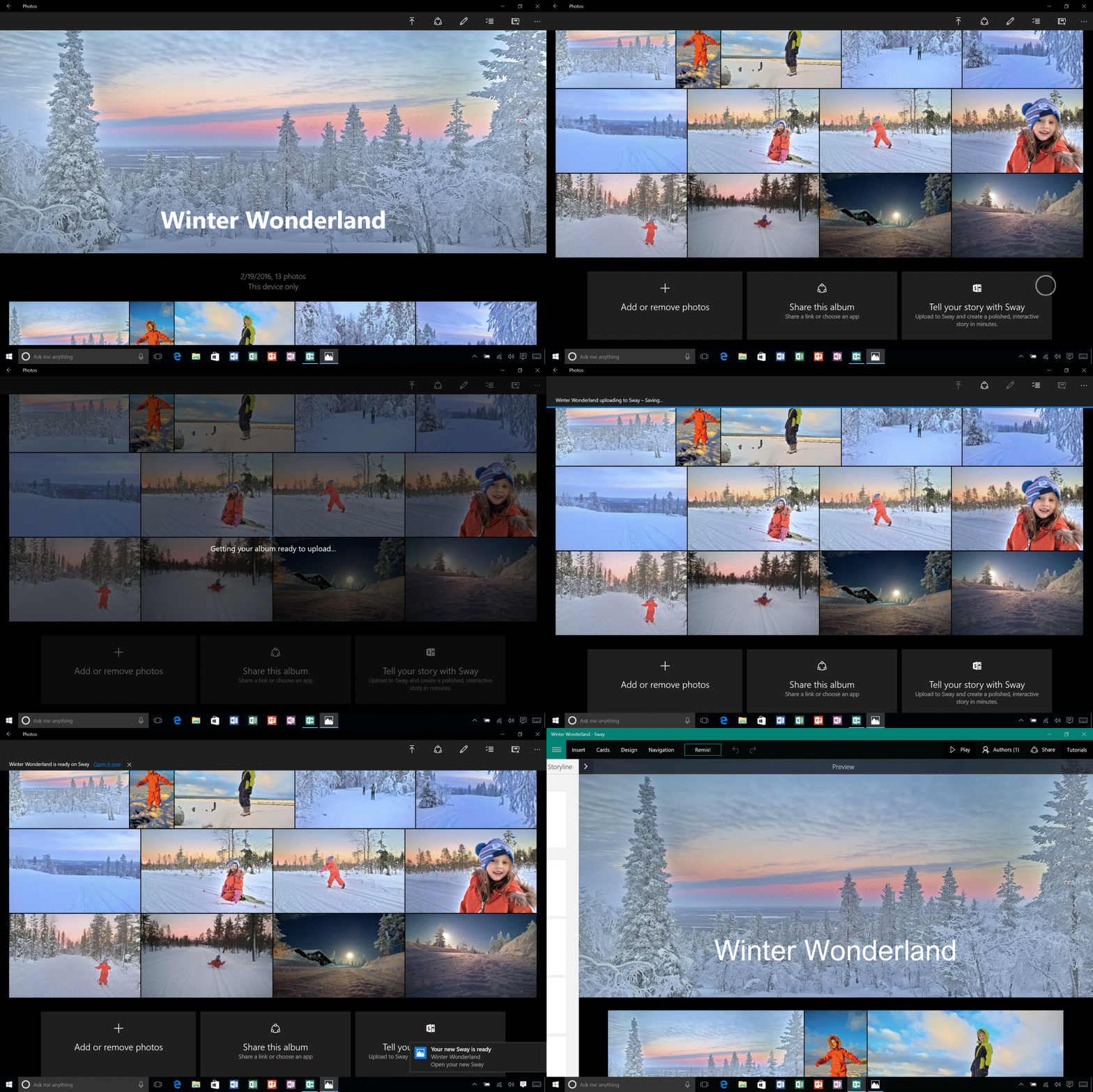
Turn your Microsoft Photos album into a professionally designed story in minutes with 1-click Sway integration.
Microsoft Photos brings together photos and videos from all your devices, making it easier to work with and organize them into beautiful photo albums, and transform them into memories for you and your family. With Sway, you can craft a narrative around the individual photos and videos that you share with your loved ones, and turn your album into a professionally designed personal story in minutes.
Just click the “Tell your story with Sway” button in Microsoft Photos, and your album immediately becomes an interactive, web-based experience. Then use Sway to add section headers, text narration, captions, and other details to enhance the flow of your narrative and create your own story. And you can add in all kinds of other web-based interactive media, too, including tweets, Vines, maps, charts, and even Living Images (which capture additional pre-photo footage and breathe additional life into your narrative). Tell the tale of your recent vacation, make an instructional video or even create a blog style recipe of the delicious food you cooked last night. The possibilities are endless – give it a try today!
To learn more about this exciting integration head over to the Office Blog where we outline all the details in this update.
You can grab the updated version of Microsoft Photos now, and start telling your own stories with Sway. If you have never used Sway, an account will be created the first time you use this integration in Microsoft Photos. You can also create an account at Sway.com.

