Skip to main content Skip to main content Windows Experience Devices Windows Developer Microsoft Edge Windows Insider Microsoft 365 Microsoft 365 Azure Copilot Windows Surface Xbox Deals Small Business Support Windows Apps Outlook OneDrive Microsoft Teams OneNote Microsoft Edge Moving from Skype to Teams Computers Shop Xbox Accessories VR & mixed reality Certified Refurbished Trade-in for cash Xbox Game Pass Ultimate PC Game Pass Xbox games PC games Microsoft AI Microsoft Security Dynamics 365 Microsoft 365 for business Microsoft Power Platform Windows 365 Small Business Digital Sovereignty Azure Microsoft Developer Microsoft Learn Support for AI marketplace apps Microsoft Tech Community Microsoft Marketplace Marketplace Rewards Visual Studio Microsoft Rewards Free downloads & security Education Gift cards Licensing Unlocked stories View Sitemap
PC
November 28, 2016

Windows 10 Tip: Three ways Cortana can help you this holiday


We’ve showed you how Cortana* can help you search your PC and the web – today, we’re sharing three ways Cortana can help you during the holidays, from tracking flights and packages to remembering your shopping lists!

Set a reminder

Windows 10 Tip: Four ways Cortana can help you this holiday


We’re all running around like crazy this holiday season, so let Cortana remember things for you. Simply ask her to remind you to pick up the tree trimmings on your way home or ship a package before it’s too late.

Make lists to track gifts
Windows 10 Tip: Four ways Cortana can help you this holiday

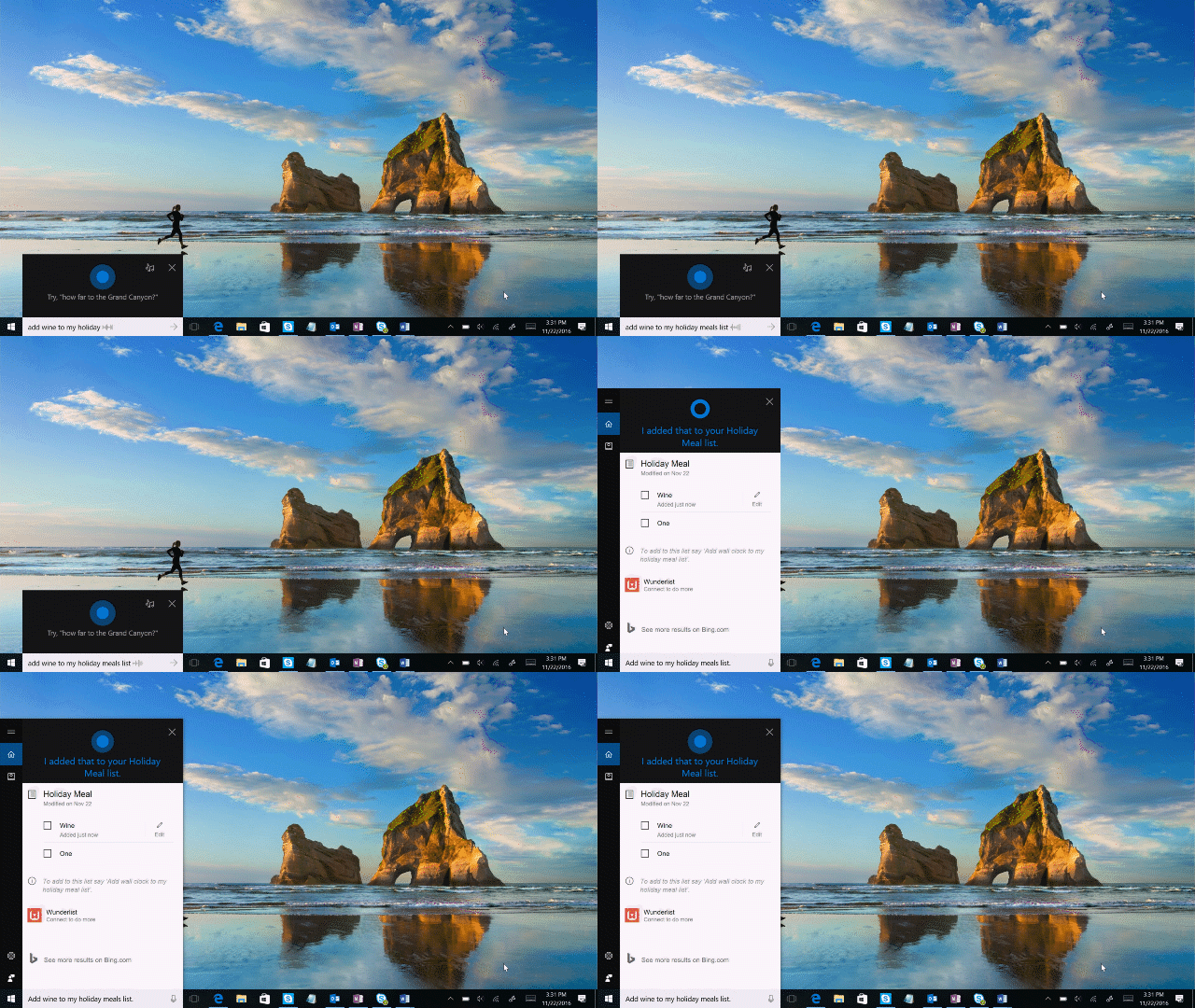
Whether you’re planning gifts to buy, making a shopping list for a holiday meal or remembering what you need to do before leaving for vacation, you can easily use your voice or type to create a new list, add to an existing list and pull up your lists when you need them.

Easily track your flights

Windows 10 Tip: Four ways Cortana can help you this holiday

Cortana can track your flight for you and tell you if it’s delayed. Cortana can automatically do this for you once you’ve signed in based on your flight confirmations, or you can simply enter your flight number into the search box and Cortana will tell you its status.

Have a great week!

*Cortana available in select markets

Your Privacy Choices Opt-Out Icon Your Privacy Choices
Consumer Health Privacy Sitemap Contact Microsoft Privacy Manage cookies Terms of use Trademarks Safety & eco Recycling About our ads