Skip to main content Skip to main content Windows Experience Devices Windows Developer Microsoft Edge Windows Insider Microsoft 365 Microsoft 365 Azure Copilot Windows Surface XBOX Deals Small Business Support Windows Apps Outlook OneDrive Microsoft Teams OneNote Microsoft Edge Moving from Skype to Teams Computers Shop XBOX Accessories VR & mixed reality Certified Refurbished Trade-in for cash XBOX Game Pass Ultimate PC Game Pass XBOX games PC games Microsoft AI Microsoft Security Dynamics 365 Microsoft 365 for business Microsoft Power Platform Windows 365 Small Business Digital Sovereignty Azure Microsoft Developer Microsoft Learn Support for AI marketplace apps Microsoft Tech Community Microsoft Marketplace Software companies Visual Studio Microsoft Rewards Free downloads & security Education Gift cards Licensing Unlocked stories View Sitemap

Start playing Gigantic on Windows 10 and Xbox One today
Written By published December 8, 2016


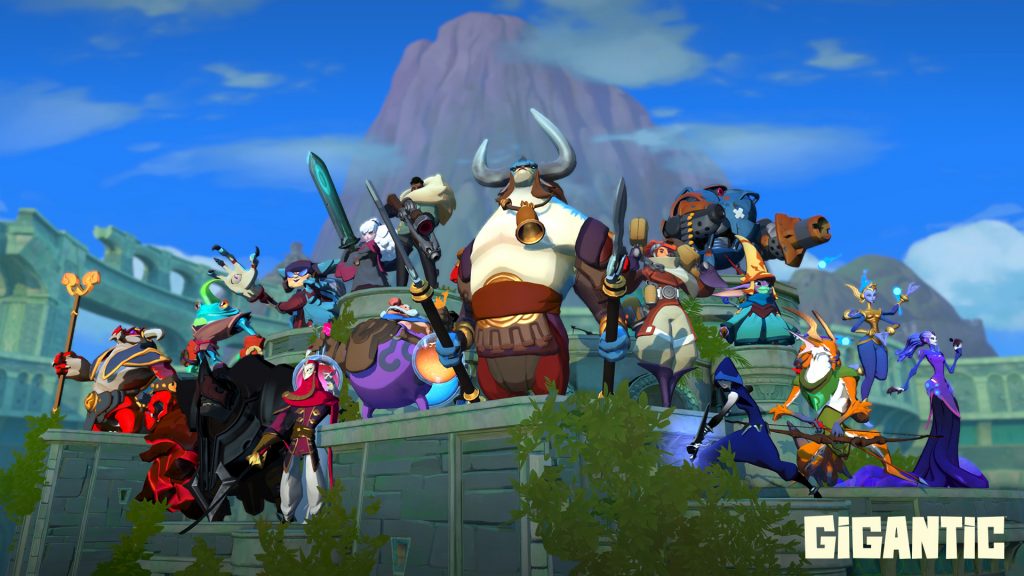
We’re proud to announce Gigantic is available in the Windows Store in open beta for the Windows 10 and Xbox One Game Preview Program in North America and Europe! Gigantic is a free-to-play, third-person MOBA that pits two teams of five against each other in the fight to take down the enemy Guardian.

Start playing Gigantic on Windows 10 and Xbox One today

Choose between 16 different heroes, each with their own unique playstyle. Each hero can be built in a variety of ways, allowing them to focus on a different aspect of their arsenal. As you play and learn about a hero, make sure to experiment with the different upgrades to see which one best fits your style. Part of the fun of Gigantic is not only discovering what build suits you, but which will best counter the build paths the enemy has chosen.

We hope you decide to join the fray and download Gigantic. After all, it’s free via Xbox One’s Game Preview Program, so it’s worth a try. To help give you an edge in battle, we’ve put together some tips and tricks to help you get started in this competitive game. Head over to Xbox Wire to read more!

Your Privacy Choices Opt-Out Icon Your Privacy Choices
Consumer Health Privacy Sitemap Contact Microsoft Privacy Manage cookies Terms of use Trademarks Safety & eco Recycling About our ads