Skip to main content Skip to main content Windows Experience Devices Windows Developer Microsoft Edge Windows Insider Microsoft 365 Microsoft 365 Azure Copilot Windows Surface XBOX Deals Small Business Support Windows Apps Outlook OneDrive Microsoft Teams OneNote Microsoft Edge Moving from Skype to Teams Computers Shop XBOX Accessories VR & mixed reality Certified Refurbished Trade-in for cash XBOX Game Pass Ultimate PC Game Pass XBOX games PC games Microsoft AI Microsoft Security Dynamics 365 Microsoft 365 for business Microsoft Power Platform Windows 365 Small Business Digital Sovereignty Azure Microsoft Developer Microsoft Learn Support for AI marketplace apps Microsoft Tech Community Microsoft Marketplace Software companies Visual Studio Microsoft Rewards Free downloads & security Education Gift cards Licensing Unlocked stories View Sitemap

Introducing more shopping tips with Cortana in Microsoft Edge

Written By published June 9, 2017

Microsoft Edge and Cortana release a pilot feature that helps you find the best price and availability of similar products.
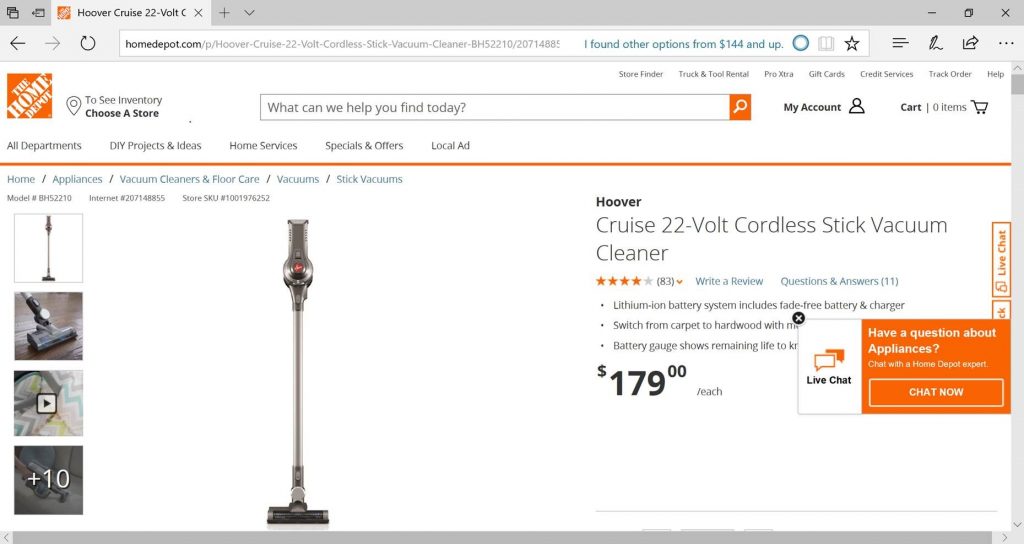
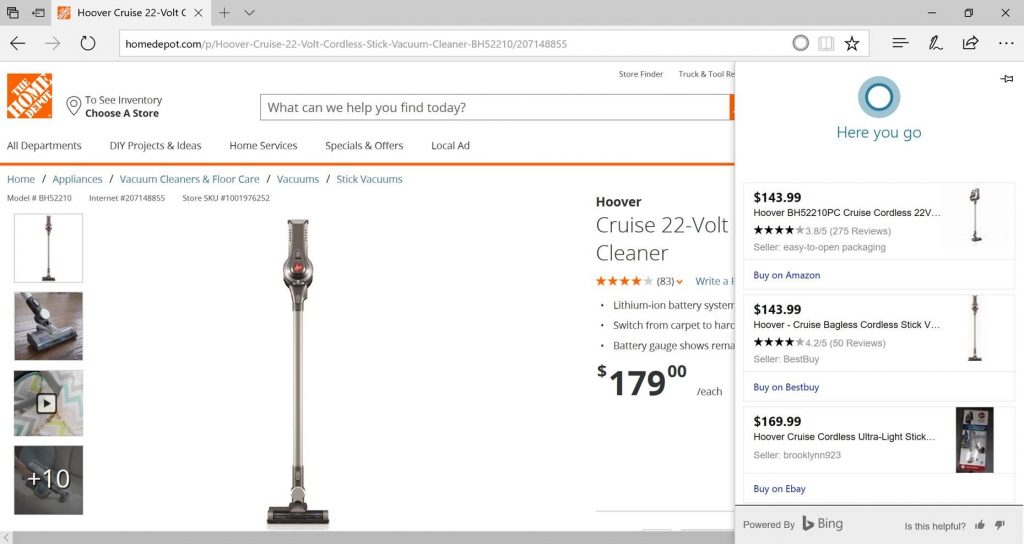

With Cortana and Microsoft Edge, we hope to continue offering features that will help you save time and money when shopping online using the Microsoft Edge web browser. To that end, we recently released a pilot feature that helps find the best pricing for the product you are viewing. However, Cortana will only notify you if the relevant details are available at the time of your visit. We are just beginning to roll this out to everyone on Windows 10 Creators Update to get feedback. Currently the feature supports 14 retailers including Amazon, Walmart, and eBay, within the US. We will be increasing availability and the number of retailers we support in the months ahead, so stay tuned for more updates.

When you visit the site of a supported retailer, Cortana will alert you that there are other options available at a lower price for the same product.
 Once you click on the Cortana icon, the information will be displayed in the right pane within the same window.

How it works:

The feature works similar to current Cortana features where you see Cortana display notification in the address bar if there’s helpful information available for the site you’re on. When you visit the site of a supported retailer, Cortana will alert you that there are other options available at a lower price for the same product. Once you click on the Cortana icon, the information will be displayed in the right pane within the same window.

Let us know what you think about the feature. Your feedback is important as we continue to make improvements and add support for other sites.

Your Privacy Choices Opt-Out Icon Your Privacy Choices
Consumer Health Privacy Sitemap Contact Microsoft Privacy Manage cookies Terms of use Trademarks Safety & eco Recycling About our ads