Skip to main content Skip to main content Windows Experience Devices Windows Developer Microsoft Edge Windows Insider Microsoft 365 Microsoft 365 Azure Copilot Windows Surface Xbox Deals Small Business Support Windows Apps Outlook OneDrive Microsoft Teams OneNote Microsoft Edge Moving from Skype to Teams Computers Shop Xbox Accessories VR & mixed reality Certified Refurbished Trade-in for cash Xbox Game Pass Ultimate PC Game Pass Xbox games PC games Microsoft AI Microsoft Security Dynamics 365 Microsoft 365 for business Microsoft Power Platform Windows 365 Small Business Digital Sovereignty Azure Microsoft Developer Microsoft Learn Support for AI marketplace apps Microsoft Tech Community Microsoft Marketplace Marketplace Rewards Visual Studio Microsoft Rewards Free downloads & security Education Gift cards Licensing Unlocked stories View Sitemap

Windows 10 Tip: Work more efficiently with MyAnalytics

Written By published October 9, 2017

Did you know there’s an Outlook add-in designed to help you work more efficiently?


It’s called MyAnalytics, and it can help you managed relationships with important people, prioritize your time and track the reach and influence of your email communications.*

Check out that navigation bar and select the MyAnalytics logo. The add-in will slide open in the right-hand side of your email window. From there, you can personalize your feed based on those who you email most, see if people are reading the mail you’ve sent, track to do lists and even book focus time to get more done.
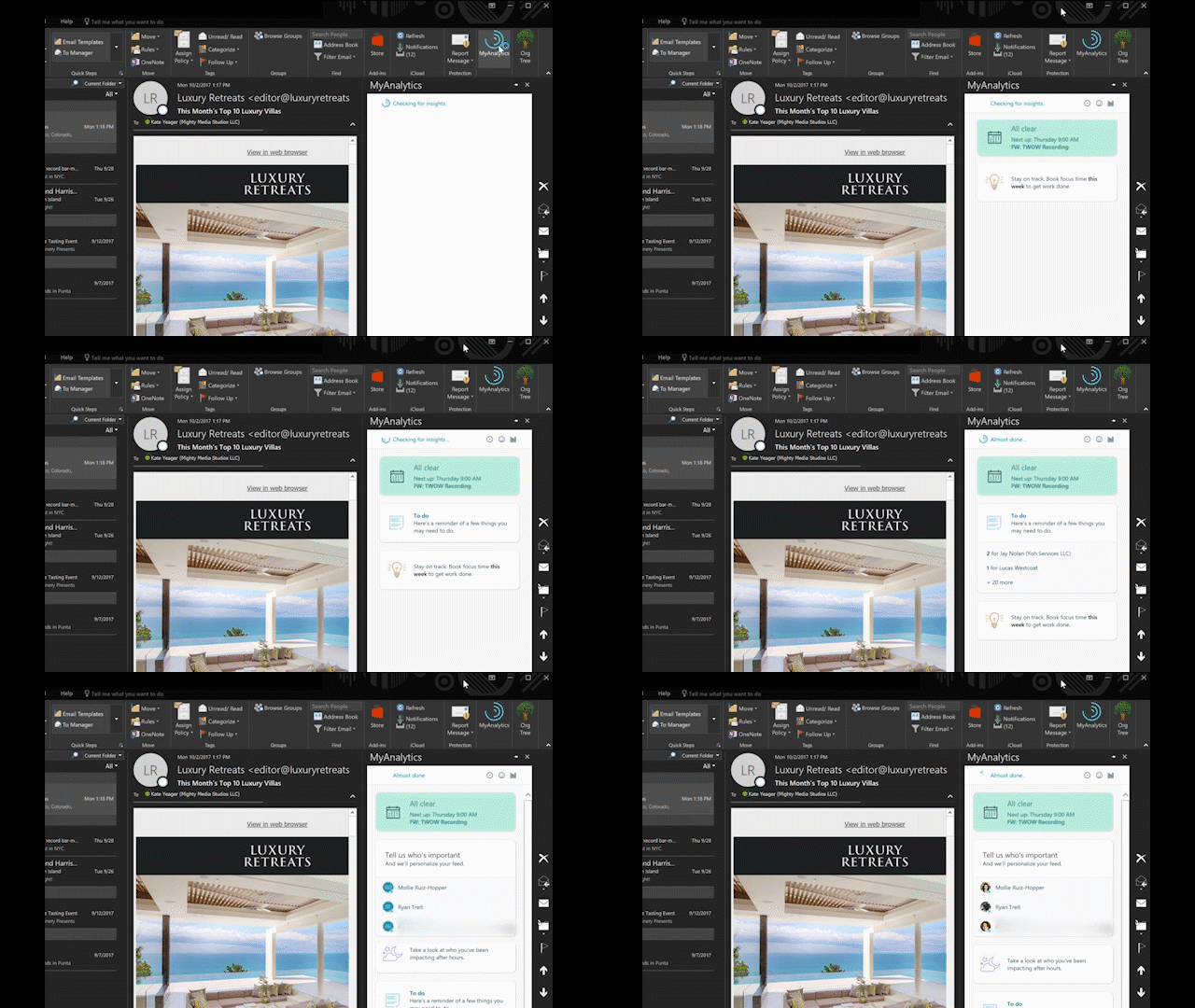
Check out that navigation bar and select the MyAnalytics logo.

And, you can get even more insights by clicking the Dashboard icon to launch the online dashboard.
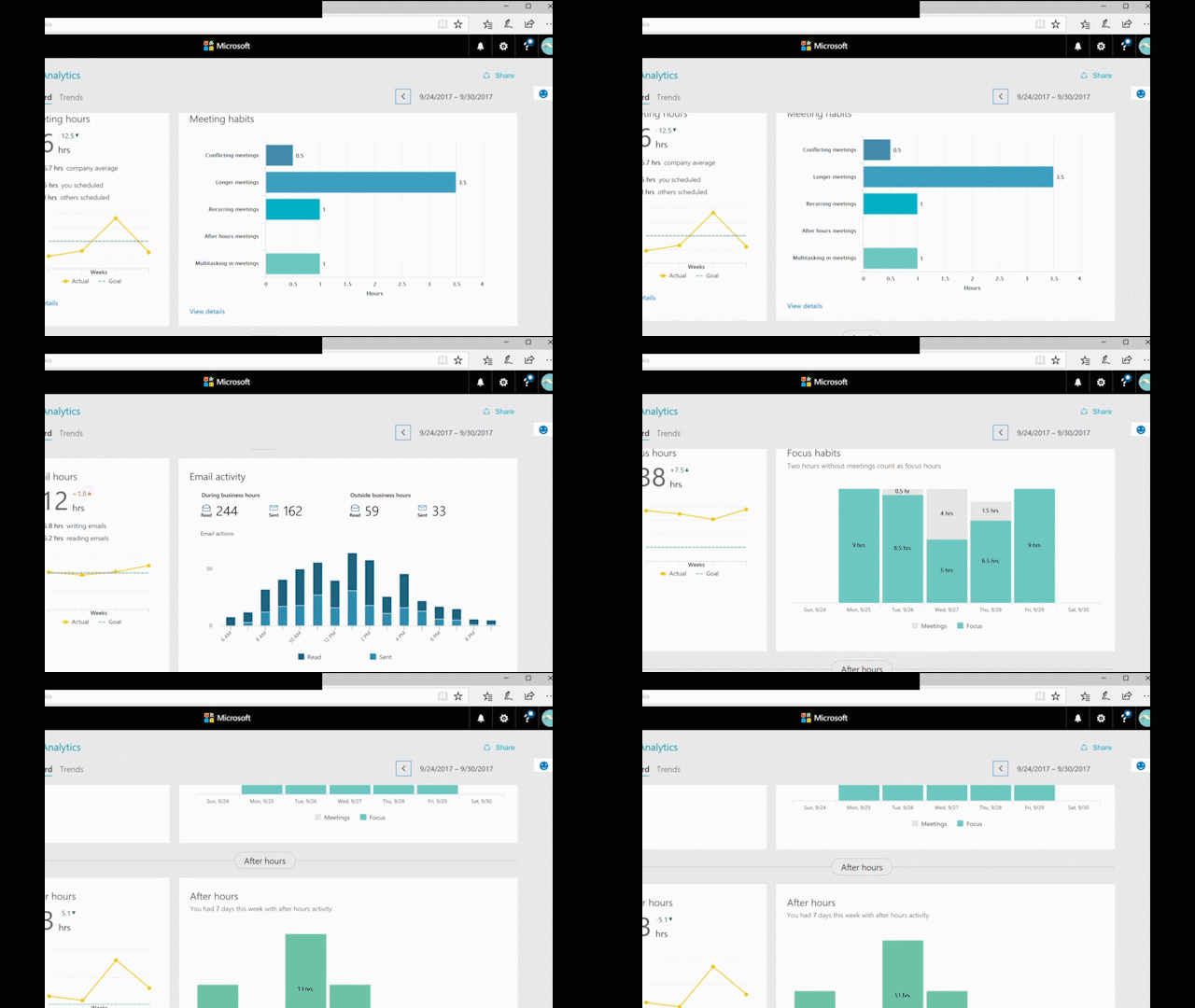
Click the Dashboard icon

Have a great week!

*Add-in commands are available only in Outlook 2016 and Outlook 2013 for Windows, Outlook 2016 for Mac, Outlook on the web for Exchange 2016, and Outlook on the web for Office 365 and Outlook.com. Support for add-in commands in Outlook 2013 requires three updates: March 8, 2016 security update for Outlook, March 8, 2016 security update for Office (KB3114816), and March 8, 2016 security update for Office (KB3114828). Support for add-in commands in Exchange 2016 requires Cumulative Update 5.

Your Privacy Choices Opt-Out Icon Your Privacy Choices
Consumer Health Privacy Sitemap Contact Microsoft Privacy Manage cookies Terms of use Trademarks Safety & eco Recycling About our ads