

Windows 10 Tip: How to pin your favorite websites to the taskbar with Microsoft Edge
Did you know you can now pin your websites to the taskbar while browsing in Microsoft Edge?
Here’s how to get started:
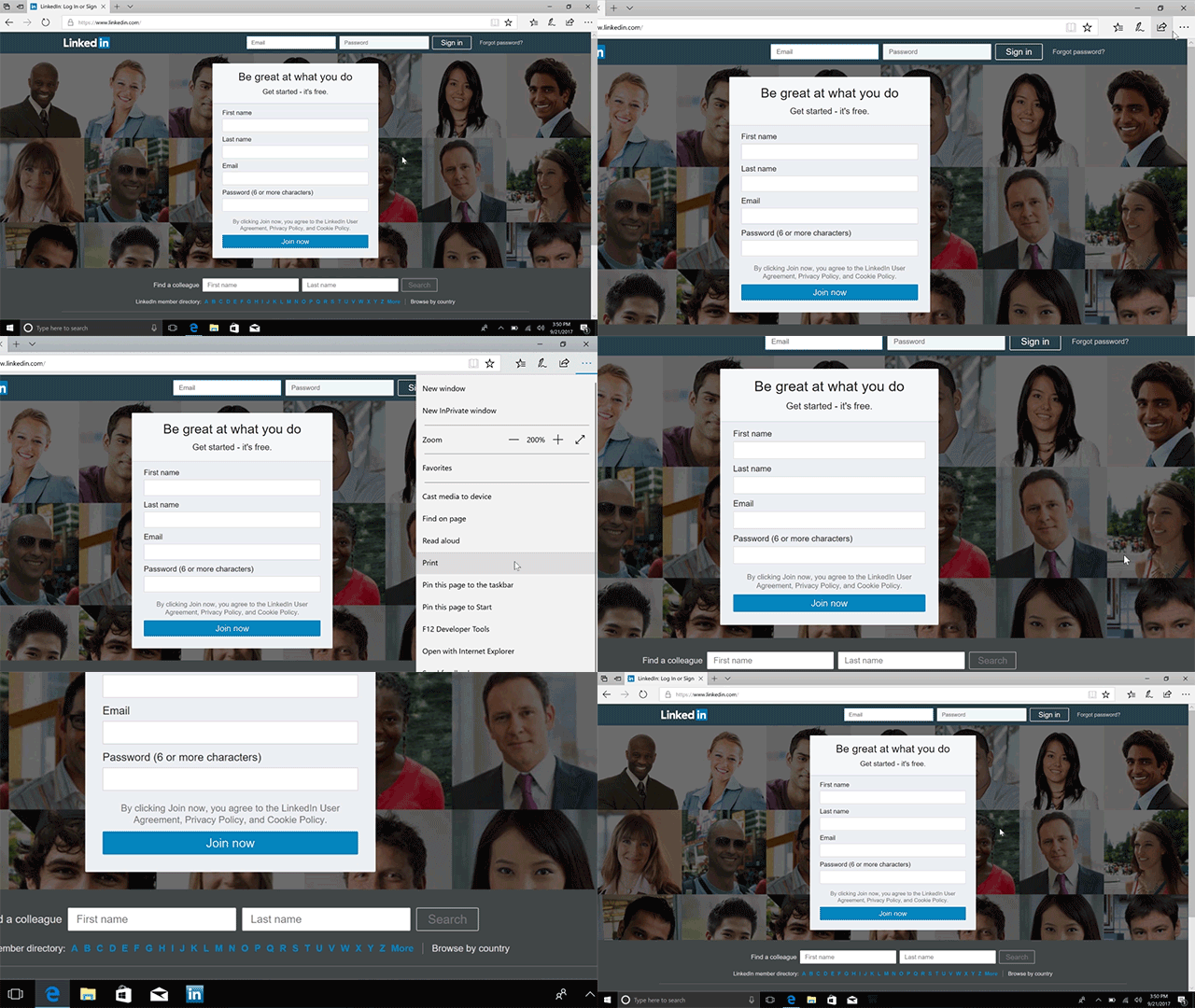
Simply head to the menu, select “Pin this page to the taskbar,” and watch the site icon appear on your Windows taskbar!
Head over here to read more about all the new features in the Fall Creators Update, and have a great week!