

Windows 10 Tip: How to start using Nearby Sharing with the Windows 10 April 2018 Update
Did you know the Windows 10 April 2018 Update includes a way you can now instantly share your videos, photos, documents, and websites with people and devices near you over Bluetooth or Wi-Fi?
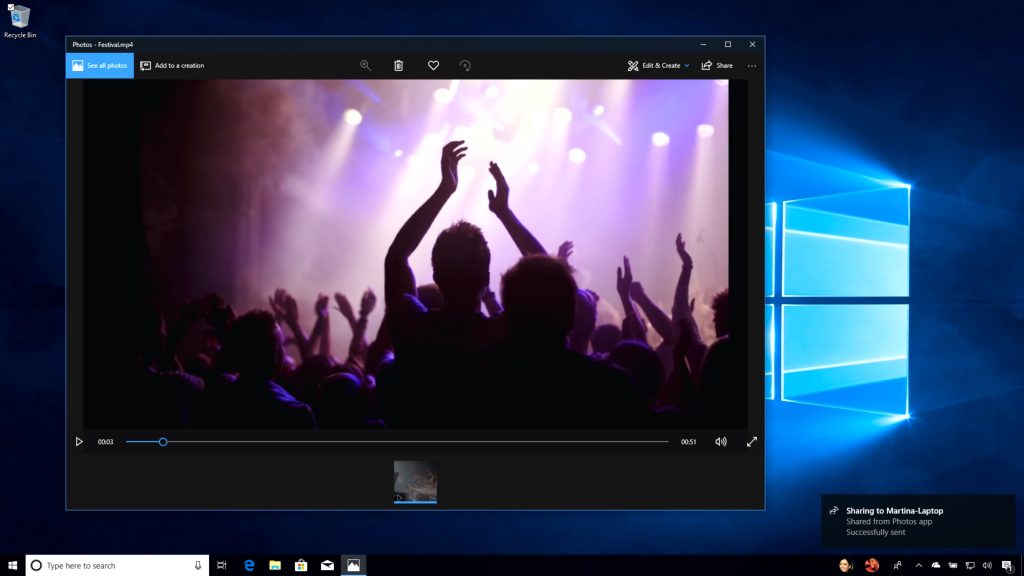
It’s called Nearby Sharing. Here’s what you can do with it:
- Share quickly. Send any video, photo, document, or webpage viewed on Microsoft Edge to people nearby by clicking on the share charm in the app or right-clicking to get the share menu. You can share a report with a colleague in your meeting room or a vacation photo with your best friend in the library.*
- Take the quickest path. Your computer automatically picks the fastest way to share your file or webpage, either over Bluetooth or Wi-Fi.
- See who’s available. Bluetooth allows you to quickly discover potential devices with which you could share.**
Here’s how to get started:
In your Action Center, click on Nearby Sharing to turn it on. From there, click the Share icon in your file, photo, Microsoft Edge webpage or more to share with nearby devices.
Head over here to read more about what’s new in the Windows 10 April 2018 Update!
*Sharing is only available between Windows 10 PCs. Nearby sharing must be enabled on both devices.
**Recipients can choose whether to accept the item a user wants to share.


