Skip to main content Skip to main content Windows Experience Devices Windows Developer Microsoft Edge Windows Insider Microsoft 365 Microsoft 365 Azure Copilot Windows Surface Xbox Deals Small Business Support Windows Apps Outlook OneDrive Microsoft Teams OneNote Microsoft Edge Moving from Skype to Teams Computers Shop Xbox Accessories VR & mixed reality Certified Refurbished Trade-in for cash Xbox Game Pass Ultimate PC Game Pass Xbox games PC games Microsoft AI Microsoft Security Dynamics 365 Microsoft 365 for business Microsoft Power Platform Windows 365 Small Business Digital Sovereignty Azure Microsoft Developer Microsoft Learn Support for AI marketplace apps Microsoft Tech Community Microsoft Marketplace Marketplace Rewards Visual Studio Microsoft Rewards Free downloads & security Education Gift cards Licensing Unlocked stories View Sitemap
PC
August 6, 2018

Save your files to OneDrive for expanded ransomware protection


If you want an additional layer of protection from ransomware, try saving your files in OneDrive. It’s part of the new experiences that arrived with the Windows 10 April 2018 Update.

Here’s how it works: If a ransomware threat is found on a device, Windows Defender will notify you of the threat, help you remove the ransomware from your device, and give you options to recover your OneDrive files to the state they were in before the attack occurred.
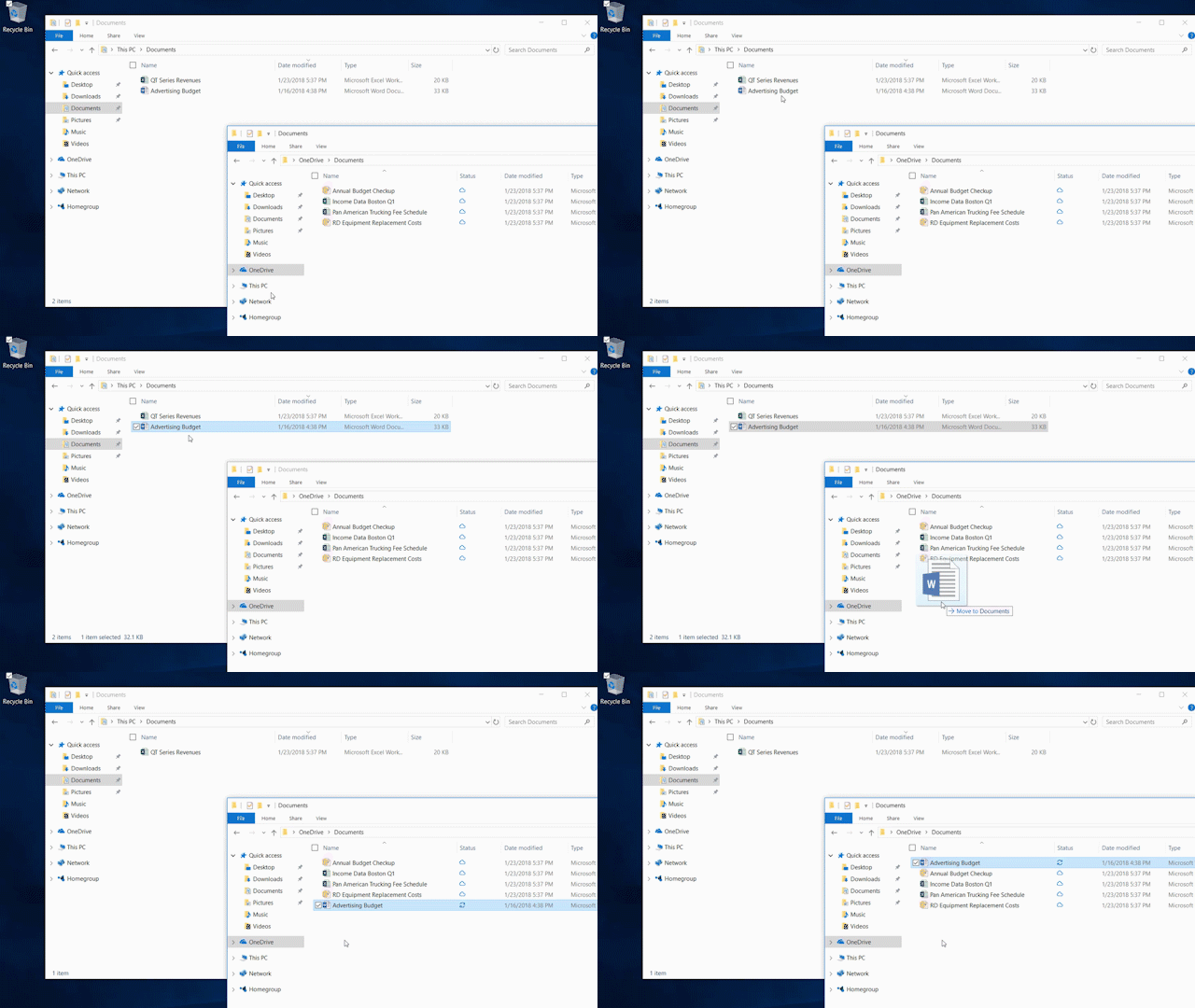
2 open boxes shows dragging one file into OneDrive
Save your files to OneDrive


For Office 365 Home subscribers, Office 365 Personal subscribers, and OneDrive for Business users, that includes OneDrive Files Restore, which can be used to restore your OneDrive to a previous point in time within the last 30 days. The date and time that Windows Defender detected the attack will be pre-selected in Files Restore, making the process simple and easy to use.

Learn more about the protections from online threats available to Office 365 Home and Office 365 Personal subscribers.

If you like this, check out more Windows 10 Tips.

Your Privacy Choices Opt-Out Icon Your Privacy Choices
Consumer Health Privacy Sitemap Contact Microsoft Privacy Manage cookies Terms of use Trademarks Safety & eco Recycling About our ads