Skip to main content Skip to main content Windows Experience Devices Windows Developer Microsoft Edge Windows Insider Microsoft 365 Microsoft 365 Azure Copilot Windows Surface Xbox Deals Small Business Support Windows Apps Outlook OneDrive Microsoft Teams OneNote Microsoft Edge Moving from Skype to Teams Computers Shop Xbox Accessories VR & mixed reality Certified Refurbished Trade-in for cash Xbox Game Pass Ultimate PC Game Pass Xbox games PC games Microsoft AI Microsoft Security Dynamics 365 Microsoft 365 for business Microsoft Power Platform Windows 365 Small Business Digital Sovereignty Azure Microsoft Developer Microsoft Learn Support for AI marketplace apps Microsoft Tech Community Microsoft Marketplace Software companies Visual Studio Microsoft Rewards Free downloads & security Education Gift cards Licensing Unlocked stories View Sitemap

Windows 10 Tip: Microsoft Forms

Written By published December 31, 2018


Your family has a weekend free and you’re trying to figure out what to do during that precious time together. But instead of asking each person individually or using social media, it might be easier – and more efficient – to gauge the group’s preferences through a survey or a quiz.

Now you can easily create either or both with Microsoft Forms, a simple, lightweight tool.

Since Forms was released for education and commercial organizations, millions have used it. And now consumers can use Forms Public Preview to create, run and analyze results from surveys and quizzes.

Simply share a link or QR code, and your friends and family can access your form from virtually anywhere, on any device and at any time. With real-time responses and automatically generated charts, Forms makes it easy for creators to quickly understand the results and take the right next step.

Check it out in action:
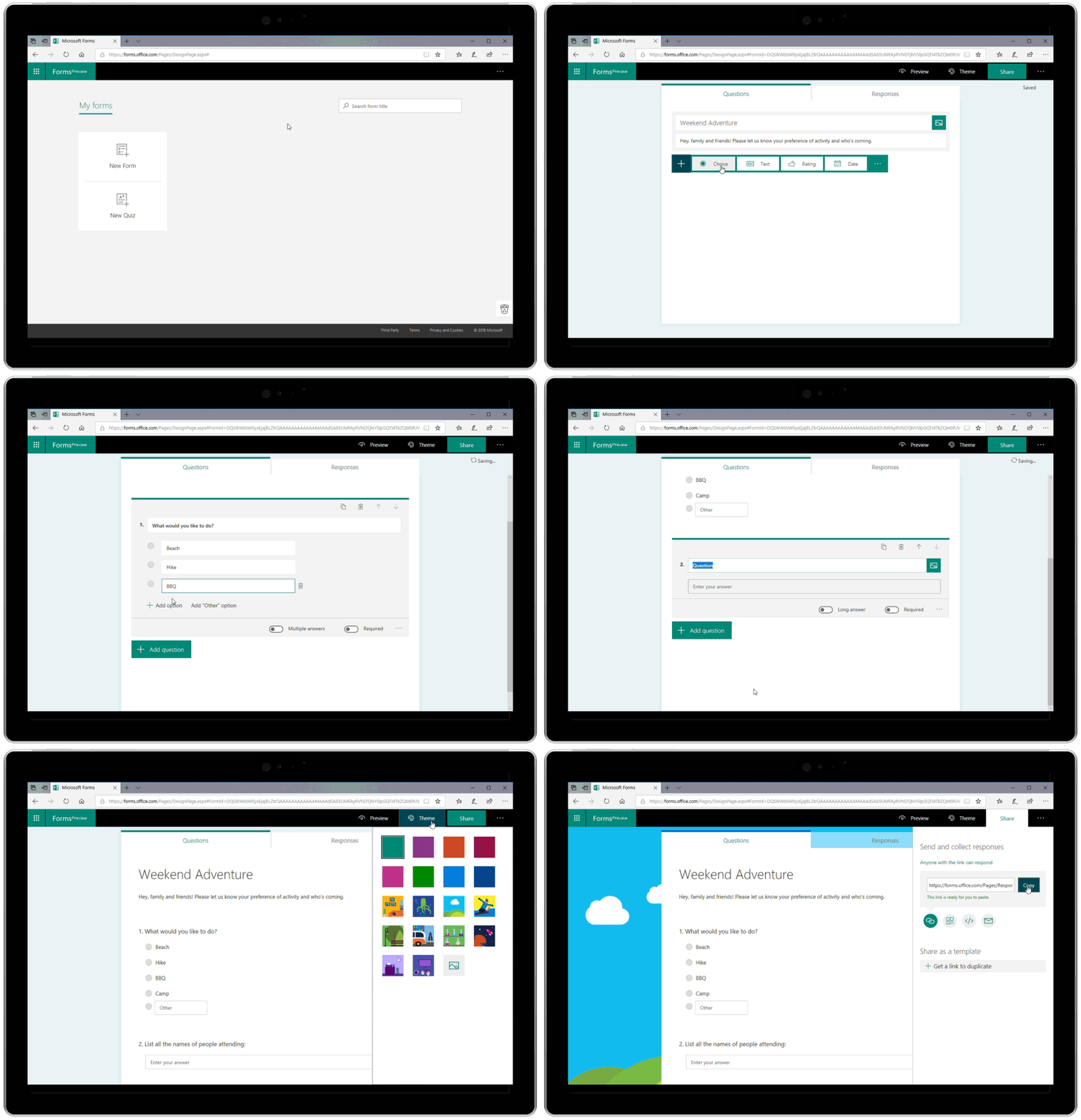
Gif shows how to plan a Weekend Adventure using Microsoft Forms, using prompts for questions

To get started, sign in using a free Microsoft Account.

If you like this, check out more Windows 10 Tips and the Windows 10 October 2018 Update.

Your Privacy Choices Opt-Out Icon Your Privacy Choices
Consumer Health Privacy Sitemap Contact Microsoft Privacy Manage cookies Terms of use Trademarks Safety & eco Recycling About our ads