Skip to main content Skip to main content Windows Experience Devices Windows Developer Microsoft Edge Windows Insider Microsoft 365 Microsoft 365 Azure Copilot Windows Surface Xbox Deals Small Business Support Windows Apps Outlook OneDrive Microsoft Teams OneNote Microsoft Edge Moving from Skype to Teams Computers Shop Xbox Accessories VR & mixed reality Certified Refurbished Trade-in for cash Xbox Game Pass Ultimate PC Game Pass Xbox games PC games Microsoft AI Microsoft Security Dynamics 365 Microsoft 365 for business Microsoft Power Platform Windows 365 Small Business Digital Sovereignty Azure Microsoft Developer Microsoft Learn Support for AI marketplace apps Microsoft Tech Community Microsoft Marketplace Marketplace Rewards Visual Studio Microsoft Rewards Free downloads & security Education Gift cards Licensing Unlocked stories View Sitemap

Windows 10 Tip: Timeline for phone

Written By published January 14, 2019


Since April, you’ve had Timeline on your Windows 10 PC. It aims to end the frustration we’ve all encountered digging through emails and file folders for a document we just can’t find. Timeline makes it way easier to find what matters to you across your devices. You can also pick up what you were doing  — even if it was on your iOS or Android device — on your Windows 10 PC when you’re ready to get back to it.

Now with the Windows 10 October 2018 Update, your PC’s timeline is available on your phone, so you can scroll back in time to find the files and websites you were using on your phone, computer and tablet.

Basically, you can pick up where you left off, wherever you left off [1]. Go back and forth in time by easily scrolling back to find things you were working on earlier today or earlier this week [1]. Share or remove activities whenever you want from a specific day or hour.

It’s available in preview on Android phone via the Microsoft Launcher app and will be coming soon to preview for iPhone.

Check it out in action:
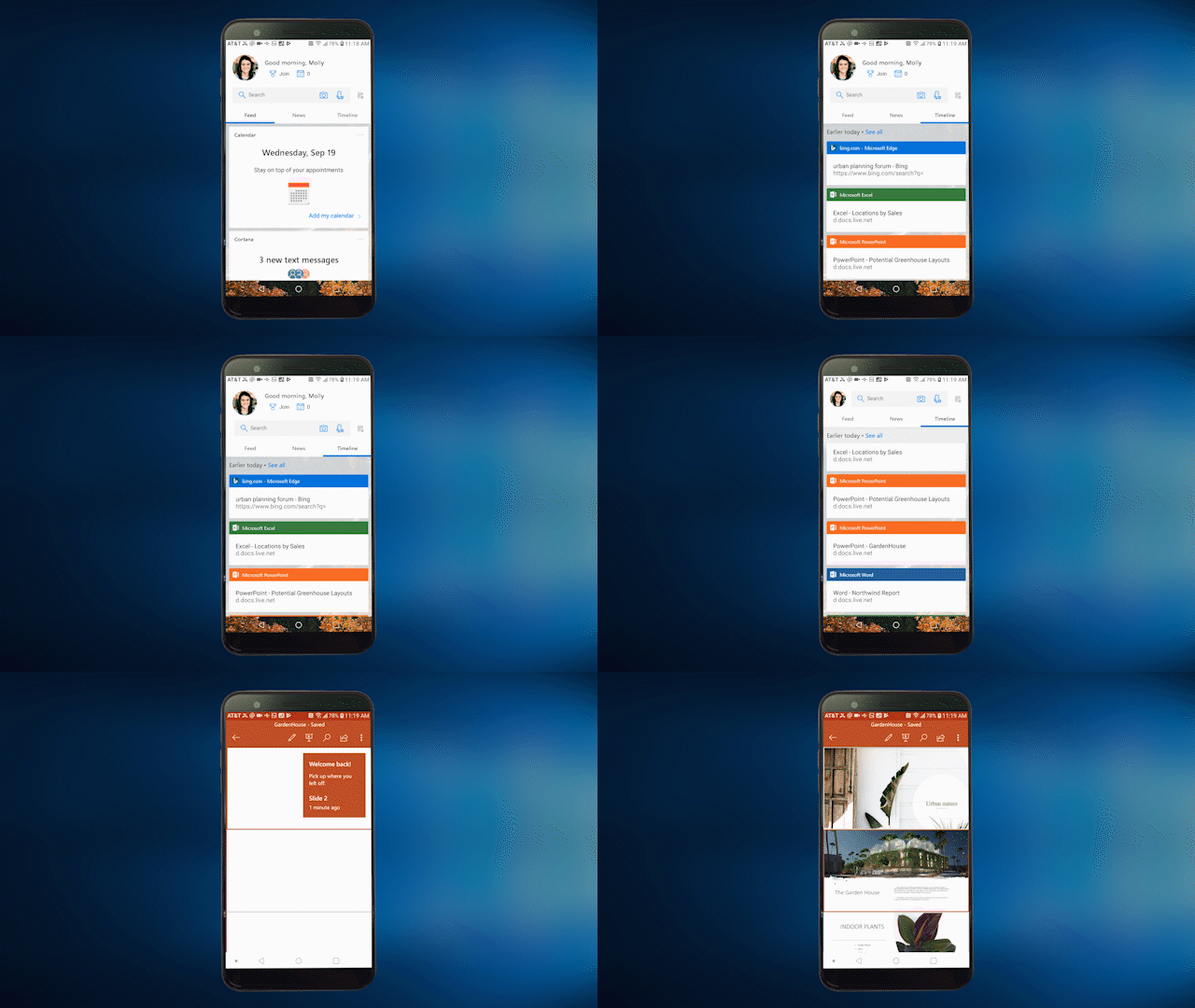
Gif shows Timeline for phone

If you like this, check out more Windows 10 Tips.

[1] Timeline shows 7 days of past activities, including activities done on a tablet and laptop when users are signed into their Microsoft accounts.

Your Privacy Choices Opt-Out Icon Your Privacy Choices
Consumer Health Privacy Sitemap Contact Microsoft Privacy Manage cookies Terms of use Trademarks Safety & eco Recycling About our ads