Skip to main content Skip to main content Windows Experience Devices Windows Developer Microsoft Edge Windows Insider Microsoft 365 Microsoft 365 Azure Copilot Windows Surface Xbox Deals Small Business Support Windows Apps Outlook OneDrive Microsoft Teams OneNote Microsoft Edge Moving from Skype to Teams Computers Shop Xbox Accessories VR & mixed reality Certified Refurbished Trade-in for cash Xbox Game Pass Ultimate PC Game Pass Xbox games PC games Microsoft AI Microsoft Security Dynamics 365 Microsoft 365 for business Microsoft Power Platform Windows 365 Small Business Digital Sovereignty Azure Microsoft Developer Microsoft Learn Support for AI marketplace apps Microsoft Tech Community Microsoft Marketplace Software companies Visual Studio Microsoft Rewards Free downloads & security Education Gift cards Licensing Unlocked stories View Sitemap

Windows 10 Tip: Clipboard

Written By published August 5, 2019

Editor’s note: We’re back with the summer batch of weekly Windows 10 tips posts, which highlight some of the many helpful features that come with the Windows 10 May 2019 Update. We’ve been working hard behind the scenes to make your daily life easier with a streamlined update process, as well as clean and simple experiences for your desktop.

Thanks to the Windows 10 May 2019 Update, you’ll find that your Clipboard can do more.
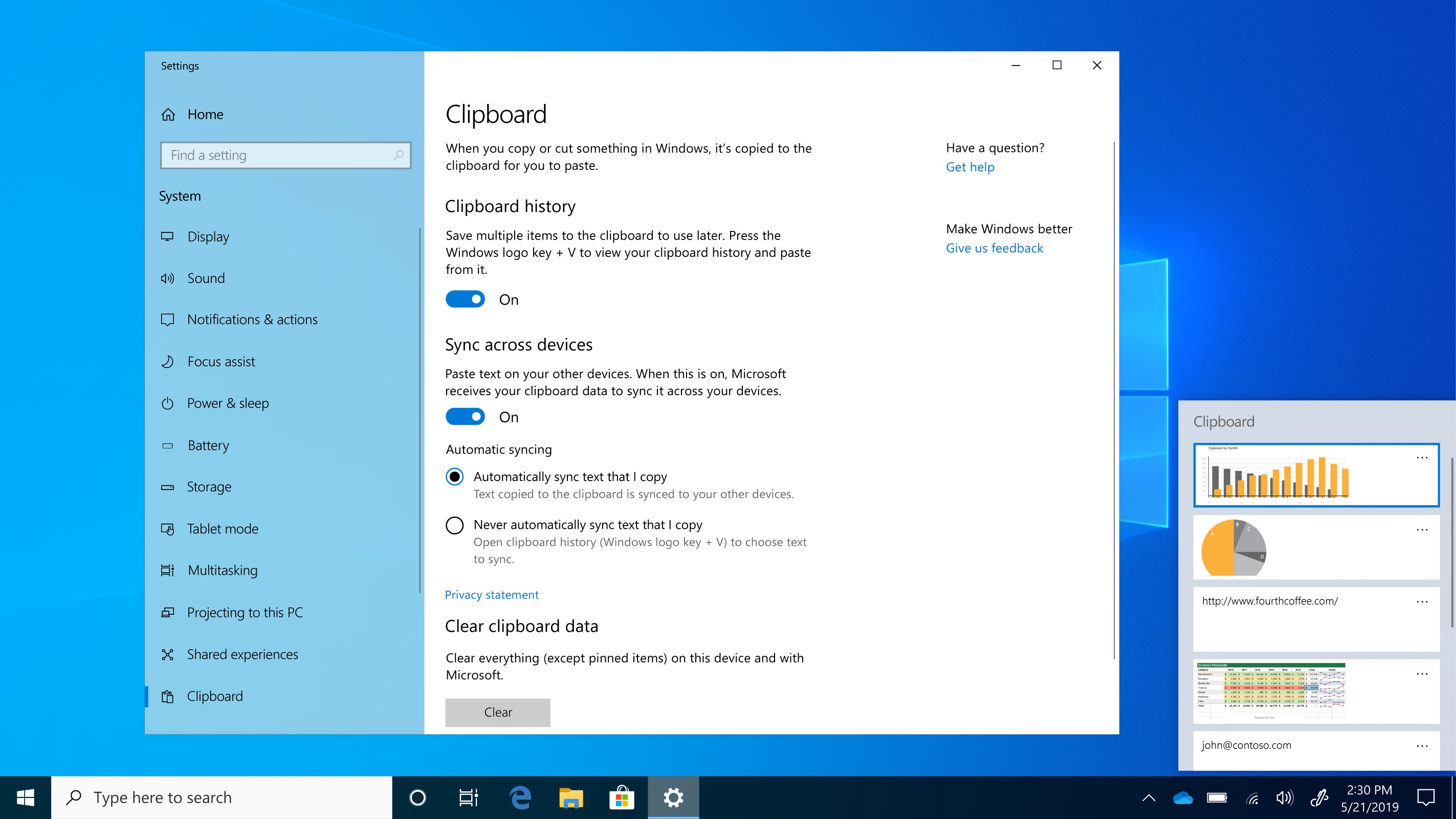
Hold down the Windows key + V to check it out. You’ll find a history of the past 25 things you’ve copied, including URLs, text from web pages and docs – and even screenshots.

See it in action:
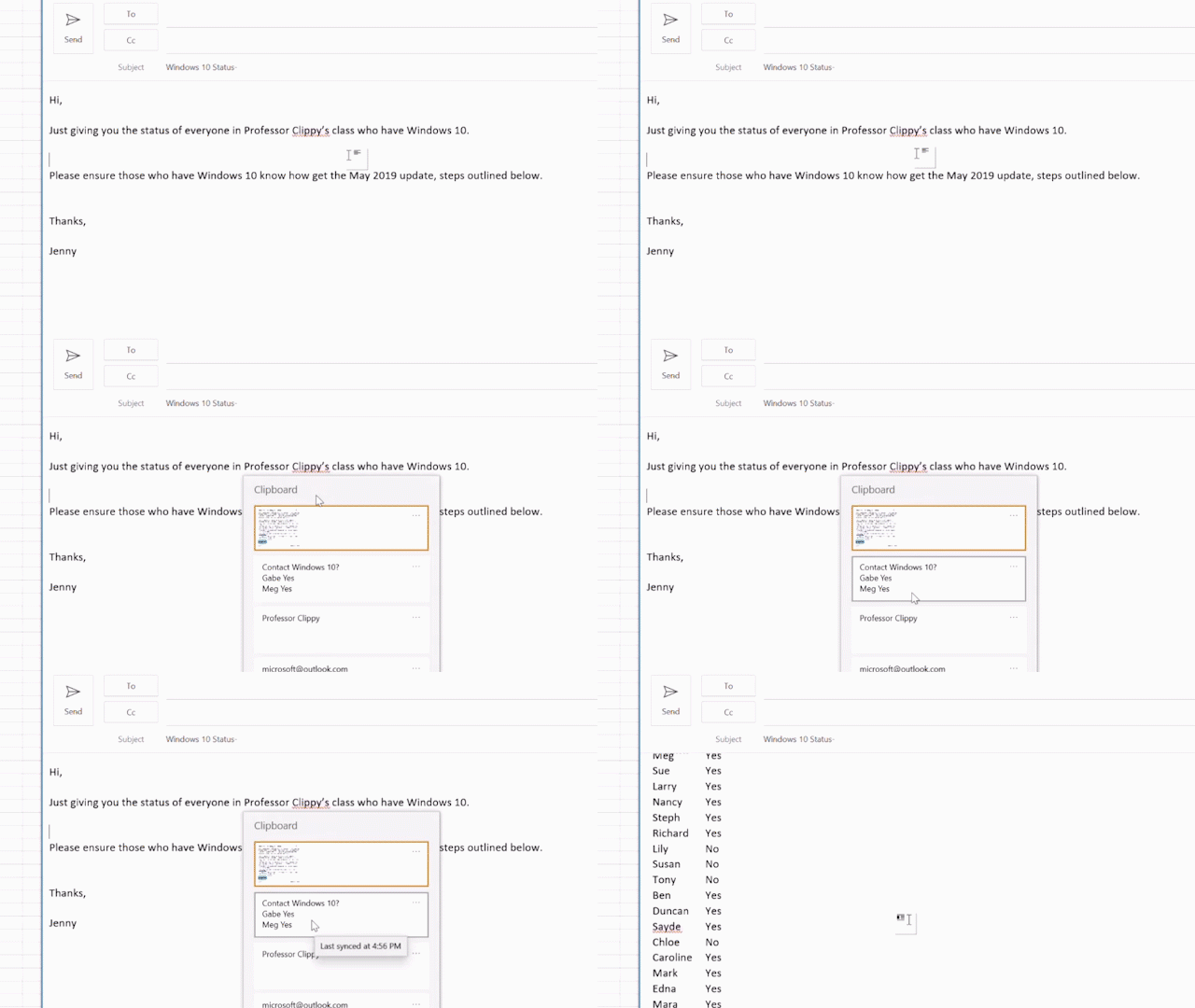
GIF shows a close-up of a clipboard appearing as options to insert in an email

If you like this, check out more Windows 10 Tips.

Your Privacy Choices Opt-Out Icon Your Privacy Choices
Consumer Health Privacy Sitemap Contact Microsoft Privacy Manage cookies Terms of use Trademarks Safety & eco Recycling About our ads